The Road to Canterbury

The Road to Canterbury

Role Playing

| Choice of Games LLC

Play on PC with BlueStacks or from our cloud

  • Overview
  • Game Features
  • How to Play

Page Modified On: October 08, 2026

Play The Road to Canterbury on PC or Mac

Bring your A-game to The Road to Canterbury, the Role Playing game sensation from Choice of Games LLC. Give your gameplay the much-needed boost with precise game controls, high FPS graphics, and top-tier features on your PC or Mac with BlueStacks.

About the Game

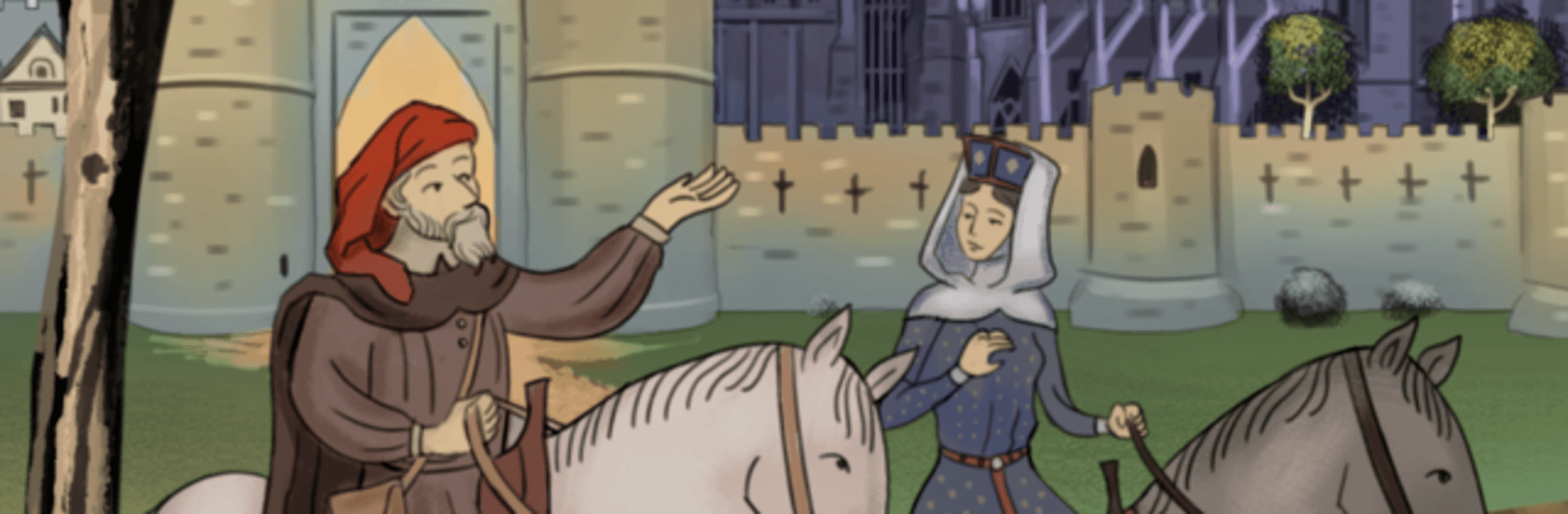
The Road to Canterbury is a choice-driven, text-only adventure that lets you write your fate on a pilgrimage through 14th-century England. It’s a Role Playing story where every decision nudges history, love, and loyalty in a new direction—sometimes for better, sometimes for worse. Prefer reading with a keyboard and bigger screen? It plays comfortably on BlueStacks.

Game Features

  • Your Path, Your Identity: Create a character that fits you—choose your gender and orientation, then shape your beliefs, morals, and ambitions as a secretive traveler with a dangerous purpose.
  • A Historic Pilgrimage: Trek the old Watling Street from Southwark to Canterbury, swapping tales at inns, dodging trouble on the road, and rubbing shoulders with nobles, merchants, and fellow pilgrims.
  • Storytelling Showdown: Join the pilgrims’ contest and craft tales to wow the crowd; the right words can earn prestige, allies, and a very desirable prize.
  • Politics With Teeth: Earn the trust of Philippa de Roet, match wits with Geoffrey Chaucer, and push powerful figures toward choices that could tilt England and France off their current course.
  • Action When It Counts: Outmaneuver raiders, stop (or enable) an assassin, and face down rivals in jousts and trials by combat when talk alone won’t cut it.
  • Romance or Friendship: Court a knight, a squire, or a traveler from faraway lands—or keep relationships strictly platonic and focused on the mission.
  • Titles and Trade: Rise through society as a knight, take the reins of an abbey, or become a major voice in London’s merchant guilds.
  • Secrets of Blood and Bone: Dig into the mystery that shadows your family and decide what the truth is worth—to you and to others.
  • Text-First Immersion: Enjoy a rich, prose-driven experience without graphics or sound, where your imagination handles the scenery and your choices drive every twist.
  • Choose a Banner: Swear loyalty to England or France and feel the consequences ripple through the Hundred Years’ War—and through your companions’ lives.

BlueStacks gives you more room to focus on the game and less time adjusting around mobile limitations.


Game Features

Enhancements

  • Macros
  • Rerolling
  • Eco Mode
  • Multi Instance Sync
  • Enhancements
Macros

Macros

Focus more on the fun part of the game, skip the tedious aspects. Master The Road to Canterbury with Macros. Record yourself completing the monotonous tasks you wish to automate and replay them later with just one keypress.
Rerolling

Rerolling

Speed up the rerolling process in The Road to Canterbury. Perform multiple summons and keep looking for the best Heroes. Use Multi-Instance sync to replicate the rerolling mechanism in all instances.
Eco Mode

Eco Mode

Farm in-game resources with ease in The Road to Canterbury. Enable the Eco Mode when running the game in multiple instances. And lower your PC's resource consumption.
Multi Instance Sync

Multi Instance Sync

With the Multi-instance Sync, you can do even more in The Road to Canterbury. Sync the action of the main instance and repeat them in real time for all other instances. Sync and sit back, let the game progress unfold.
Read More

How to Download and Play The Road to Canterbury on PC or Mac

  • Download and install BlueStacks on your PC or Mac

  • Complete Google sign-in to access the Play Store, or do it later

  • Look for The Road to Canterbury in the search bar at the top right corner

  • Click to install The Road to Canterbury from the search results

  • Complete Google sign-in (if you skipped step 2) to install The Road to Canterbury

  • Click the The Road to Canterbury icon on the home screen to start playing

video
Watch Video

Minimum System Requirements

With BlueStacks 5, you can get started on a PC that fulfills the following requirements.

  • Operating System

    Microsoft Windows 7 or above, macOS 11 (Big Sur) or above

  • Processor

    Intel, AMD or Apple Silicon Processor

  • RAM

    at least 4GB

  • HDD

    10GB Free Disk Space

Note:

* You must be an Administrator on your PC. Up to date graphics drivers from Microsoft or the chipset vendor.

The Road to Canterbury - FAQs

  • How to play The Road to Canterbury on Windows PC & Mac?

    Play The Road to Canterbury on your PC or Mac by following these simple steps.

    • Click on 'Play The Road to Canterbury on PC’ to download BlueStacks
    • Install it and log-in to Google Play Store
    • Launch and play the game.
  • Why is BlueStacks the fastest and safest platform to play games on PC?

    BlueStacks respects your privacy and is always safe and secure to use. It does not carry any malware, spyware, or any sort of additional software that could harm your PC.

    It is engineered to optimize speed and performance for a seamless gaming experience.

  • What are The Road to Canterbury PC requirements?

    Minimum requirement to run The Road to Canterbury on your PC

    • OS: Microsoft Windows 7 or above MacOS 11 (Big Sur) or above
    • Processor: Intel, AMD or Apple Silicon Processor
    • RAM: Your PC must have at least 4GB of RAM. (Note that having 4GB or more disk space is not a substitute for RAM)
    • HDD: 10GB Free Disk Space.
    • You must be an Administrator on your PC.