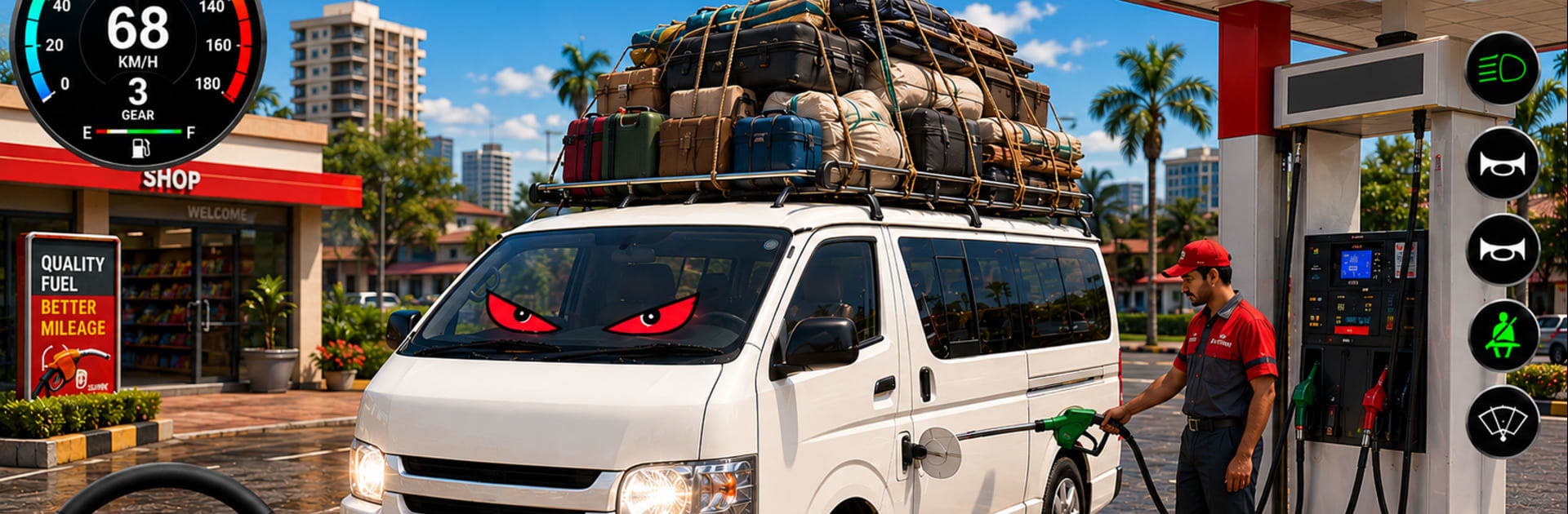
Van Simulator Van Games Arena

Van Simulator Van Games Arena

Role Playing

| Muhammad Parwana

Play on PC with BlueStacks or from our cloud

  • Overview
  • Game Features
  • How to Play

Page Modified On: October 21, 2026

Play Van Simulator Van Games Arena on PC or Mac

Van Simulator Van Games Arena brings the Role Playing genre to life, and throws up exciting challenges for gamers. Developed by Muhammad Parwana, this Android game is best experienced on BlueStacks, the World’s #1 app player for PC and Mac users.

About the Game

Van Simulator Van Games Arena mixes chill routes with white-knuckle moments, all from behind the wheel of a van that can do a whole lot more than you’d expect. As a Role Playing experience, you’re the driver calling the shots—ferrying passengers, squeezing into tight spaces, tuning your ride, and even throwing down in wild arena brawls. One minute you’re cruising city blocks; the next, you’re bombing down a mountain road or wrestling through mud. Prefer a bigger screen and keyboard feel? It runs smoothly on BlueStacks without getting in your way.

Game Features

  • Passenger runs that matter: Pick up, drop off, and thread through traffic like a pro to earn cash and sharpen your timing.
  • Precision parking, for real: Tackle tight bays, awkward angles, and fussy curbs; master smooth throttle-and-brake control to stick the landing.
  • Street and highway races: Outsmart rivals, slip through gaps, and push for clean lines that shave seconds off your best times.
  • Battle Arena chaos: Use smart positioning, well-timed rams, and quick evasive moves to outlast tough opponents.
  • Varied maps, new habits: City grids, fast expressways, hillside villages, and muddy trails each demand different braking points and routes.
  • Build your garage: Unlock modern vans, then tune speed, handling, and braking to fit missions, races, or arena scraps.
  • Real-feel driving: Weighty physics, responsive steering, punchy engine audio, and crisp visuals make every mile feel grounded.
  • Traffic that thinks: Reactive vehicles keep you honest—plan overtakes, watch gaps, and read the flow or pay the price.
  • Offline-friendly play: Jump into missions or quick races whenever you’ve got a few minutes, no connection required.
  • Modes under one roof: Swap between passenger jobs, technical parking trials, time-to-beat sprints, and arena action without juggling different games.
  • BlueStacks perk: Want a bigger view and keyboard-friendly inputs? Fire it up on BlueStacks and settle in.

BlueStacks gives you more room to focus on the game and less time adjusting around mobile limitations.


Game Features

Enhancements

  • Macros
  • Rerolling
  • Eco Mode
  • Multi Instance Sync
  • Enhancements
Macros

Macros

Focus more on the fun part of the game, skip the tedious aspects. Master Van Simulator Van Games Arena with Macros. Record yourself completing the monotonous tasks you wish to automate and replay them later with just one keypress.
Rerolling

Rerolling

Speed up the rerolling process in Van Simulator Van Games Arena. Perform multiple summons and keep looking for the best Heroes. Use Multi-Instance sync to replicate the rerolling mechanism in all instances.
Eco Mode

Eco Mode

Farm in-game resources with ease in Van Simulator Van Games Arena. Enable the Eco Mode when running the game in multiple instances. And lower your PC's resource consumption.
Multi Instance Sync

Multi Instance Sync

With the Multi-instance Sync, you can do even more in Van Simulator Van Games Arena. Sync the action of the main instance and repeat them in real time for all other instances. Sync and sit back, let the game progress unfold.
Read More

How to Download and Play Van Simulator Van Games Arena on PC or Mac

  • Download and install BlueStacks on your PC or Mac

  • Complete Google sign-in to access the Play Store, or do it later

  • Look for Van Simulator Van Games Arena in the search bar at the top right corner

  • Click to install Van Simulator Van Games Arena from the search results

  • Complete Google sign-in (if you skipped step 2) to install Van Simulator Van Games Arena

  • Click the Van Simulator Van Games Arena icon on the home screen to start playing

video
Watch Video

Minimum System Requirements

With BlueStacks 5, you can get started on a PC that fulfills the following requirements.

  • Operating System

    Microsoft Windows 7 or above, macOS 11 (Big Sur) or above

  • Processor

    Intel, AMD or Apple Silicon Processor

  • RAM

    at least 4GB

  • HDD

    10GB Free Disk Space

Note:

* You must be an Administrator on your PC. Up to date graphics drivers from Microsoft or the chipset vendor.

Van Simulator Van Games Arena - FAQs

  • How to play Van Simulator Van Games Arena on Windows PC & Mac?

    Play Van Simulator Van Games Arena on your PC or Mac by following these simple steps.

    • Click on 'Play Van Simulator Van Games Arena on PC’ to download BlueStacks
    • Install it and log-in to Google Play Store
    • Launch and play the game.
  • Why is BlueStacks the fastest and safest platform to play games on PC?

    BlueStacks respects your privacy and is always safe and secure to use. It does not carry any malware, spyware, or any sort of additional software that could harm your PC.

    It is engineered to optimize speed and performance for a seamless gaming experience.

  • What are Van Simulator Van Games Arena PC requirements?

    Minimum requirement to run Van Simulator Van Games Arena on your PC

    • OS: Microsoft Windows 7 or above MacOS 11 (Big Sur) or above
    • Processor: Intel, AMD or Apple Silicon Processor
    • RAM: Your PC must have at least 4GB of RAM. (Note that having 4GB or more disk space is not a substitute for RAM)
    • HDD: 10GB Free Disk Space.
    • You must be an Administrator on your PC.