武器投げRPG 空島クエスト
武器投げRPG 空島クエスト

武器投げRPG 空島クエスト

Role Playing

| yuika project

Play on PC with BlueStacks or from our cloud

  • Overview
  • Game Features
  • How to Play

Page Modified On: November 02, 2026

Play 武器投げRPG 空島クエスト on PC or Mac

Play 武器投げRPG 空島クエスト by yuika project on PC or Mac with BlueStacks. Use a bigger screen, mouse and keyboard controls, and smoother performance while you play.

About the Game

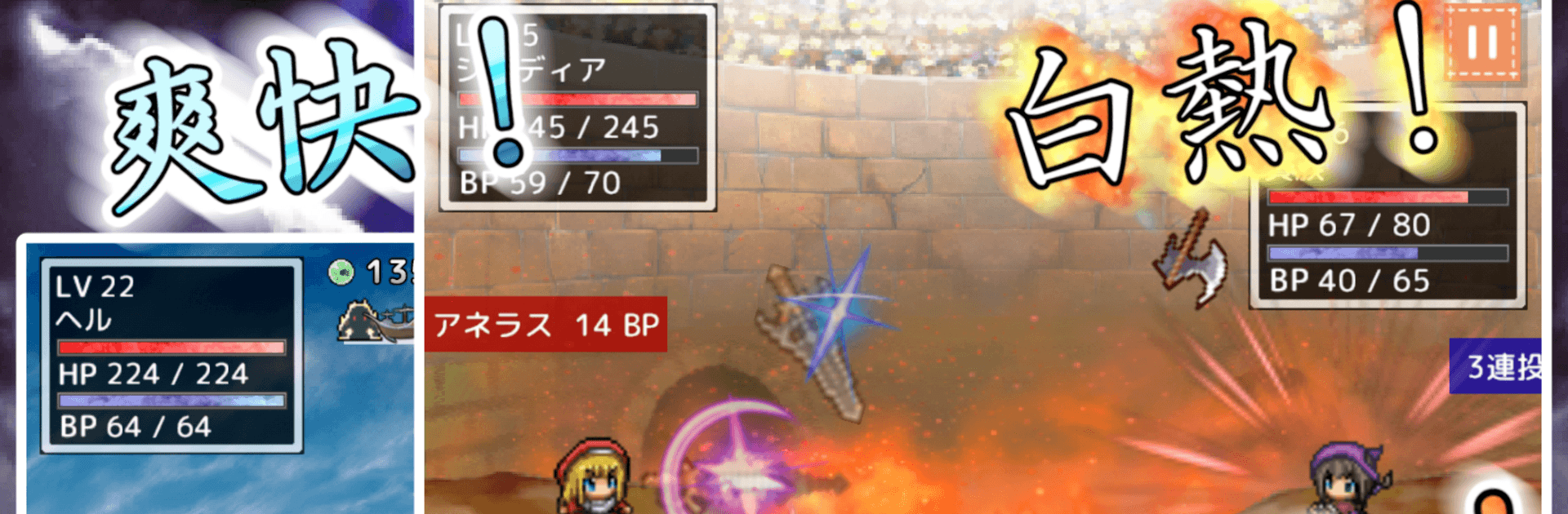
武器投げRPG 空島クエスト is all about hurling steel through the clouds and outsmarting anything that dares fly your way. This Role Playing adventure drops you onto a peaceful sky island on the brink of trouble, then hands you a bag of wild weapons and says, “Go fix it.” Quick taps, clever timing, and a little guts go a long way here. It also feels great on a bigger screen with crisp inputs on BlueStacks.

Game Features

  • Tap-to-Throw Combat: Flick out swords, spears, and oddball arms with simple taps, then watch them arc through the air and smack into targets.
  • Midair Counterplay: See an enemy weapon coming? Peg it out of the sky and turn the tide—defense and offense happen at the same time.
  • Evolving Arsenal: The more you use a weapon in a fight, the stronger and flashier it becomes, unlocking powerful techniques on the fly.
  • Build-Your-Own Tactics: Mix weapons with items to craft combos that fit your style—burst damage, steady control, or pure chaos.
  • Six Distinct Heroes: Pick from six playable characters and learn each one’s quirks, passives, and timing windows to make them shine.
  • Otomo Companions: Recruit friendly monsters who back you up, grow more helpful as you battle together, and add new wrinkles to your strategy.
  • Arena Challenges: Step into the arena to test your mettle, push through tougher waves, and snag rare weapons and accessories.
  • Sky-Island Story: Follow Darryl and a band of islanders chosen for their bizarre power to conjure and throw twin weapons as they face a brewing crisis over Sorajima.

Get ready for a buttery smooth, high-performance gaming action only on BlueStacks.

Game Features

Enhancements

  • Macros
  • Rerolling
  • Eco Mode
  • Multi Instance Sync
  • Enhancements
Macros

Macros

Focus more on the fun part of the game, skip the tedious aspects. Master 武器投げRPG 空島クエスト with Macros. Record yourself completing the monotonous tasks you wish to automate and replay them later with just one keypress.
Rerolling

Rerolling

Speed up the rerolling process in 武器投げRPG 空島クエスト. Perform multiple summons and keep looking for the best Heroes. Use Multi-Instance sync to replicate the rerolling mechanism in all instances.
Eco Mode

Eco Mode

Farm in-game resources with ease in 武器投げRPG 空島クエスト. Enable the Eco Mode when running the game in multiple instances. And lower your PC's resource consumption.
Multi Instance Sync

Multi Instance Sync

With the Multi-instance Sync, you can do even more in 武器投げRPG 空島クエスト. Sync the action of the main instance and repeat them in real time for all other instances. Sync and sit back, let the game progress unfold.
Read More

How to Download and Play 武器投げRPG 空島クエスト on PC or Mac

  • Download and install BlueStacks on your PC or Mac

  • Complete Google sign-in to access the Play Store, or do it later

  • Look for 武器投げRPG 空島クエスト in the search bar at the top right corner

  • Click to install 武器投げRPG 空島クエスト from the search results

  • Complete Google sign-in (if you skipped step 2) to install 武器投げRPG 空島クエスト

  • Click the 武器投げRPG 空島クエスト icon on the home screen to start playing

video
Watch Video

Minimum System Requirements

With BlueStacks 5, you can get started on a PC that fulfills the following requirements.

  • Operating System

    Microsoft Windows 7 or above, macOS 11 (Big Sur) or above

  • Processor

    Intel, AMD or Apple Silicon Processor

  • RAM

    at least 4GB

  • HDD

    10GB Free Disk Space

Note:

* You must be an Administrator on your PC. Up to date graphics drivers from Microsoft or the chipset vendor.

武器投げRPG 空島クエスト - FAQs

  • How to play 武器投げRPG 空島クエスト on Windows PC & Mac?

    Play 武器投げRPG 空島クエスト on your PC or Mac by following these simple steps.

    • Click on 'Play 武器投げRPG 空島クエスト on PC’ to download BlueStacks
    • Install it and log-in to Google Play Store
    • Launch and play the game.
  • Why is BlueStacks the fastest and safest platform to play games on PC?

    BlueStacks respects your privacy and is always safe and secure to use. It does not carry any malware, spyware, or any sort of additional software that could harm your PC.

    It is engineered to optimize speed and performance for a seamless gaming experience.

  • What are 武器投げRPG 空島クエスト PC requirements?

    Minimum requirement to run 武器投げRPG 空島クエスト on your PC

    • OS: Microsoft Windows 7 or above MacOS 11 (Big Sur) or above
    • Processor: Intel, AMD or Apple Silicon Processor
    • RAM: Your PC must have at least 4GB of RAM. (Note that having 4GB or more disk space is not a substitute for RAM)
    • HDD: 10GB Free Disk Space.
    • You must be an Administrator on your PC.