Wild Animal Sniper Hunter Game

Wild Animal Sniper Hunter Game

Role Playing

| GamingSpell

Play on PC with BlueStacks or from our cloud

  • Overview
  • Game Features
  • How to Play

Page Modified On: May 05, 2026

Play Wild Animal Sniper Hunter Game on PC or Mac

From the innovators and creators at GamingSpell, Wild Animal Sniper Hunter Game is another fun addition to the World of Role Playing games. Go beyond your mobile screen and play it bigger and better on your PC or Mac. An immersive experience awaits you.

About the Game

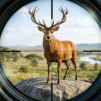
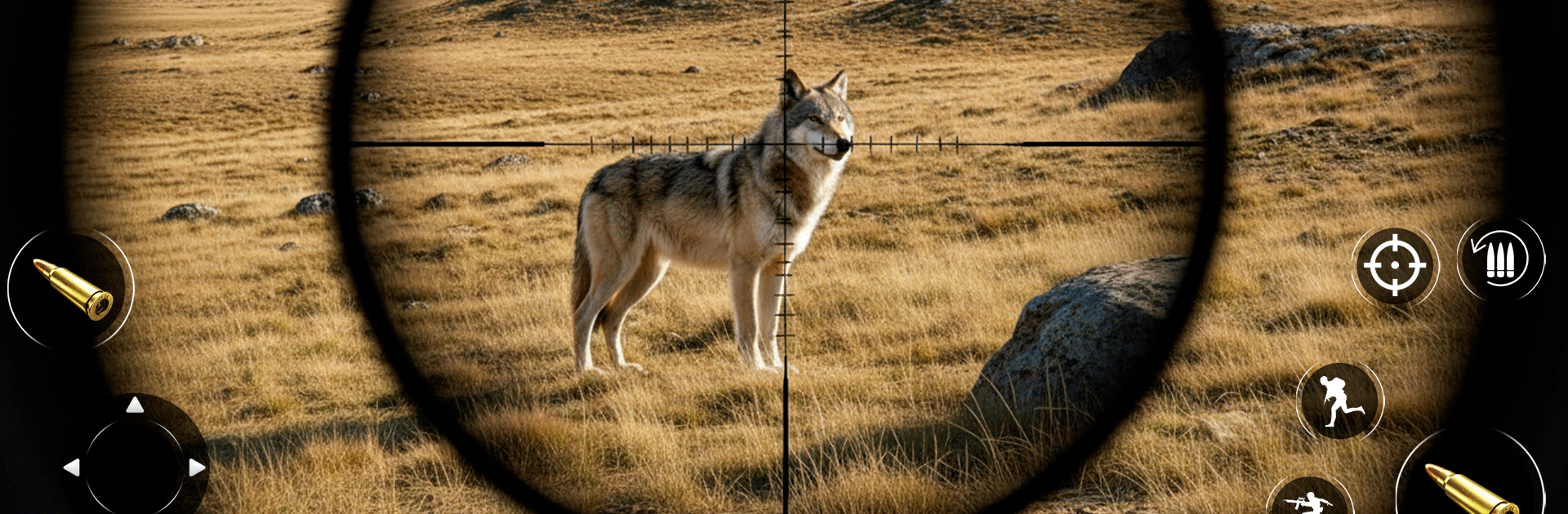
Wild Animal Sniper Hunter Game puts you out in rough country with a pack full of gear and a single goal: find your target and make the shot. It’s a Role Playing experience from GamingSpell that rewards patience, timing, and smart planning as much as steady aim. Expect tight, first-person shooting, tense tracking, and the kind of near-misses that make your palms sweat.

Game Features

  • Smart Wildlife Behavior: Animals spook at noise, react to movement, and don’t stick around if you miss. Learn their patterns, read tracks, and pick the right moment to pull the trigger.
  • Big, Open Maps: Trek through dense forests, arid deserts, windy mountains, and thick jungle zones. Time of day and shifting weather change visibility and strategy on the fly.
  • Precision Weapons: Use rifles, sniper setups, shotguns, and bows. Upgrade optics, stability, damage, and reload speed to build a loadout that fits your style.
  • Realistic Sniping: Long-range shots feel weighty and deliberate, with smooth scope controls that make every squeeze of the trigger count.
  • Variety of Hunts: Stalk deer, boar, wolves, bears, lions, elephants, and more—each species behaves differently, so what works once won’t always work again.
  • Missions or Free Roam: Tackle story-driven contracts and survival challenges, or head out on your own and scout the terrain at your pace.
  • Fully Offline: No connection needed. Great for quick sessions or long stretches when you’re off the grid.
  • Smooth FPS Controls: Responsive aiming and clean performance keep the focus on tracking and shot placement, not fighting the UI.
  • Play Your Way on PC: Prefer a bigger screen and mouse aim? It runs comfortably on BlueStacks without getting in the way of the hunt.

Ready to top the leaderboard? We bet you do. Let precise controls and sharp visuals optimized on BlueStacks lead you to victory.


Game Features

Enhancements

  • Macros
  • Rerolling
  • Eco Mode
  • Multi Instance Sync
  • Enhancements
Macros

Macros

Focus more on the fun part of the game, skip the tedious aspects. Master Wild Animal Sniper Hunter Game with Macros. Record yourself completing the monotonous tasks you wish to automate and replay them later with just one keypress.
Rerolling

Rerolling

Speed up the rerolling process in Wild Animal Sniper Hunter Game. Perform multiple summons and keep looking for the best Heroes. Use Multi-Instance sync to replicate the rerolling mechanism in all instances.
Eco Mode

Eco Mode

Farm in-game resources with ease in Wild Animal Sniper Hunter Game. Enable the Eco Mode when running the game in multiple instances. And lower your PC's resource consumption.
Multi Instance Sync

Multi Instance Sync

With the Multi-instance Sync, you can do even more in Wild Animal Sniper Hunter Game. Sync the action of the main instance and repeat them in real time for all other instances. Sync and sit back, let the game progress unfold.
Read More

How to Download and Play Wild Animal Sniper Hunter Game on PC or Mac

  • Download and install BlueStacks on your PC or Mac

  • Complete Google sign-in to access the Play Store, or do it later

  • Look for Wild Animal Sniper Hunter Game in the search bar at the top right corner

  • Click to install Wild Animal Sniper Hunter Game from the search results

  • Complete Google sign-in (if you skipped step 2) to install Wild Animal Sniper Hunter Game

  • Click the Wild Animal Sniper Hunter Game icon on the home screen to start playing

video
Watch Video

Minimum System Requirements

With BlueStacks 5, you can get started on a PC that fulfills the following requirements.

  • Operating System

    Microsoft Windows 7 or above, macOS 11 (Big Sur) or above

  • Processor

    Intel, AMD or Apple Silicon Processor

  • RAM

    at least 4GB

  • HDD

    10GB Free Disk Space

Note:

* You must be an Administrator on your PC. Up to date graphics drivers from Microsoft or the chipset vendor.

Wild Animal Sniper Hunter Game - FAQs

  • How to play Wild Animal Sniper Hunter Game on Windows PC & Mac?

    Play Wild Animal Sniper Hunter Game on your PC or Mac by following these simple steps.

    • Click on 'Play Wild Animal Sniper Hunter Game on PC’ to download BlueStacks
    • Install it and log-in to Google Play Store
    • Launch and play the game.
  • Why is BlueStacks the fastest and safest platform to play games on PC?

    BlueStacks respects your privacy and is always safe and secure to use. It does not carry any malware, spyware, or any sort of additional software that could harm your PC.

    It is engineered to optimize speed and performance for a seamless gaming experience.

  • What are Wild Animal Sniper Hunter Game PC requirements?

    Minimum requirement to run Wild Animal Sniper Hunter Game on your PC

    • OS: Microsoft Windows 7 or above MacOS 11 (Big Sur) or above
    • Processor: Intel, AMD or Apple Silicon Processor
    • RAM: Your PC must have at least 4GB of RAM. (Note that having 4GB or more disk space is not a substitute for RAM)
    • HDD: 10GB Free Disk Space.
    • You must be an Administrator on your PC.