Wild Hunter Deer Shooting Game

Wild Hunter Deer Shooting Game

Role Playing

| 2dfunzone

Play on PC with BlueStacks or from our cloud

  • Overview
  • Game Features
  • How to Play

Page Modified On: August 03, 2026

Play Wild Hunter Deer Shooting Game on PC or Mac

Wild Hunter Deer Shooting Game brings the Role Playing genre to life, and throws up exciting challenges for gamers. Developed by 2dfunzone, this Android game is best experienced on BlueStacks, the World’s #1 app player for PC and Mac users.

About the Game

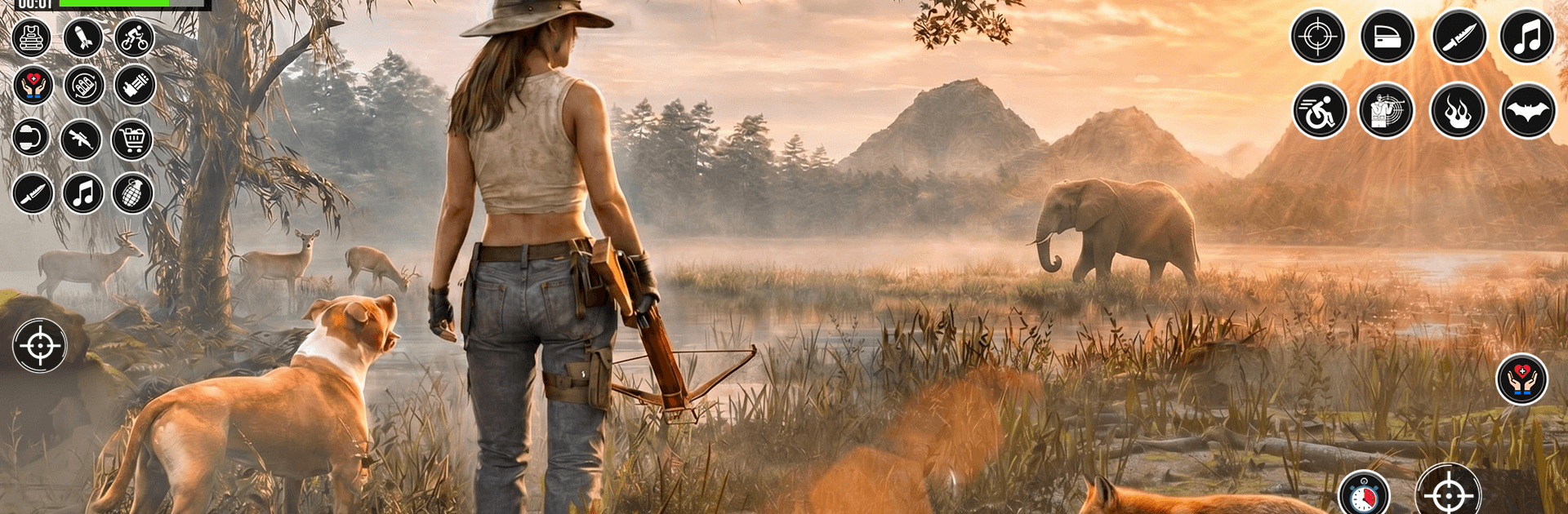
Wild Hunter Deer Shooting Game is a grounded Role Playing take on big-game hunting, built around patience, planning, and sharp shooting. You’ll creep through tangled jungles and wide-open plains, read the signs, and wait for that single clean window before you pull the trigger. Prefer lining up shots with a mouse on a bigger display? It plays nicely on BlueStacks too.

Game Features

  • Living open maps: Roam dense forests, deep jungle trails, and broad safari plains, each with fresh routes, vantage points, and ambush spots.
  • Real tracking, not guesswork: Follow footprints, rustling brush, and movement patterns to close the distance and set up a smart approach.
  • Make every shot count: Tight sniper mechanics reward steady breathing and timing; one bad squeeze and the herd’s gone.
  • Wildlife that pushes back: Timid prey and bold predators react differently to sound and distance, so your plan has to adapt fast.
  • Missions with variety: Tackle focused sniper contracts, free hunts, and species challenges across deer, lions, elephants, and bears.
  • Stealth or shock: Go low and quiet for a silent takedown, or switch to all-out FPS gunplay when things get loud.
  • Fully offline: Hunt wherever you are—no connection needed—perfect for quick sessions or long treks.
  • 3D sights and sounds: Natural lighting, terrain, and directional audio help you spot, stalk, and strike like a pro.

Start playing Wild Hunter Deer Shooting Game on BlueStacks and get a smoother, more comfortable PC or Mac setup.


Game Features

Enhancements

  • Macros
  • Rerolling
  • Eco Mode
  • Multi Instance Sync
  • Enhancements
Macros

Macros

Focus more on the fun part of the game, skip the tedious aspects. Master Wild Hunter Deer Shooting Game with Macros. Record yourself completing the monotonous tasks you wish to automate and replay them later with just one keypress.
Rerolling

Rerolling

Speed up the rerolling process in Wild Hunter Deer Shooting Game. Perform multiple summons and keep looking for the best Heroes. Use Multi-Instance sync to replicate the rerolling mechanism in all instances.
Eco Mode

Eco Mode

Farm in-game resources with ease in Wild Hunter Deer Shooting Game. Enable the Eco Mode when running the game in multiple instances. And lower your PC's resource consumption.
Multi Instance Sync

Multi Instance Sync

With the Multi-instance Sync, you can do even more in Wild Hunter Deer Shooting Game. Sync the action of the main instance and repeat them in real time for all other instances. Sync and sit back, let the game progress unfold.
Read More

How to Download and Play Wild Hunter Deer Shooting Game on PC or Mac

  • Download and install BlueStacks on your PC or Mac

  • Complete Google sign-in to access the Play Store, or do it later

  • Look for Wild Hunter Deer Shooting Game in the search bar at the top right corner

  • Click to install Wild Hunter Deer Shooting Game from the search results

  • Complete Google sign-in (if you skipped step 2) to install Wild Hunter Deer Shooting Game

  • Click the Wild Hunter Deer Shooting Game icon on the home screen to start playing

video
Watch Video

Minimum System Requirements

With BlueStacks 5, you can get started on a PC that fulfills the following requirements.

  • Operating System

    Microsoft Windows 7 or above, macOS 11 (Big Sur) or above

  • Processor

    Intel, AMD or Apple Silicon Processor

  • RAM

    at least 4GB

  • HDD

    10GB Free Disk Space

Note:

* You must be an Administrator on your PC. Up to date graphics drivers from Microsoft or the chipset vendor.

Wild Hunter Deer Shooting Game - FAQs

  • How to play Wild Hunter Deer Shooting Game on Windows PC & Mac?

    Play Wild Hunter Deer Shooting Game on your PC or Mac by following these simple steps.

    • Click on 'Play Wild Hunter Deer Shooting Game on PC’ to download BlueStacks
    • Install it and log-in to Google Play Store
    • Launch and play the game.
  • Why is BlueStacks the fastest and safest platform to play games on PC?

    BlueStacks respects your privacy and is always safe and secure to use. It does not carry any malware, spyware, or any sort of additional software that could harm your PC.

    It is engineered to optimize speed and performance for a seamless gaming experience.

  • What are Wild Hunter Deer Shooting Game PC requirements?

    Minimum requirement to run Wild Hunter Deer Shooting Game on your PC

    • OS: Microsoft Windows 7 or above MacOS 11 (Big Sur) or above
    • Processor: Intel, AMD or Apple Silicon Processor
    • RAM: Your PC must have at least 4GB of RAM. (Note that having 4GB or more disk space is not a substitute for RAM)
    • HDD: 10GB Free Disk Space.
    • You must be an Administrator on your PC.