Amazing Truck Simulator

Amazing Truck Simulator

Simulation

| IDBS International

Play on PC with BlueStacks or from our cloud

  • Overview
  • Game Features
  • How to Play

Page Modified On: October 24, 2025

Play Amazing Truck Simulator on PC or Mac

Step into the World of Amazing Truck Simulator, a thrilling Simulation game from the house of IDBS International. Play this Android game on BlueStacks App Player and experience immersive gaming on PC or Mac.

About the Game

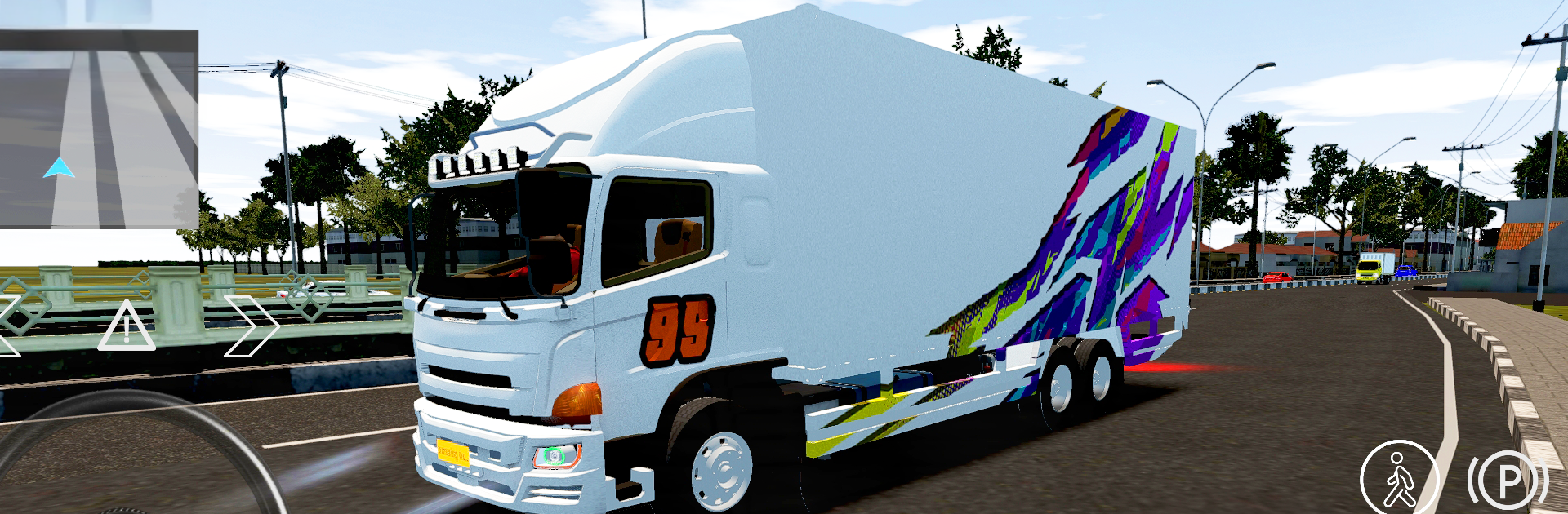
Long hauls, tight turns, and a whole lot of horsepower—Amazing Truck Simulator nails the feel of driving the big rigs. This Simulation title from IDBS International puts you behind the wheel with believable physics, long routes, and plenty of ways to make your truck your own. Prefer solo cruising or convoy chaos? Both are in, and if you like playing on PC, it runs great on BlueStacks too.

Game Features

  • Authentic Rigs: Drive detailed trucks that handle with real weight, smooth steering, and convincing exhaust effects.
  • Big Open Map: Settle in for proper long-distance runs; a full highway stretch can take roughly half an hour from end to end.
  • Offline or Multiplayer: Play offline anytime, or head online for convoys. Create password-protected rooms for your crew with support for up to 16 players.
  • Instant Liveries: Swap between built-in skins instantly—no extra downloads. Prefer your own style? Design custom liveries and show them off in rooms.
  • Deep Customization: Build your dream hauler with bumpers, matrix lamps, side exits, light bars, roof racks, and more. Go subtle or go wild.
  • Day-to-Night Cycle: Watch sunrises, sunsets, and starry nights roll by. The lighting shift changes mood, visibility, and how you plan your drive.
  • Quick Travel: Short on time? Use teleport to jump to key locations or meet friends fast without crossing the entire map.
  • Real-World Vibes: Terminals, highways, and toll roads look and feel familiar, backed by crisp visuals that keep the road ahead clear.

Get ready for a buttery smooth, high-performance gaming action only on BlueStacks.

Game Features

Enhancements

  • Macros
  • Multi Instance
  • Multi Instance Sync
  • Script
  • Enhancements
Macros

Macros

Automate the predictable in Amazing Truck Simulator and transform your gameplay with Macros. Get access to inventive Macros in the BlueStacks Macro Community
Multi Instance

Multi Instance

Play Amazing Truck Simulator on one window. And chat with your friend on the other. Press CTRL + Shift + 8 to open the Multi-Instance Manager. And start creating fresh instances or clone an existing one.
Multi Instance Sync

Multi Instance Sync

Play Amazing Truck Simulator with the power of Multi-Instance Sync. Replicate what you are doing on the main instance on all other instances. Level up faster, play more.
Script

Script

Script your way to gaming glory in Amazing Truck Simulator with BlueStacks Script. Write and run a set of commands to automate repeated tasks. Trigger the command by assigning it to any key.
Read More

How to Download and Play Amazing Truck Simulator on PC or Mac

  • Download and install BlueStacks on your PC or Mac

  • Complete Google sign-in to access the Play Store, or do it later

  • Look for Amazing Truck Simulator in the search bar at the top right corner

  • Click to install Amazing Truck Simulator from the search results

  • Complete Google sign-in (if you skipped step 2) to install Amazing Truck Simulator

  • Click the Amazing Truck Simulator icon on the home screen to start playing

video
Watch Video

Minimum System Requirements

With BlueStacks 5, you can get started on a PC that fulfills the following requirements.

  • Operating System

    Microsoft Windows 7 or above, macOS 11 (Big Sur) or above

  • Processor

    Intel, AMD or Apple Silicon Processor

  • RAM

    at least 4GB

  • HDD

    10GB Free Disk Space

Note:

* You must be an Administrator on your PC. Up to date graphics drivers from Microsoft or the chipset vendor.

Amazing Truck Simulator - FAQs

  • How to play Amazing Truck Simulator on Windows PC & Mac?

    Play Amazing Truck Simulator on your PC or Mac by following these simple steps.

    • Click on 'Play Amazing Truck Simulator on PC’ to download BlueStacks
    • Install it and log-in to Google Play Store
    • Launch and play the game.
  • Why is BlueStacks the fastest and safest platform to play games on PC?

    BlueStacks respects your privacy and is always safe and secure to use. It does not carry any malware, spyware, or any sort of additional software that could harm your PC.

    It is engineered to optimize speed and performance for a seamless gaming experience.

  • What are Amazing Truck Simulator PC requirements?

    Minimum requirement to run Amazing Truck Simulator on your PC

    • OS: Microsoft Windows 7 or above MacOS 11 (Big Sur) or above
    • Processor: Intel, AMD or Apple Silicon Processor
    • RAM: Your PC must have at least 4GB of RAM. (Note that having 4GB or more disk space is not a substitute for RAM)
    • HDD: 10GB Free Disk Space.
    • You must be an Administrator on your PC.