ASMR Skincare: Makeover Games

ASMR Skincare: Makeover Games

Simulation

| Era Global Publishing

Play on PC with BlueStacks or from our cloud

  • Overview
  • Game Features
  • How to Play

Page Modified On: August 14, 2026

Play ASMR Skincare: Makeover Games on PC or Mac

Step into the World of ASMR Skincare: Makeover Games, a thrilling Simulation game from the house of Era Global Publishing. Play this Android game on BlueStacks App Player and experience immersive gaming on PC or Mac.

About the Game

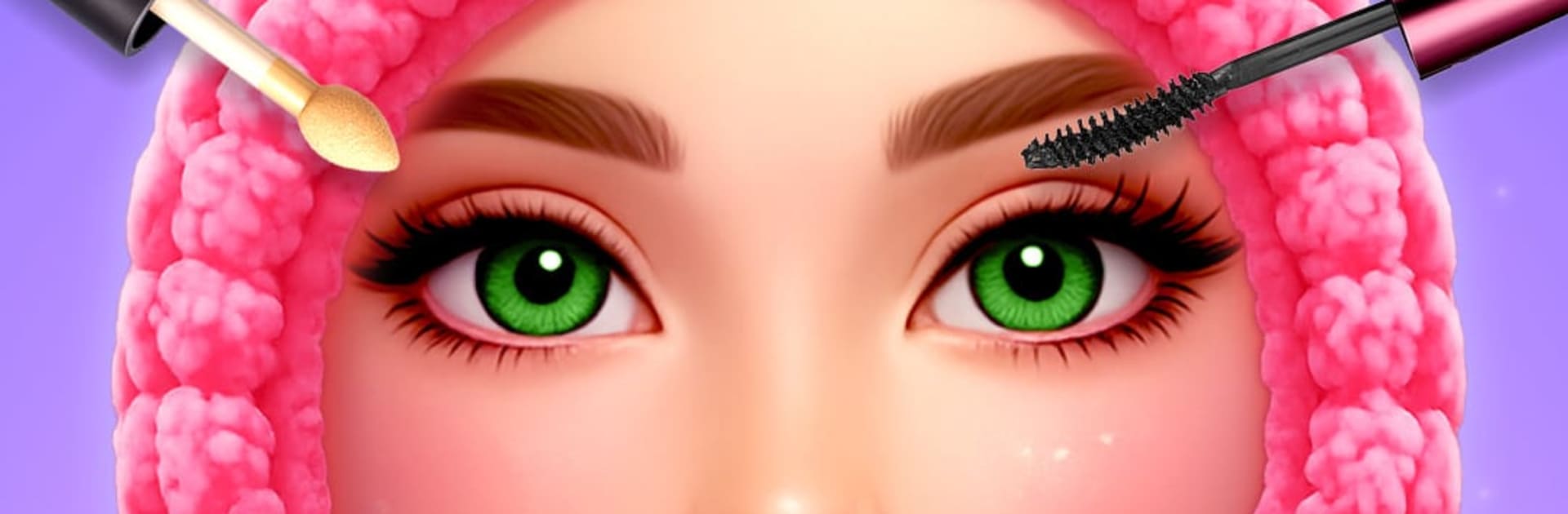
ASMR Skincare: Makeover Games turns beauty care into a calm, satisfying routine you can play with. It’s a relaxing Simulation experience that blends soft sounds, gentle gestures, and mini makeovers into one soothing clinic. Clear breakouts, freshen up makeup, and give full glow-ups at your own pace. It even feels extra cozy on BlueStacks if you like a bigger view and smooth controls.

Game Features

  • Blemish Rescue: Tackle bumps and clogged pores with careful tools and a steady hand. Watch troubled skin settle into a healthy, clean glow.
  • Makeup Studio: Play with foundations, blush, liners, and trendy palettes to build looks that feel natural or bold—whatever the moment needs.
  • Hair Chair: Trim, style, and experiment with cuts and colors. From cute bangs to sleek pro styles, every client leaves transformed.
  • Eyes & Brows: Shape brows, de-puff with masks, and polish the eye area for an instant lift. Small tweaks, big difference.
  • Ear Care ASMR: Gently clean and remove wax in oddly satisfying steps, complete with crisp, calming sound effects.
  • Nails & Art: File, buff, and paint with glossy colors, glitter, and decals. Short sets or detailed designs—the canvas is tiny, the options aren’t.
  • Foot Spa Time: Soak, smooth, and refresh tired feet. Clean up rough spots and finish with a soft, spa-like feel.
  • Body Care Glow: Try waxing and gentle body treatments to smooth skin and complete the makeover from head to toe.
  • Soft Doctor Moments: Disinfect scrapes, soothe irritation, and handle simple fixes with relaxing, clinic-like tools.
  • Makeover Stories: String treatments together for full transformations. Customize every step and see the before-and-after magic.

Get ready for a buttery smooth, high-performance gaming action only on BlueStacks.

Game Features

Enhancements

  • Macros
  • Multi Instance
  • Multi Instance Sync
  • Script
  • Enhancements
Macros

Macros

Automate the predictable in ASMR Skincare: Makeover Games and transform your gameplay with Macros. Get access to inventive Macros in the BlueStacks Macro Community
Multi Instance

Multi Instance

Play ASMR Skincare: Makeover Games on one window. And chat with your friend on the other. Press CTRL + Shift + 8 to open the Multi-Instance Manager. And start creating fresh instances or clone an existing one.
Multi Instance Sync

Multi Instance Sync

Play ASMR Skincare: Makeover Games with the power of Multi-Instance Sync. Replicate what you are doing on the main instance on all other instances. Level up faster, play more.
Script

Script

Script your way to gaming glory in ASMR Skincare: Makeover Games with BlueStacks Script. Write and run a set of commands to automate repeated tasks. Trigger the command by assigning it to any key.
Read More

How to Download and Play ASMR Skincare: Makeover Games on PC or Mac

  • Download and install BlueStacks on your PC or Mac

  • Complete Google sign-in to access the Play Store, or do it later

  • Look for ASMR Skincare: Makeover Games in the search bar at the top right corner

  • Click to install ASMR Skincare: Makeover Games from the search results

  • Complete Google sign-in (if you skipped step 2) to install ASMR Skincare: Makeover Games

  • Click the ASMR Skincare: Makeover Games icon on the home screen to start playing

video
Watch Video

Minimum System Requirements

With BlueStacks 5, you can get started on a PC that fulfills the following requirements.

  • Operating System

    Microsoft Windows 7 or above, macOS 11 (Big Sur) or above

  • Processor

    Intel, AMD or Apple Silicon Processor

  • RAM

    at least 4GB

  • HDD

    10GB Free Disk Space

Note:

* You must be an Administrator on your PC. Up to date graphics drivers from Microsoft or the chipset vendor.

ASMR Skincare: Makeover Games - FAQs

  • How to play ASMR Skincare: Makeover Games on Windows PC & Mac?

    Play ASMR Skincare: Makeover Games on your PC or Mac by following these simple steps.

    • Click on 'Play ASMR Skincare: Makeover Games on PC’ to download BlueStacks
    • Install it and log-in to Google Play Store
    • Launch and play the game.
  • Why is BlueStacks the fastest and safest platform to play games on PC?

    BlueStacks respects your privacy and is always safe and secure to use. It does not carry any malware, spyware, or any sort of additional software that could harm your PC.

    It is engineered to optimize speed and performance for a seamless gaming experience.

  • What are ASMR Skincare: Makeover Games PC requirements?

    Minimum requirement to run ASMR Skincare: Makeover Games on your PC

    • OS: Microsoft Windows 7 or above MacOS 11 (Big Sur) or above
    • Processor: Intel, AMD or Apple Silicon Processor
    • RAM: Your PC must have at least 4GB of RAM. (Note that having 4GB or more disk space is not a substitute for RAM)
    • HDD: 10GB Free Disk Space.
    • You must be an Administrator on your PC.