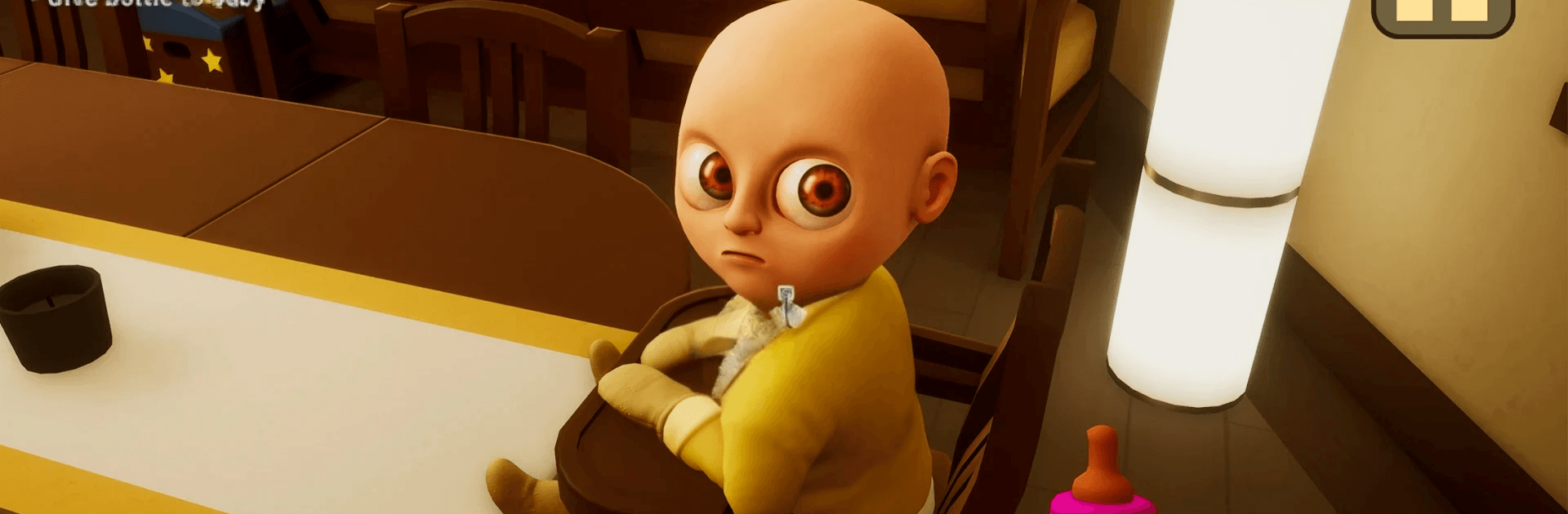
The Baby In Yellow
The Baby In Yellow

The Baby In Yellow

Simulation

| Chill Bear Games

Play on PC with BlueStacks or from our cloud

  • Overview
  • Game Features
  • How to Play

Page Modified On: May 12, 2026

Play The Baby In Yellow on PC or Mac

Bring your A-game to The Baby In Yellow, the Simulation game sensation from Chill Bear Games. Give your gameplay the much-needed boost with precise game controls, high FPS graphics, and top-tier features on your PC or Mac with BlueStacks.

About the Game

Babysitting’s supposed to be easy: feed, change, nap. The Baby In Yellow finds a way to make all of that deeply unsettling—and kind of hilarious. This Simulation oddity from Chill Bear Games throws you into a night shift that starts normal and spirals into something you’ll be talking about afterward. It’s spooky, it’s weird, and it keeps surprising you with little moments that make you grin or jump. Prefer a bigger screen? It plays nicely on PC with BlueStacks, too.

Game Features

  • Eleven strange shifts: Tackle a series of compact chapters that ramp up the tension, shift the rules, and keep you guessing about what the baby will pull next.
  • Ragdoll mayhem: Pick up, carry, and occasionally yeet—well, gently move—the little troublemaker with playful ragdoll physics that make even simple tasks feel chaotic.
  • Everyday tasks, twisted: Follow instructions, solve light puzzles, and complete errands that start basic and turn unnervingly wrong when the house decides to act up.
  • Hidden collectibles: Poke around for secret items tucked in odd corners. Find enough and you’ll unlock fun extras like Big Head Mode and more surprises.
  • Jumps and jitters: Expect sudden scares, eerie sounds, and those unblinking stares that make you want to check over your shoulder.
  • Indie jam roots: Originally whipped up in 48 hours for GMTK Jam 2020, then expanded with more polish, more chapters, and more personality.

Get ready for a buttery smooth, high-performance gaming action only on BlueStacks.

Game Features

Enhancements

  • Macros
  • Multi Instance
  • Multi Instance Sync
  • Script
  • Enhancements
Macros

Macros

Automate the predictable in The Baby In Yellow and transform your gameplay with Macros. Get access to inventive Macros in the BlueStacks Macro Community
Multi Instance

Multi Instance

Play The Baby In Yellow on one window. And chat with your friend on the other. Press CTRL + Shift + 8 to open the Multi-Instance Manager. And start creating fresh instances or clone an existing one.
Multi Instance Sync

Multi Instance Sync

Play The Baby In Yellow with the power of Multi-Instance Sync. Replicate what you are doing on the main instance on all other instances. Level up faster, play more.
Script

Script

Script your way to gaming glory in The Baby In Yellow with BlueStacks Script. Write and run a set of commands to automate repeated tasks. Trigger the command by assigning it to any key.
Read More

How to Download and Play The Baby In Yellow on PC or Mac

  • Download and install BlueStacks on your PC or Mac

  • Complete Google sign-in to access the Play Store, or do it later

  • Look for The Baby In Yellow in the search bar at the top right corner

  • Click to install The Baby In Yellow from the search results

  • Complete Google sign-in (if you skipped step 2) to install The Baby In Yellow

  • Click the The Baby In Yellow icon on the home screen to start playing

video
Watch Video

Minimum System Requirements

With BlueStacks 5, you can get started on a PC that fulfills the following requirements.

  • Operating System

    Microsoft Windows 7 or above, macOS 11 (Big Sur) or above

  • Processor

    Intel, AMD or Apple Silicon Processor

  • RAM

    at least 4GB

  • HDD

    10GB Free Disk Space

Note:

* You must be an Administrator on your PC. Up to date graphics drivers from Microsoft or the chipset vendor.

The Baby In Yellow - FAQs

  • How to play The Baby In Yellow on Windows PC & Mac?

    Play The Baby In Yellow on your PC or Mac by following these simple steps.

    • Click on 'Play The Baby In Yellow on PC’ to download BlueStacks
    • Install it and log-in to Google Play Store
    • Launch and play the game.
  • Why is BlueStacks the fastest and safest platform to play games on PC?

    BlueStacks respects your privacy and is always safe and secure to use. It does not carry any malware, spyware, or any sort of additional software that could harm your PC.

    It is engineered to optimize speed and performance for a seamless gaming experience.

  • What are The Baby In Yellow PC requirements?

    Minimum requirement to run The Baby In Yellow on your PC

    • OS: Microsoft Windows 7 or above MacOS 11 (Big Sur) or above
    • Processor: Intel, AMD or Apple Silicon Processor
    • RAM: Your PC must have at least 4GB of RAM. (Note that having 4GB or more disk space is not a substitute for RAM)
    • HDD: 10GB Free Disk Space.
    • You must be an Administrator on your PC.