Bigfoot 2 Online
Bigfoot 2 Online

Bigfoot 2 Online

Simulation

| nanoByte

Play on PC with BlueStacks or from our cloud

  • Overview
  • Game Features
  • How to Play

Page Modified On: January 06, 2026

Play Bigfoot 2 Online on PC or Mac

Step into the World of Bigfoot 2 Online, a thrilling Simulation game from the house of nanoByte. Play this Android game on BlueStacks App Player and experience immersive gaming on PC or Mac.

About the Game

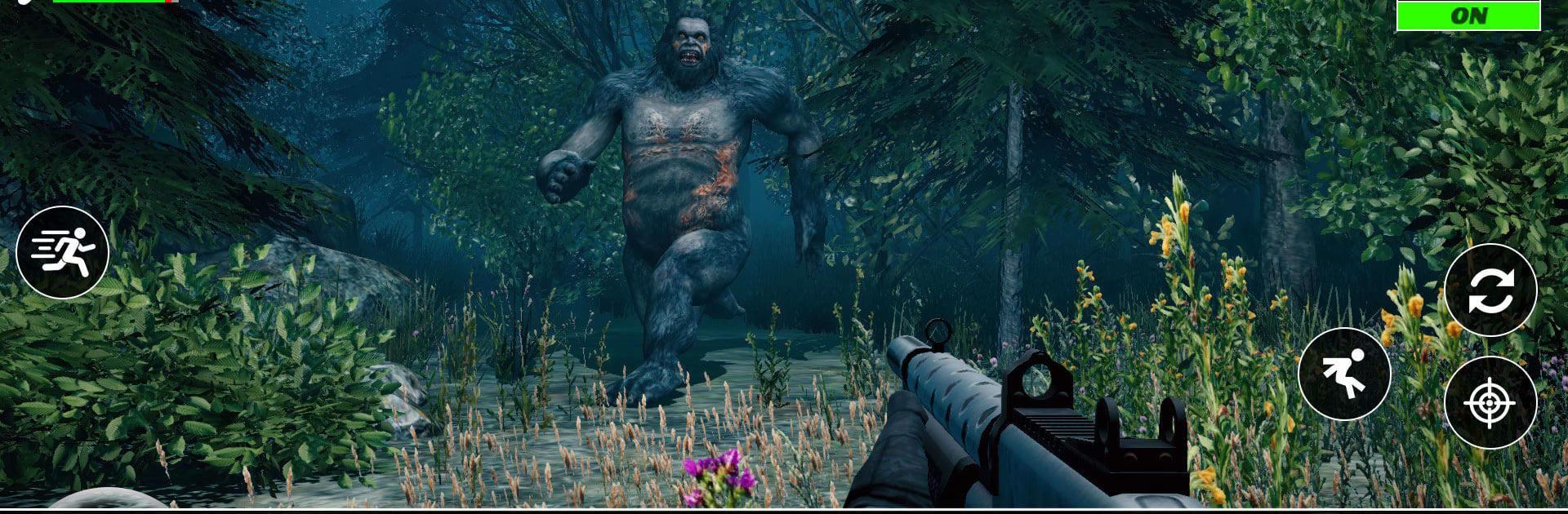
Bigfoot 2 Online is a tense co-op Simulation from nanoByte where you and a squad set out to track a legend that doesn’t want to be found. Think late-night forests, creeping footsteps, and that jolt of adrenaline when something moves just off the trail. It’s easy to hop in and play, and if you prefer a bigger screen, Bigfoot 2 Online also feels great on BlueStacks with keyboard and mouse.

Game Features

  • Team Hunting
    Coordinate with friends or match with players worldwide to sweep the forest, share sightings, and back each other up when things get loud.

  • Track the Legend
    Follow prints, listen for distant calls, and piece together small clues that slowly point toward where Bigfoot last roamed.

  • Tools and Firepower
    Lay traps, set cameras, toss flares, and bring the right weapons for the job—every tool changes how you pressure and corner your target.

  • Simple to Pick Up
    Clean, straightforward controls get you moving fast, while the real challenge comes from staying calm, planning routes, and working together.

  • Unpredictable Encounters
    Bigfoot doesn’t stick to a script. Expect sudden moves, faked retreats, and tense stand-offs that test timing and nerve.

  • Fresh Missions and Gear
    Regular updates introduce new objectives and equipment so hunts keep feeling new, whether you’re a first-timer or a returning pro.

  • Play Your Way
    Go stealthy with careful scouting or push aggressively with coordinated pushes—both can work if your team stays sharp.

  • Moody Forest Atmosphere
    Dense trees, tight paths, and eerie nighttime soundscapes set the tone for close calls and “did you hear that?” moments.

Slay your opponents with your epic moves. Play it your way on BlueStacks and dominate the battlefield.


Game Features

Enhancements

  • Macros
  • Multi Instance
  • Multi Instance Sync
  • Script
  • Enhancements
Macros

Macros

Automate the predictable in Bigfoot 2 Online and transform your gameplay with Macros. Get access to inventive Macros in the BlueStacks Macro Community
Multi Instance

Multi Instance

Play Bigfoot 2 Online on one window. And chat with your friend on the other. Press CTRL + Shift + 8 to open the Multi-Instance Manager. And start creating fresh instances or clone an existing one.
Multi Instance Sync

Multi Instance Sync

Play Bigfoot 2 Online with the power of Multi-Instance Sync. Replicate what you are doing on the main instance on all other instances. Level up faster, play more.
Script

Script

Script your way to gaming glory in Bigfoot 2 Online with BlueStacks Script. Write and run a set of commands to automate repeated tasks. Trigger the command by assigning it to any key.
Read More

How to Download and Play Bigfoot 2 Online on PC or Mac

  • Download and install BlueStacks on your PC or Mac

  • Complete Google sign-in to access the Play Store, or do it later

  • Look for Bigfoot 2 Online in the search bar at the top right corner

  • Click to install Bigfoot 2 Online from the search results

  • Complete Google sign-in (if you skipped step 2) to install Bigfoot 2 Online

  • Click the Bigfoot 2 Online icon on the home screen to start playing

video
Watch Video

Minimum System Requirements

With BlueStacks 5, you can get started on a PC that fulfills the following requirements.

  • Operating System

    Microsoft Windows 7 or above, macOS 11 (Big Sur) or above

  • Processor

    Intel, AMD or Apple Silicon Processor

  • RAM

    at least 4GB

  • HDD

    10GB Free Disk Space

Note:

* You must be an Administrator on your PC. Up to date graphics drivers from Microsoft or the chipset vendor.

Bigfoot 2 Online - FAQs

  • How to play Bigfoot 2 Online on Windows PC & Mac?

    Play Bigfoot 2 Online on your PC or Mac by following these simple steps.

    • Click on 'Play Bigfoot 2 Online on PC’ to download BlueStacks
    • Install it and log-in to Google Play Store
    • Launch and play the game.
  • Why is BlueStacks the fastest and safest platform to play games on PC?

    BlueStacks respects your privacy and is always safe and secure to use. It does not carry any malware, spyware, or any sort of additional software that could harm your PC.

    It is engineered to optimize speed and performance for a seamless gaming experience.

  • What are Bigfoot 2 Online PC requirements?

    Minimum requirement to run Bigfoot 2 Online on your PC

    • OS: Microsoft Windows 7 or above MacOS 11 (Big Sur) or above
    • Processor: Intel, AMD or Apple Silicon Processor
    • RAM: Your PC must have at least 4GB of RAM. (Note that having 4GB or more disk space is not a substitute for RAM)
    • HDD: 10GB Free Disk Space.
    • You must be an Administrator on your PC.