Brainrot Sandbox Playground

Brainrot Sandbox Playground

Simulation

| Koci Game

Play on PC with BlueStacks or from our cloud

  • Overview
  • Game Features
  • How to Play

Page Modified On: June 17, 2026

Play Brainrot Sandbox Playground on PC or Mac

Step into the World of Brainrot Sandbox Playground, a thrilling Simulation game from the house of Koci Game. Play this Android game on BlueStacks App Player and experience immersive gaming on PC or Mac.

About the Game

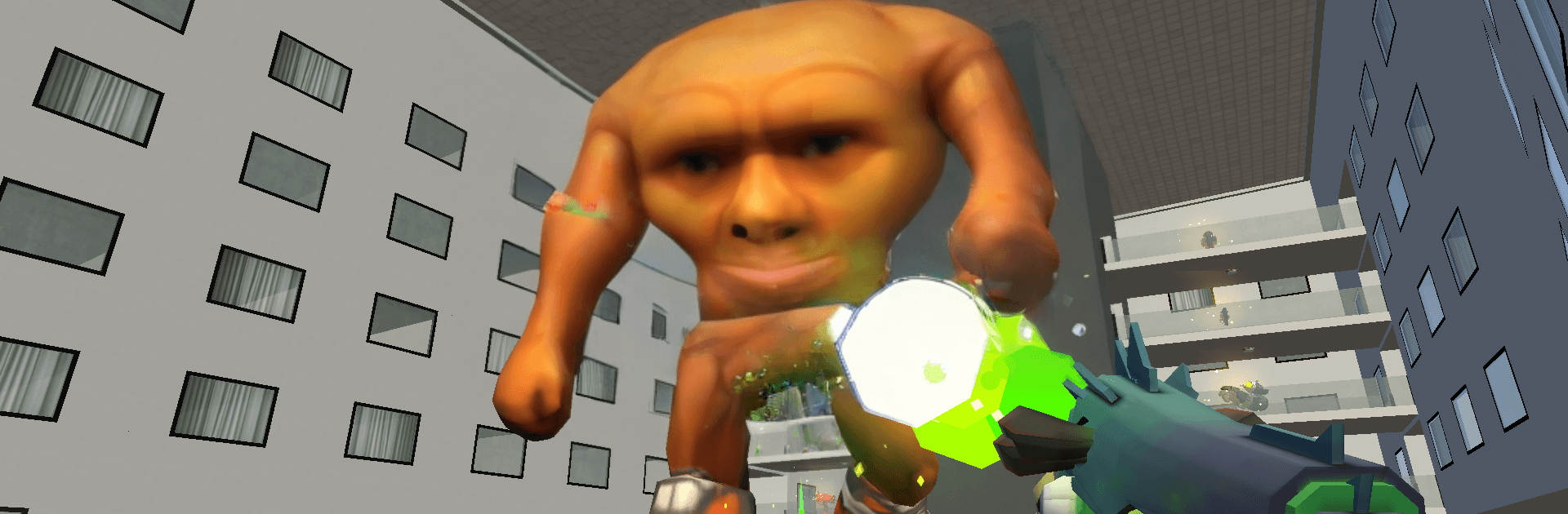
Brainrot Sandbox Playground is a chaotic, anything-goes Simulation where ragdoll physics meet pure creativity. Build scenes, smash them to bits, and run wild experiments just to see what breaks first—or who goes flying. Play on your phone or stretch out on a bigger screen with BlueStacks if you want more room for mayhem.

Game Features

  • Ragdoll Mayhem: Toss, trip, and tumble characters through a physics playground where every bump and bounce looks hilariously messy.
  • Build-Anything Tools: Drag in props, rotate pieces, and stack objects to craft arenas, traps, or ridiculous contraptions that barely make sense—until they do.
  • Weapons and Monsters: Mix firepower with creatures and humans, then press play and watch the chaos unfold in ways you didn’t plan (but will totally claim you did).
  • Merge and Tinker: Combine items and experiment with quirky setups that feel like mini puzzles, from goofy solutions to surprisingly clever wins.
  • One-Tap Experiments: Spawn a bunch of stuff, launch it with a tap, and let the simulation run while you sit back and grin at the outcome.
  • Interactive Toys: Buttons, tools, and environmental effects keep things lively, so tiny tweaks can trigger massive chain reactions.
  • Meme-Ready Moments: Recreate internet-famous scenes or cook up your own absurd skits that are equal parts silly and strangely satisfying.
  • Create and Share: Save your favorite setups and share custom scenarios so friends can watch everything go wonderfully wrong.
  • Play Your Way: Go full action with explosive battles, or keep it chill and methodical while you test ideas and refine your masterpiece of chaos.

Start playing Brainrot Sandbox Playground on BlueStacks and get a smoother, more comfortable PC or Mac setup.


Game Features

Enhancements

  • Macros
  • Multi Instance
  • Multi Instance Sync
  • Script
  • Enhancements
Macros

Macros

Automate the predictable in Brainrot Sandbox Playground and transform your gameplay with Macros. Get access to inventive Macros in the BlueStacks Macro Community
Multi Instance

Multi Instance

Play Brainrot Sandbox Playground on one window. And chat with your friend on the other. Press CTRL + Shift + 8 to open the Multi-Instance Manager. And start creating fresh instances or clone an existing one.
Multi Instance Sync

Multi Instance Sync

Play Brainrot Sandbox Playground with the power of Multi-Instance Sync. Replicate what you are doing on the main instance on all other instances. Level up faster, play more.
Script

Script

Script your way to gaming glory in Brainrot Sandbox Playground with BlueStacks Script. Write and run a set of commands to automate repeated tasks. Trigger the command by assigning it to any key.
Read More

How to Download and Play Brainrot Sandbox Playground on PC or Mac

  • Download and install BlueStacks on your PC or Mac

  • Complete Google sign-in to access the Play Store, or do it later

  • Look for Brainrot Sandbox Playground in the search bar at the top right corner

  • Click to install Brainrot Sandbox Playground from the search results

  • Complete Google sign-in (if you skipped step 2) to install Brainrot Sandbox Playground

  • Click the Brainrot Sandbox Playground icon on the home screen to start playing

video
Watch Video

Minimum System Requirements

With BlueStacks 5, you can get started on a PC that fulfills the following requirements.

  • Operating System

    Microsoft Windows 7 or above, macOS 11 (Big Sur) or above

  • Processor

    Intel, AMD or Apple Silicon Processor

  • RAM

    at least 4GB

  • HDD

    10GB Free Disk Space

Note:

* You must be an Administrator on your PC. Up to date graphics drivers from Microsoft or the chipset vendor.

Brainrot Sandbox Playground - FAQs

  • How to play Brainrot Sandbox Playground on Windows PC & Mac?

    Play Brainrot Sandbox Playground on your PC or Mac by following these simple steps.

    • Click on 'Play Brainrot Sandbox Playground on PC’ to download BlueStacks
    • Install it and log-in to Google Play Store
    • Launch and play the game.
  • Why is BlueStacks the fastest and safest platform to play games on PC?

    BlueStacks respects your privacy and is always safe and secure to use. It does not carry any malware, spyware, or any sort of additional software that could harm your PC.

    It is engineered to optimize speed and performance for a seamless gaming experience.

  • What are Brainrot Sandbox Playground PC requirements?

    Minimum requirement to run Brainrot Sandbox Playground on your PC

    • OS: Microsoft Windows 7 or above MacOS 11 (Big Sur) or above
    • Processor: Intel, AMD or Apple Silicon Processor
    • RAM: Your PC must have at least 4GB of RAM. (Note that having 4GB or more disk space is not a substitute for RAM)
    • HDD: 10GB Free Disk Space.
    • You must be an Administrator on your PC.