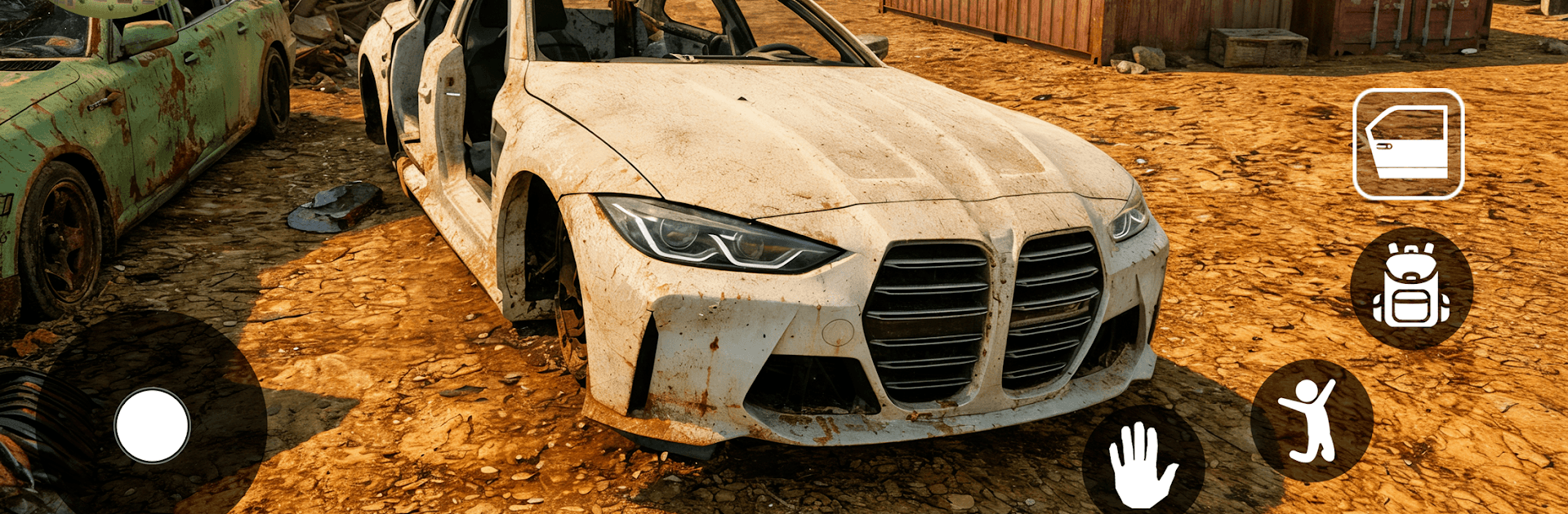
Car Dealer for Sales simulator

Car Dealer for Sales simulator

Simulation

| Insane Car Games

Play on PC with BlueStacks or from our cloud

  • Overview
  • Game Features
  • How to Play

Page Modified On: July 20, 2026

Play Car Dealer for Sales simulator on PC or Mac

Step into the World of Car Dealer for Sales simulator, a thrilling Simulation game from the house of Insane Car Games. Play this Android game on BlueStacks App Player and experience immersive gaming on PC or Mac.

About the Game

Car Dealer for Sales simulator is a hands-on Simulation about turning a tiny used-car lot into a real business. You’ll scout cars, fix them up, write listings, and bargain with all kinds of buyers and sellers. It’s part car passion, part smart money moves, and a lot of reading people in the moment.

Game Features

  • Start small, think big: Begin with a shoestring budget and a couple of parking spots. Flip cars, reinvest profits, and turn that humble lot into a polished showroom.
  • Buy low, sell right: Hunt for good deals, spot hidden issues, and decide when to push for a better price or close the sale before someone else does.
  • Negotiations with personality: Every customer brings different budgets, expectations, and moods. Your approach—calm, firm, or flexible—can seal or sink the deal.
  • Detailed inspections and upgrades: Check mileage, condition, and parts. Clean interiors, replace what matters, and add upgrades that actually improve resale value.
  • Listings that work: Take solid photos, write honest descriptions, and set a price strategy—quick turnover or higher margins—based on your goals.
  • Market and money tools: Track demand, watch trends, and manage cash flow and expenses. Make smart investments to keep inventory moving.
  • Expand your operation: Increase car capacity, upgrade the showroom, and build a space that shows off budget rides, premium models, or rare finds—your call.
  • Hire the right crew: Bring in mechanics, sales reps, and detailers to speed up the workflow and keep customers happy.
  • Shape your niche: Specialize in affordable commuters, shiny luxury cars, or quirky collectibles. Build a brand that feels like you.
  • Play comfortably on PC: Prefer a bigger screen and mouse controls? BlueStacks lets you run the game on your computer without fuss.

Start playing Car Dealer for Sales simulator on BlueStacks and get a smoother, more comfortable PC or Mac setup.


Game Features

Enhancements

  • Macros
  • Multi Instance
  • Multi Instance Sync
  • Script
  • Enhancements
Macros

Macros

Automate the predictable in Car Dealer for Sales simulator and transform your gameplay with Macros. Get access to inventive Macros in the BlueStacks Macro Community
Multi Instance

Multi Instance

Play Car Dealer for Sales simulator on one window. And chat with your friend on the other. Press CTRL + Shift + 8 to open the Multi-Instance Manager. And start creating fresh instances or clone an existing one.
Multi Instance Sync

Multi Instance Sync

Play Car Dealer for Sales simulator with the power of Multi-Instance Sync. Replicate what you are doing on the main instance on all other instances. Level up faster, play more.
Script

Script

Script your way to gaming glory in Car Dealer for Sales simulator with BlueStacks Script. Write and run a set of commands to automate repeated tasks. Trigger the command by assigning it to any key.
Read More

How to Download and Play Car Dealer for Sales simulator on PC or Mac

  • Download and install BlueStacks on your PC or Mac

  • Complete Google sign-in to access the Play Store, or do it later

  • Look for Car Dealer for Sales simulator in the search bar at the top right corner

  • Click to install Car Dealer for Sales simulator from the search results

  • Complete Google sign-in (if you skipped step 2) to install Car Dealer for Sales simulator

  • Click the Car Dealer for Sales simulator icon on the home screen to start playing

video
Watch Video

Minimum System Requirements

With BlueStacks 5, you can get started on a PC that fulfills the following requirements.

  • Operating System

    Microsoft Windows 7 or above, macOS 11 (Big Sur) or above

  • Processor

    Intel, AMD or Apple Silicon Processor

  • RAM

    at least 4GB

  • HDD

    10GB Free Disk Space

Note:

* You must be an Administrator on your PC. Up to date graphics drivers from Microsoft or the chipset vendor.

Car Dealer for Sales simulator - FAQs

  • How to play Car Dealer for Sales simulator on Windows PC & Mac?

    Play Car Dealer for Sales simulator on your PC or Mac by following these simple steps.

    • Click on 'Play Car Dealer for Sales simulator on PC’ to download BlueStacks
    • Install it and log-in to Google Play Store
    • Launch and play the game.
  • Why is BlueStacks the fastest and safest platform to play games on PC?

    BlueStacks respects your privacy and is always safe and secure to use. It does not carry any malware, spyware, or any sort of additional software that could harm your PC.

    It is engineered to optimize speed and performance for a seamless gaming experience.

  • What are Car Dealer for Sales simulator PC requirements?

    Minimum requirement to run Car Dealer for Sales simulator on your PC

    • OS: Microsoft Windows 7 or above MacOS 11 (Big Sur) or above
    • Processor: Intel, AMD or Apple Silicon Processor
    • RAM: Your PC must have at least 4GB of RAM. (Note that having 4GB or more disk space is not a substitute for RAM)
    • HDD: 10GB Free Disk Space.
    • You must be an Administrator on your PC.