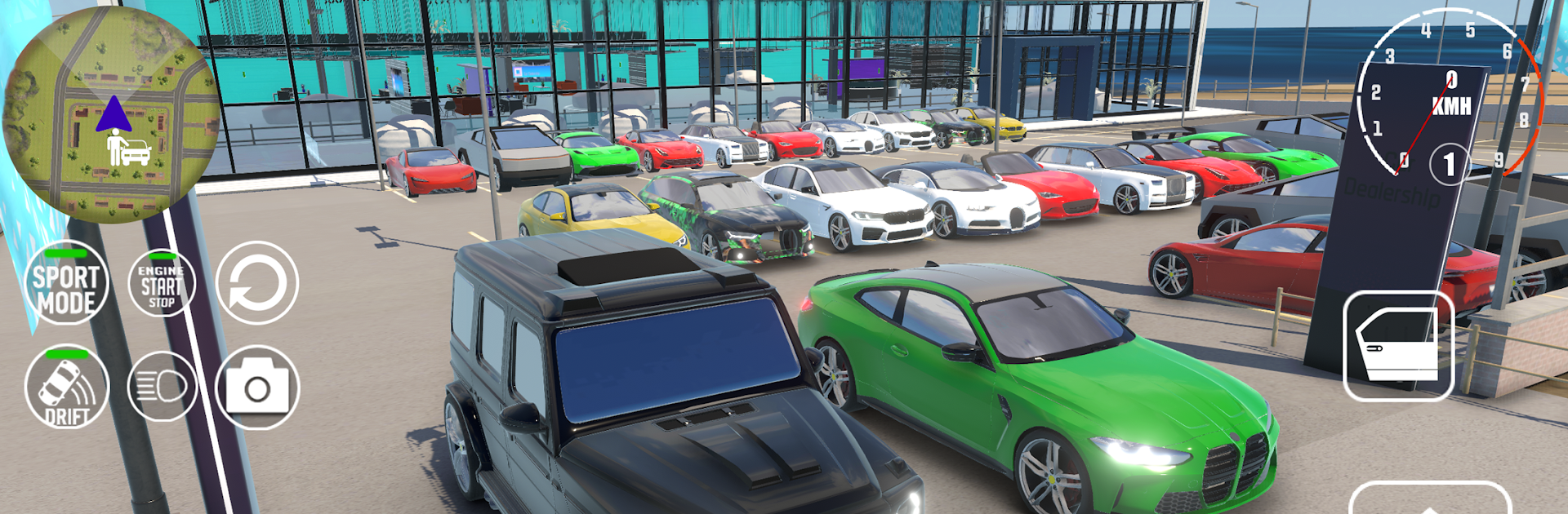
Car For Sales Dealership 2026

Car For Sales Dealership 2026

Adventure

| Insane Car Games

Play on PC with BlueStacks or from our cloud

  • Overview
  • Game Features
  • How to Play

Page Modified On: November 28, 2025

Play Car For Sales Dealership 2026 on PC or Mac

Car For Sales Dealership 2026 brings the Adventure genre to life, and throws up exciting challenges for gamers. Developed by Insane Car Games, this Android game is best experienced on BlueStacks, the World’s #1 app player for PC and Mac users.

Car For Sales Dealership 2026 is a laid back management sim about turning a tiny lot into a real dealership, one deal at a time. Players hunt for cars at auctions, peek under the hood, spot hidden issues, clean them up, and write listings that actually make sense. Buyers are not just numbers, they show up with different budgets and attitudes, so the back and forth haggling is where money is really won or lost. Offer a fair price, maybe throw in a service, keep the reputation high, or push hard for profit and take the risk of a tough review. There is a nice rhythm to buying low, fixing smart, and flipping for a bit more than expected, although getting stuck with a lemon hurts, alot.

The management side keeps things busy. Expanding the showroom and parking, hiring staff, tracking cash flow, and watching market trends all matter, because prices shift and certain models sell better at different times. Some players will focus on budget cars, others chase rare or luxury stock, and both paths feel viable. The visuals get the job done and the cars look solid without being fussy. On PC with BlueStacks, the mouse makes the menus and typing listings easier, and the bigger screen helps catch scratches during inspections. It suits people who enjoy slow-burn strategy, spreadsheets vibes, and the small thrill when a clean deal finally lands.

Start your journey now. Download the game on BlueStacks, invite your friends, and march on a new adventure.


Game Features

Enhancements

  • Macros
  • Multi Instance
  • Multi Instance Sync
  • Script
  • Enhancements
Macros

Macros

Automate the predictable in Car For Sales Dealership 2026 and transform your gameplay with Macros. Get access to inventive Macros in the BlueStacks Macro Community
Multi Instance

Multi Instance

Play Car For Sales Dealership 2026 on one window. And chat with your friend on the other. Press CTRL + Shift + 8 to open the Multi-Instance Manager. And start creating fresh instances or clone an existing one.
Multi Instance Sync

Multi Instance Sync

Play Car For Sales Dealership 2026 with the power of Multi-Instance Sync. Replicate what you are doing on the main instance on all other instances. Level up faster, play more.
Script

Script

Script your way to gaming glory in Car For Sales Dealership 2026 with BlueStacks Script. Write and run a set of commands to automate repeated tasks. Trigger the command by assigning it to any key.
Read More

How to Download and Play Car For Sales Dealership 2026 on PC or Mac

  • Download and install BlueStacks on your PC or Mac

  • Complete Google sign-in to access the Play Store, or do it later

  • Look for Car For Sales Dealership 2026 in the search bar at the top right corner

  • Click to install Car For Sales Dealership 2026 from the search results

  • Complete Google sign-in (if you skipped step 2) to install Car For Sales Dealership 2026

  • Click the Car For Sales Dealership 2026 icon on the home screen to start playing

video
Watch Video

Minimum System Requirements

With BlueStacks 5, you can get started on a PC that fulfills the following requirements.

  • Operating System

    Microsoft Windows 7 or above, macOS 11 (Big Sur) or above

  • Processor

    Intel, AMD or Apple Silicon Processor

  • RAM

    at least 4GB

  • HDD

    10GB Free Disk Space

Note:

* You must be an Administrator on your PC. Up to date graphics drivers from Microsoft or the chipset vendor.

Car For Sales Dealership 2026 - FAQs

  • How to play Car For Sales Dealership 2026 on Windows PC & Mac?

    Play Car For Sales Dealership 2026 on your PC or Mac by following these simple steps.

    • Click on 'Play Car For Sales Dealership 2026 on PC’ to download BlueStacks
    • Install it and log-in to Google Play Store
    • Launch and play the game.
  • Why is BlueStacks the fastest and safest platform to play games on PC?

    BlueStacks respects your privacy and is always safe and secure to use. It does not carry any malware, spyware, or any sort of additional software that could harm your PC.

    It is engineered to optimize speed and performance for a seamless gaming experience.

  • What are Car For Sales Dealership 2026 PC requirements?

    Minimum requirement to run Car For Sales Dealership 2026 on your PC

    • OS: Microsoft Windows 7 or above MacOS 11 (Big Sur) or above
    • Processor: Intel, AMD or Apple Silicon Processor
    • RAM: Your PC must have at least 4GB of RAM. (Note that having 4GB or more disk space is not a substitute for RAM)
    • HDD: 10GB Free Disk Space.
    • You must be an Administrator on your PC.