Chaotic Airport Constr Manager

Chaotic Airport Constr Manager

Simulation

| Steckenpferd Enterprises UG

Play on PC with BlueStacks or from our cloud

  • Overview
  • Game Features
  • How to Play

Page Modified On: October 26, 2026

Play Chaotic Airport Constr Manager on PC or Mac

Chaotic Airport Constr Manager by Steckenpferd Enterprises UG has plenty to keep you busy. BlueStacks lets you play it on PC or Mac with more screen space, better control, and fewer mobile limits.

About the Game

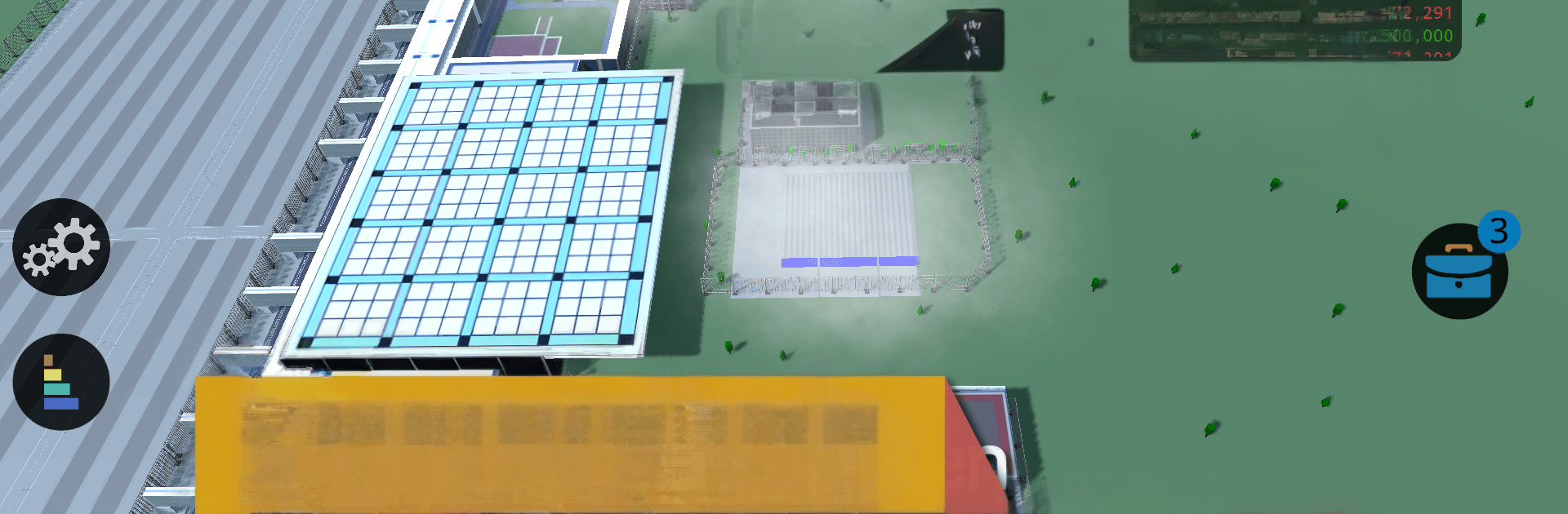
Chaotic Airport Constr Manager is a Simulation that puts you in charge of the most infamous long-term airport build in Berlin. You’re the construction boss trying to turn a never-ending project into a functioning terminal—preferably before everyone loses patience. Expect sharp satire, stubborn problems, and the constant question: can you actually open BER on time? If you like a bigger view and precise clicks, it runs comfortably on PC with BlueStacks.

Game Features

  • Construction Chaos, Your Call: Wear the hard hat and make the tough decisions as you plan, build, and troubleshoot a sprawling airport project from the ground up.
  • Deadlines That Just Won’t Sit Still: Set an opening date, then wrestle with shifting schedules, spiraling tasks, and last-minute surprises that mock your best-laid plans.
  • 100+ Problems, Real Consequences: Face over a hundred distinct issues—technical faults, planning snafus, and baffling defects—and choose how to fix, patch, or work around each one.
  • Flaws Are the Point: Glitches aren’t mistakes here; they’re the core mechanic. Every new defect forces you to pivot, rethink, and rebuild parts you thought were done.
  • Open on Time… Or Don’t: Aim for that grand opening day, knowing each decision can push you closer to success—or add one more embarrassing postponement to the pile.
  • Satire You Can Read: Unlock in-game articles chronicling the BER saga, including four brand-new exclusives for players who stick with the chaos.
  • Built to Test Your Nerves: Designed to be gloriously aggravating in a tongue-in-cheek way—perfect if you want a challenge that laughs back while you troubleshoot.

Start playing Chaotic Airport Constr Manager on BlueStacks and get a smoother, more comfortable PC or Mac setup.


Game Features

Enhancements

  • Macros
  • Multi Instance
  • Multi Instance Sync
  • Script
  • Enhancements
Macros

Macros

Automate the predictable in Chaotic Airport Constr Manager and transform your gameplay with Macros. Get access to inventive Macros in the BlueStacks Macro Community
Multi Instance

Multi Instance

Play Chaotic Airport Constr Manager on one window. And chat with your friend on the other. Press CTRL + Shift + 8 to open the Multi-Instance Manager. And start creating fresh instances or clone an existing one.
Multi Instance Sync

Multi Instance Sync

Play Chaotic Airport Constr Manager with the power of Multi-Instance Sync. Replicate what you are doing on the main instance on all other instances. Level up faster, play more.
Script

Script

Script your way to gaming glory in Chaotic Airport Constr Manager with BlueStacks Script. Write and run a set of commands to automate repeated tasks. Trigger the command by assigning it to any key.
Read More

How to Download and Play Chaotic Airport Constr Manager on PC or Mac

  • Download and install BlueStacks on your PC or Mac

  • Complete Google sign-in to access the Play Store, or do it later

  • Look for Chaotic Airport Constr Manager in the search bar at the top right corner

  • Click to install Chaotic Airport Constr Manager from the search results

  • Complete Google sign-in (if you skipped step 2) to install Chaotic Airport Constr Manager

  • Click the Chaotic Airport Constr Manager icon on the home screen to start playing

video
Watch Video

Minimum System Requirements

With BlueStacks 5, you can get started on a PC that fulfills the following requirements.

  • Operating System

    Microsoft Windows 7 or above, macOS 11 (Big Sur) or above

  • Processor

    Intel, AMD or Apple Silicon Processor

  • RAM

    at least 4GB

  • HDD

    10GB Free Disk Space

Note:

* You must be an Administrator on your PC. Up to date graphics drivers from Microsoft or the chipset vendor.

Chaotic Airport Constr Manager - FAQs

  • How to play Chaotic Airport Constr Manager on Windows PC & Mac?

    Play Chaotic Airport Constr Manager on your PC or Mac by following these simple steps.

    • Click on 'Play Chaotic Airport Constr Manager on PC’ to download BlueStacks
    • Install it and log-in to Google Play Store
    • Launch and play the game.
  • Why is BlueStacks the fastest and safest platform to play games on PC?

    BlueStacks respects your privacy and is always safe and secure to use. It does not carry any malware, spyware, or any sort of additional software that could harm your PC.

    It is engineered to optimize speed and performance for a seamless gaming experience.

  • What are Chaotic Airport Constr Manager PC requirements?

    Minimum requirement to run Chaotic Airport Constr Manager on your PC

    • OS: Microsoft Windows 7 or above MacOS 11 (Big Sur) or above
    • Processor: Intel, AMD or Apple Silicon Processor
    • RAM: Your PC must have at least 4GB of RAM. (Note that having 4GB or more disk space is not a substitute for RAM)
    • HDD: 10GB Free Disk Space.
    • You must be an Administrator on your PC.