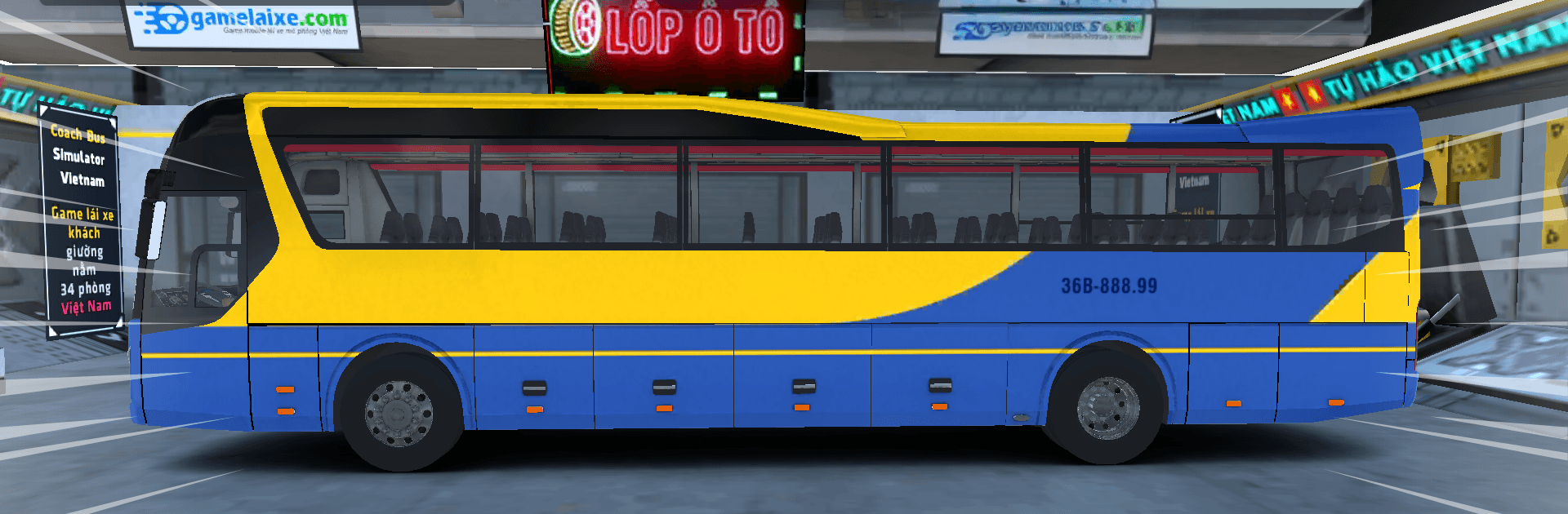
Coach Bus Simulator Vietnam

Coach Bus Simulator Vietnam

Simulation

| Web3o Technology

Play on PC with BlueStacks or from our cloud

  • Overview
  • Game Features
  • How to Play

Page Modified On: July 06, 2026

Play Coach Bus Simulator Vietnam on PC or Mac

Explore a whole new adventure with Coach Bus Simulator Vietnam, a Simulation game created by Web3o Technology. Experience great gameplay with BlueStacks, the most popular gaming platform to play Android games on your PC or Mac.

About the Game

Coach Bus Simulator Vietnam is a Simulation game that treats every trip like a real shift on the road. You’re running intercity routes, juggling schedules, and navigating busy streets and quiet highways with rules that match the country you choose. Prefer a bigger screen and comfy controls? It plays smoothly on BlueStacks, too.

Game Features

  • Open-world routes: Drive across a large map with multiple cities and provinces, taking long hauls that feel like true cross-country runs.
  • Local traffic, your choice: Switch between left-hand and right-hand driving and follow traffic rules tailored to each region, right down to country-specific license plates.
  • Real bus company vibes: Each route has several pickup and drop-off stops, with passengers boarding and exiting on their own to keep the flow feeling natural.
  • Weather that actually changes things: Expect real-time lighting, dynamic rain, wet asphalt, and puddles. Raindrops cling to glass, and wipers clear your view just like they should.
  • Road grime and splash: Buses get dirty over time—mud, dust, and water spray build up as you tackle different surfaces.
  • Hands-on refueling: Pull into a station and refuel with a moving hose and tactile animations that sell the moment.
  • Night driving that feels calm: Moonlight, streetlights, and headlamps set a convincing atmosphere for late runs.
  • First-person car wash and walking: Grab the spray gun yourself to clean the bus, or step out and explore on foot to inspect your ride and the surroundings.
  • Garages and upgrades: Earn cash to buy garages and kit out your coach with front bumpers, sun curtains, phones, drink cups, hats, bus assistants, and other cabin touches.
  • Smart navigation: Use a detailed minimap with clear directions, ETA, and icons for gas stations, rest spots, car washes, repair shops, and garages. Add custom waypoints to plan your favorite routes.
  • Real-world rules and tolls: Automatic ETC toll gates, countdown traffic lights, and camera fines for speeding and red lights keep you honest.
  • Deep customization: Pick any body color and add your own text, plus a flexible license plate system that matches the country you’re driving in.
  • Traffic that fits the world: A redesigned AI system fills the roads with believable vehicles, complete with localized plates and behavior.

Ready to top the leaderboard? We bet you do. Let precise controls and sharp visuals optimized on BlueStacks lead you to victory.


Game Features

Enhancements

  • Macros
  • Multi Instance
  • Multi Instance Sync
  • Script
  • Enhancements
Macros

Macros

Automate the predictable in Coach Bus Simulator Vietnam and transform your gameplay with Macros. Get access to inventive Macros in the BlueStacks Macro Community
Multi Instance

Multi Instance

Play Coach Bus Simulator Vietnam on one window. And chat with your friend on the other. Press CTRL + Shift + 8 to open the Multi-Instance Manager. And start creating fresh instances or clone an existing one.
Multi Instance Sync

Multi Instance Sync

Play Coach Bus Simulator Vietnam with the power of Multi-Instance Sync. Replicate what you are doing on the main instance on all other instances. Level up faster, play more.
Script

Script

Script your way to gaming glory in Coach Bus Simulator Vietnam with BlueStacks Script. Write and run a set of commands to automate repeated tasks. Trigger the command by assigning it to any key.
Read More

How to Download and Play Coach Bus Simulator Vietnam on PC or Mac

  • Download and install BlueStacks on your PC or Mac

  • Complete Google sign-in to access the Play Store, or do it later

  • Look for Coach Bus Simulator Vietnam in the search bar at the top right corner

  • Click to install Coach Bus Simulator Vietnam from the search results

  • Complete Google sign-in (if you skipped step 2) to install Coach Bus Simulator Vietnam

  • Click the Coach Bus Simulator Vietnam icon on the home screen to start playing

video
Watch Video

Minimum System Requirements

With BlueStacks 5, you can get started on a PC that fulfills the following requirements.

  • Operating System

    Microsoft Windows 7 or above, macOS 11 (Big Sur) or above

  • Processor

    Intel, AMD or Apple Silicon Processor

  • RAM

    at least 4GB

  • HDD

    10GB Free Disk Space

Note:

* You must be an Administrator on your PC. Up to date graphics drivers from Microsoft or the chipset vendor.

Coach Bus Simulator Vietnam - FAQs

  • How to play Coach Bus Simulator Vietnam on Windows PC & Mac?

    Play Coach Bus Simulator Vietnam on your PC or Mac by following these simple steps.

    • Click on 'Play Coach Bus Simulator Vietnam on PC’ to download BlueStacks
    • Install it and log-in to Google Play Store
    • Launch and play the game.
  • Why is BlueStacks the fastest and safest platform to play games on PC?

    BlueStacks respects your privacy and is always safe and secure to use. It does not carry any malware, spyware, or any sort of additional software that could harm your PC.

    It is engineered to optimize speed and performance for a seamless gaming experience.

  • What are Coach Bus Simulator Vietnam PC requirements?

    Minimum requirement to run Coach Bus Simulator Vietnam on your PC

    • OS: Microsoft Windows 7 or above MacOS 11 (Big Sur) or above
    • Processor: Intel, AMD or Apple Silicon Processor
    • RAM: Your PC must have at least 4GB of RAM. (Note that having 4GB or more disk space is not a substitute for RAM)
    • HDD: 10GB Free Disk Space.
    • You must be an Administrator on your PC.