Bus Masters: India Simulator

Bus Masters: India Simulator

Simulation

| Highbrow Interactive

Play on PC with BlueStacks or from our cloud

Click here to Pre-Register for Bus Masters: India Simulator
  • Overview
  • Features
  • How to Play

Page Modified On: April 02, 2026

Play Bus Masters: India Simulator on PC or Mac

Step into the World of Bus Masters: India Simulator, a thrilling Simulation game from the house of Highbrow Interactive. Play this Android game on BlueStacks App Player and experience immersive gaming on PC or Mac.

About the Game

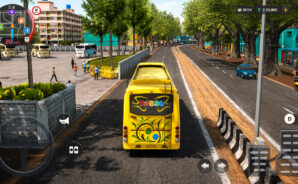
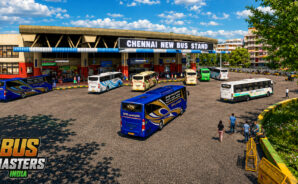
Bus Masters: India Simulator is a Simulation game that actually feels like taking the wheel on Indian roads. Built by Highbrow Interactive, it captures the rhythm of busy terminals, chai breaks, and the long haul from hired driver to proud owner. Expect structured intercity runs, passengers who react to how you drive, and buses that each handle with their own quirks.

Game Features

  • Real Routes and Stops: Begin at bustling terminals, pick up along the way, take scheduled highway breaks, and roll in on time like an actual service run.
  • Traffic with Personality: Handle unpredictable traffic, quick lane changes, and “horn conversations” that make you read the road, not just the minimap.
  • Passengers Who Notice: NPC riders board and exit at stops, tickets sell as they step on, and smooth driving boosts comfort scores and your final payout.
  • A Career You Build: Start on commission in someone else’s bus, save up for your first ride, then unlock garages, customization, better routes, and premium or sleeper services.
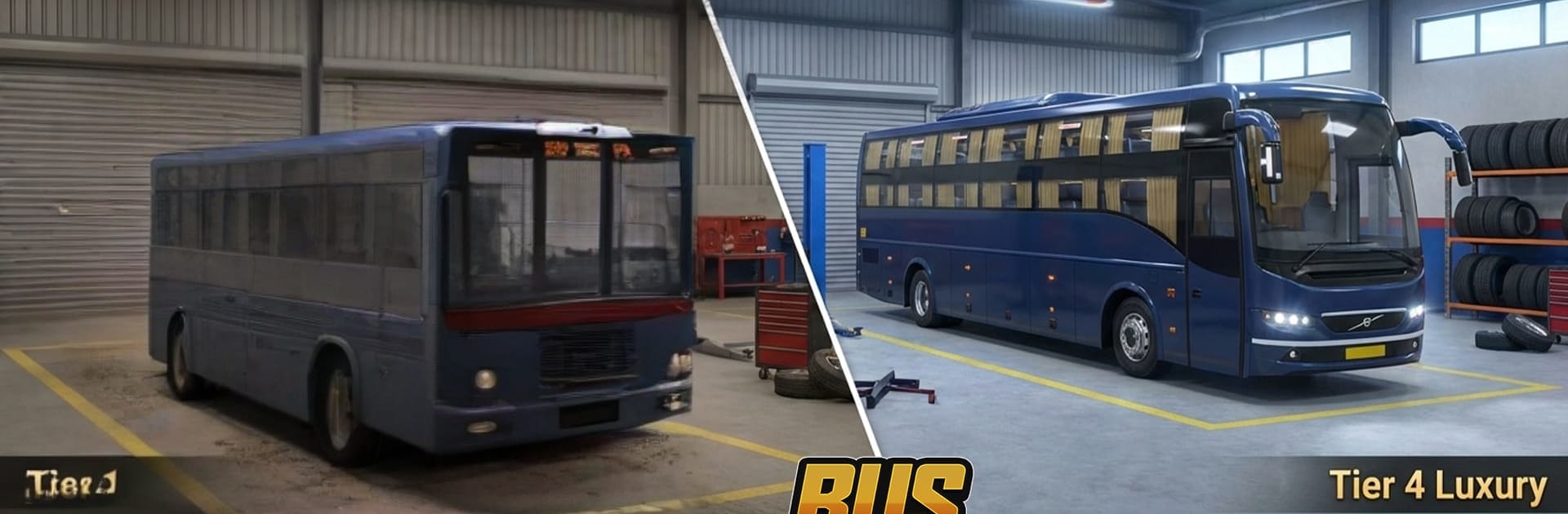
  • A Fleet with Character: Drive everything from everyday state buses to quiet rear‑engine coaches and massive multi‑axle flagships—each one feels different, not just different paint.
  • Local Vibes, All the Way: Dhaba chatter and kettle steam, throwback radio, musical air horns, and city noise that fades as the highway opens up.
  • Planned Intercity Pacing: Trips are paced like the real thing—measured, patient, and alive—rewarding timing, comfort, and clean driving over speed.
  • Built for Mobile Play: Smooth performance, offline-friendly sessions, and progression that respects your time instead of walling everything off.
  • Optional on PC with BlueStacks: Prefer a bigger screen and keyboard controls? BlueStacks lets you play comfortably without changing the game’s feel.

Start your journey now. Download the game on BlueStacks, invite your friends, and march on a new adventure.

Features

  • Macros

    Automate the predictable in Bus Masters: India Simulator and transform your gameplay with Macros. Get access to inventive Macros in the BlueStacks Macro Community

  • Multi Instance

    Play Bus Masters: India Simulator on one window. And chat with your friend on the other. Press CTRL + Shift + 8 to open the Multi-Instance Manager. And start creating fresh instances or clone an existing one.

  • Multi Instance Sync

    Play Bus Masters: India Simulator with the power of Multi-Instance Sync. Replicate what you are doing on the main instance on all other instances. Level up faster, play more.

  • Script

    Script your way to gaming glory in Bus Masters: India Simulator with BlueStacks Script. Write and run a set of commands to automate repeated tasks. Trigger the command by assigning it to any key.

How to Download and Play Bus Masters: India Simulator on PC or Mac

  • Download and install BlueStacks on your PC or Mac

  • Complete Google sign-in to access the Play Store, or do it later

  • Look for Bus Masters: India Simulator in the search bar at the top right corner

  • Click to install Bus Masters: India Simulator from the search results

  • Complete Google sign-in (if you skipped step 2) to install Bus Masters: India Simulator

  • Click the Bus Masters: India Simulator icon on the home screen to start playing

video
Watch Video

Minimum System Requirements

With BlueStacks 5, you can get started on a PC that fulfills the following requirements.

  • Operating System

    Microsoft Windows 7 or above, macOS 11 (Big Sur) or above

  • Processor

    Intel, AMD or Apple Silicon Processor

  • RAM

    at least 4GB

  • HDD

    10GB Free Disk Space

Note:

* You must be an Administrator on your PC. Up to date graphics drivers from Microsoft or the chipset vendor.

Exclusive Gaming Content. And More.

Get the latest updates on the BlueStacks Blog.

See More
Bus Masters: India Simulator

Be among the first to play Bus Masters: India Simulator on PC

Get notified when the Game launches

Bus Masters: India Simulator - FAQs

  • How to play Bus Masters: India Simulator on Windows PC & Mac?

    Play Bus Masters: India Simulator on your PC or Mac by following these simple steps.

    • Click on 'Play Bus Masters: India Simulator on PC’ to download BlueStacks
    • Install it and log-in to Google Play Store
    • Launch and play the game.
  • Why is BlueStacks the fastest and safest platform to play games on PC?

    BlueStacks respects your privacy and is always safe and secure to use. It does not carry any malware, spyware, or any sort of additional software that could harm your PC.

    It is engineered to optimize speed and performance for a seamless gaming experience.

  • What are Bus Masters: India Simulator PC requirements?

    Minimum requirement to run Bus Masters: India Simulator on your PC

    • OS: Microsoft Windows 7 or above MacOS 11 (Big Sur) or above
    • Processor: Intel, AMD or Apple Silicon Processor
    • RAM: Your PC must have at least 4GB of RAM. (Note that having 4GB or more disk space is not a substitute for RAM)
    • HDD: 10GB Free Disk Space.
    • You must be an Administrator on your PC.