Craft World: Multi Mods

Craft World: Multi Mods

Simulation

| Funny Popular Ringtones Play

Play on PC with BlueStacks or from our cloud

  • Overview
  • Game Features
  • How to Play

Page Modified On: June 09, 2026

Play Craft World: Multi Mods on PC or Mac

Step into the World of Craft World: Multi Mods, a thrilling Simulation game from the house of Funny Popular Ringtones Play. Play this Android game on BlueStacks App Player and experience immersive gaming on PC or Mac.

About the Game

Craft World: Multi Mods is a sandbox-style block adventure where your plans can flip in a heartbeat—one moment you’re sketching out a cozy base, the next you’re fending off mobs or wandering through a dino-filled valley. It blends building, exploration, and survival with easy-to-swap mods so you can change up the vibe whenever you want. Prefer a monitor and mouse? Playing through BlueStacks feels right at home.

Game Features

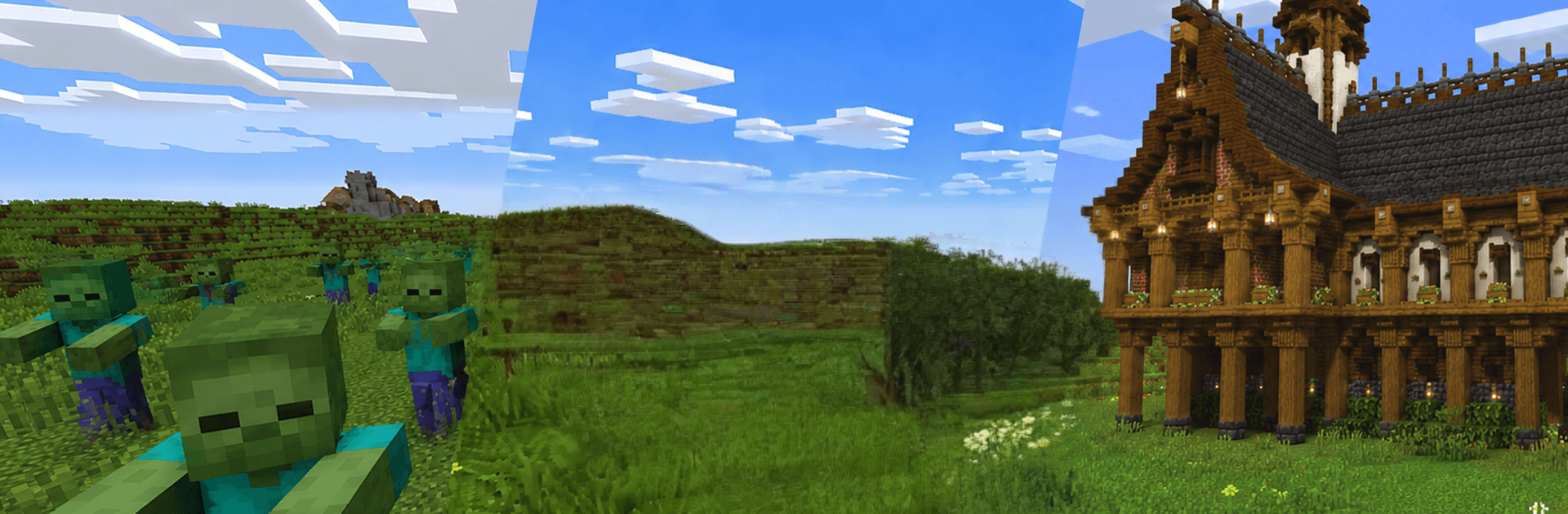
  • Mod Variety: Toggle between multiple add-ons—zombies, dinosaurs, extra mobs, and building packs—plus mods for MCPE–style content if you like tinkering with different setups.
  • Survival Challenges: Scavenge, craft, and fight your way through hostile nights and dangerous biomes filled with mobs that don’t exactly play nice.
  • Dinosaur Encounters: Roam prehistoric zones, spot massive creatures, and decide if today’s a “run” day or a “stand your ground” day.
  • Creative Building: Switch gears and build freely—from simple shelters to sprawling bases and moody medieval mansions—with plenty of room to experiment.
  • Expansive Maps: Explore large, colorful worlds dotted with hidden areas, side paths, and new spots that reward a bit of curiosity.
  • Weapons & Tools: Craft what you need to survive—gear up, upgrade, and keep your pack stocked for whatever’s lurking around the corner.
  • Play Your Way: Bounce between action-heavy survival, relaxed building sessions, or exploration-focused runs; mix mods to shape your own pace.
  • Bold Blocky Look: Clean, vibrant block graphics keep everything readable and charming, whether you’re mining resources or sprinting from a horde.

Ready to top the leaderboard? We bet you do. Let precise controls and sharp visuals optimized on BlueStacks lead you to victory.


Game Features

Enhancements

  • Macros
  • Multi Instance
  • Multi Instance Sync
  • Script
  • Enhancements
Macros

Macros

Automate the predictable in Craft World: Multi Mods and transform your gameplay with Macros. Get access to inventive Macros in the BlueStacks Macro Community
Multi Instance

Multi Instance

Play Craft World: Multi Mods on one window. And chat with your friend on the other. Press CTRL + Shift + 8 to open the Multi-Instance Manager. And start creating fresh instances or clone an existing one.
Multi Instance Sync

Multi Instance Sync

Play Craft World: Multi Mods with the power of Multi-Instance Sync. Replicate what you are doing on the main instance on all other instances. Level up faster, play more.
Script

Script

Script your way to gaming glory in Craft World: Multi Mods with BlueStacks Script. Write and run a set of commands to automate repeated tasks. Trigger the command by assigning it to any key.
Read More

How to Download and Play Craft World: Multi Mods on PC or Mac

  • Download and install BlueStacks on your PC or Mac

  • Complete Google sign-in to access the Play Store, or do it later

  • Look for Craft World: Multi Mods in the search bar at the top right corner

  • Click to install Craft World: Multi Mods from the search results

  • Complete Google sign-in (if you skipped step 2) to install Craft World: Multi Mods

  • Click the Craft World: Multi Mods icon on the home screen to start playing

video
Watch Video

Minimum System Requirements

With BlueStacks 5, you can get started on a PC that fulfills the following requirements.

  • Operating System

    Microsoft Windows 7 or above, macOS 11 (Big Sur) or above

  • Processor

    Intel, AMD or Apple Silicon Processor

  • RAM

    at least 4GB

  • HDD

    10GB Free Disk Space

Note:

* You must be an Administrator on your PC. Up to date graphics drivers from Microsoft or the chipset vendor.

Craft World: Multi Mods - FAQs

  • How to play Craft World: Multi Mods on Windows PC & Mac?

    Play Craft World: Multi Mods on your PC or Mac by following these simple steps.

    • Click on 'Play Craft World: Multi Mods on PC’ to download BlueStacks
    • Install it and log-in to Google Play Store
    • Launch and play the game.
  • Why is BlueStacks the fastest and safest platform to play games on PC?

    BlueStacks respects your privacy and is always safe and secure to use. It does not carry any malware, spyware, or any sort of additional software that could harm your PC.

    It is engineered to optimize speed and performance for a seamless gaming experience.

  • What are Craft World: Multi Mods PC requirements?

    Minimum requirement to run Craft World: Multi Mods on your PC

    • OS: Microsoft Windows 7 or above MacOS 11 (Big Sur) or above
    • Processor: Intel, AMD or Apple Silicon Processor
    • RAM: Your PC must have at least 4GB of RAM. (Note that having 4GB or more disk space is not a substitute for RAM)
    • HDD: 10GB Free Disk Space.
    • You must be an Administrator on your PC.