Grau na leste - SP
Grau na leste - SP

Grau na leste - SP

Simulation

| Dreamy Mobile Developer

Play on PC with BlueStacks or from our cloud

  • Overview
  • Game Features
  • How to Play

Page Modified On: August 20, 2026

Play Grau na leste - SP on PC or Mac

Explore a whole new adventure with Grau na leste – SP, a Simulation game created by Dreamy Mobile Developer. Experience great gameplay with BlueStacks, the most popular gaming platform to play Android games on your PC or Mac.

About the Game

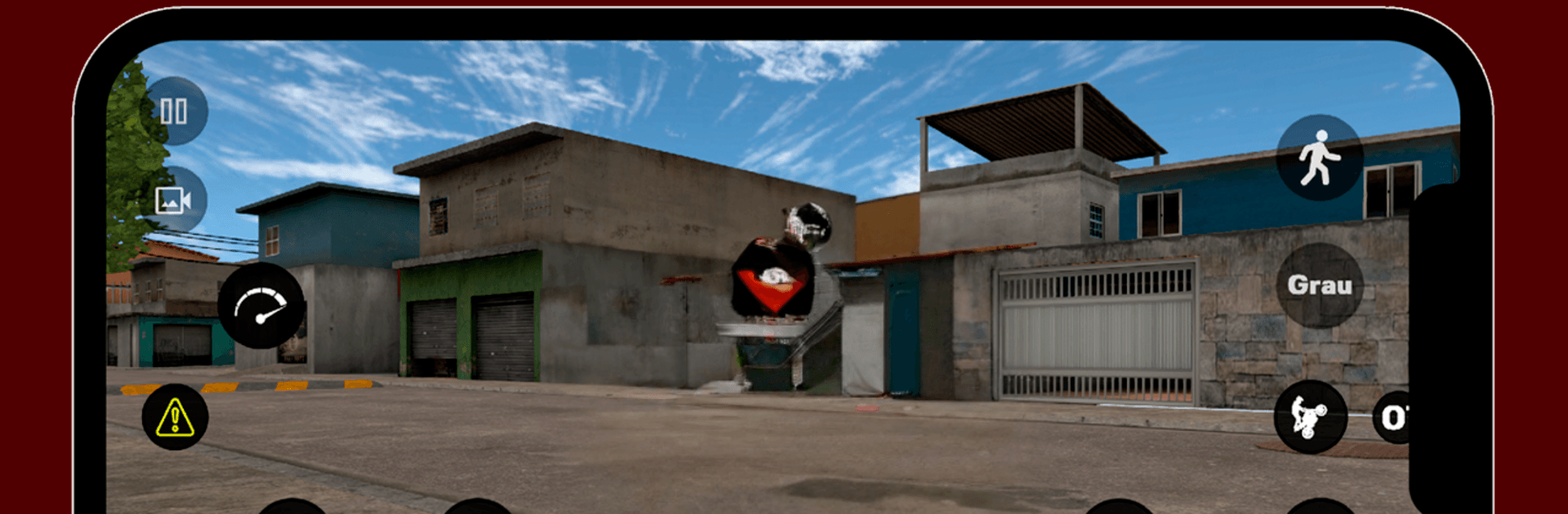
Grau na leste – SP drops you into the streets of São Paulo’s East Zone with a focus on bikes, style, and the thrill of pulling clean wheelies. This Simulation leans into freedom: cruise where you want, stunt when you feel like it, and even hop off to explore on foot. Prefer a bigger screen and steady performance? Playing on BlueStacks keeps everything crisp and responsive without getting in your way.

Game Features

  • Open-world street riding: Roam a lively urban map inspired by the East Zone, finding straightaways for speed and tight alleys for precision stunts.
  • Authentic stunt physics: Wheelies feel weighty and believable, rewarding timing, balance, and a little nerve when you push it too far.
  • Hop off and explore: Park the bike and walk around to check out corners, shortcuts, and hangout spots you might miss at full throttle.
  • Online meetups: Jump into multiplayer to ride with friends, trade lines, and show what you’ve got in casual sessions or impromptu challenges.
  • Bikes with personality: Unlock a range of motorcycles, each with its own feel, and tune your look to match your vibe on the streets.
  • Streets with real flavor: Navigate areas that echo the favela vibe—murals, narrow climbs, and gritty details that make every run feel local.
  • Easy to pick up, hard to master: Simple controls get you rolling fast, while deeper handling lets dedicated riders sharpen advanced tricks.
  • Ongoing improvements: Expect new bikes, tweaks, and fresh content that keep the city evolving and your routine from going stale.

BlueStacks gives you more room to focus on the game and less time adjusting around mobile limitations.


Game Features

Enhancements

  • Macros
  • Multi Instance
  • Multi Instance Sync
  • Script
  • Enhancements
Macros

Macros

Automate the predictable in Grau na leste - SP and transform your gameplay with Macros. Get access to inventive Macros in the BlueStacks Macro Community
Multi Instance

Multi Instance

Play Grau na leste - SP on one window. And chat with your friend on the other. Press CTRL + Shift + 8 to open the Multi-Instance Manager. And start creating fresh instances or clone an existing one.
Multi Instance Sync

Multi Instance Sync

Play Grau na leste - SP with the power of Multi-Instance Sync. Replicate what you are doing on the main instance on all other instances. Level up faster, play more.
Script

Script

Script your way to gaming glory in Grau na leste - SP with BlueStacks Script. Write and run a set of commands to automate repeated tasks. Trigger the command by assigning it to any key.
Read More

How to Download and Play Grau na leste - SP on PC or Mac

  • Download and install BlueStacks on your PC or Mac

  • Complete Google sign-in to access the Play Store, or do it later

  • Look for Grau na leste - SP in the search bar at the top right corner

  • Click to install Grau na leste - SP from the search results

  • Complete Google sign-in (if you skipped step 2) to install Grau na leste - SP

  • Click the Grau na leste - SP icon on the home screen to start playing

video
Watch Video

Minimum System Requirements

With BlueStacks 5, you can get started on a PC that fulfills the following requirements.

  • Operating System

    Microsoft Windows 7 or above, macOS 11 (Big Sur) or above

  • Processor

    Intel, AMD or Apple Silicon Processor

  • RAM

    at least 4GB

  • HDD

    10GB Free Disk Space

Note:

* You must be an Administrator on your PC. Up to date graphics drivers from Microsoft or the chipset vendor.

Grau na leste - SP - FAQs

  • How to play Grau na leste - SP on Windows PC & Mac?

    Play Grau na leste - SP on your PC or Mac by following these simple steps.

    • Click on 'Play Grau na leste - SP on PC’ to download BlueStacks
    • Install it and log-in to Google Play Store
    • Launch and play the game.
  • Why is BlueStacks the fastest and safest platform to play games on PC?

    BlueStacks respects your privacy and is always safe and secure to use. It does not carry any malware, spyware, or any sort of additional software that could harm your PC.

    It is engineered to optimize speed and performance for a seamless gaming experience.

  • What are Grau na leste - SP PC requirements?

    Minimum requirement to run Grau na leste - SP on your PC

    • OS: Microsoft Windows 7 or above MacOS 11 (Big Sur) or above
    • Processor: Intel, AMD or Apple Silicon Processor
    • RAM: Your PC must have at least 4GB of RAM. (Note that having 4GB or more disk space is not a substitute for RAM)
    • HDD: 10GB Free Disk Space.
    • You must be an Administrator on your PC.