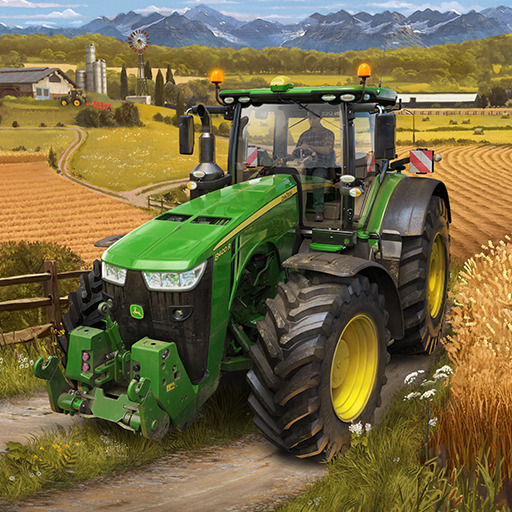
Farming Simulator 23 Mobile

Farming Simulator 23 Mobile

Simulation

| GIANTS Software

Play on PC with BlueStacks or from our cloud

  • Overview
  • Game Features
  • How to Play

Page Modified On: April 07, 2026

Play Farming Simulator 23 Mobile on PC or Mac

Explore a whole new adventure with Farming Simulator 23 Mobile, a Simulation game created by GIANTS Software. Experience great gameplay with BlueStacks, the most popular gaming platform to play Android games on your PC or Mac.

About the Game

Farming Simulator 23 Mobile puts you in charge of a modern farm, machines and all. It’s a hands-on Simulation from GIANTS Software where you plant, harvest, raise animals, and keep the whole operation moving. Want a bigger view while you manage your fields? You can also play on PC with BlueStacks.

Game Features

  • Real Machines, Real Brands: Hop into tractors, combines, sprayers, and more from over 100 authentic vehicles and tools by John Deere, Case IH, Fendt, Massey Ferguson, New Holland, CLAAS, DEUTZ-FAHR, KRONE, Valtra, and other well-known makers.

  • Fields That Keep You Busy: Prep the soil, sow, and harvest a variety of crops with the right tools for every step, from early groundwork to that final, satisfying haul.

  • Vineyards and Groves: Set up tidy rows on the hillside and work your grapes and olives with specialized gear built for tight spaces.

  • Forestry, Heavy Duty: Fell trees, move logs, and run serious forestry equipment—then tidy up with an autoload option for pallets and timber.

  • Animals to Care For: Manage cows and sheep, and now chickens too—complete with egg collecting and feed routines that fit your farm’s rhythm.

  • Production Chains & Transport: Turn raw harvests into valuable goods in factories, and keep products moving with powerful trucks and trailers.

  • Two Distinct Maps: Build your farm on two different locations, each with its own layout, atmosphere, and collectibles to track down.

  • Deeper Fieldwork: Plowing and weeding add extra layers to your routine, rewarding smart planning and well-timed runs.

  • Helpful Tools for New Farmers: Learn with improved tutorials, let an AI helper handle repetitive tasks, and use autoload to speed up logistics.

  • Seasonal Atmosphere: Watch the look of your land change through the seasons and take a stroll to soak it all in between jobs.

  • Room to Grow: Expand your lineup with official extra content when you’re ready to scale up your fleet and tackle bigger projects.

Get ready for a buttery smooth, high-performance gaming action only on BlueStacks.

Game Features

Enhancements

  • Macros
  • Multi Instance
  • Multi Instance Sync
  • Script
  • Enhancements
Macros

Macros

Automate the predictable in Farming Simulator 23 Mobile and transform your gameplay with Macros. Get access to inventive Macros in the BlueStacks Macro Community
Multi Instance

Multi Instance

Play Farming Simulator 23 Mobile on one window. And chat with your friend on the other. Press CTRL + Shift + 8 to open the Multi-Instance Manager. And start creating fresh instances or clone an existing one.
Multi Instance Sync

Multi Instance Sync

Play Farming Simulator 23 Mobile with the power of Multi-Instance Sync. Replicate what you are doing on the main instance on all other instances. Level up faster, play more.
Script

Script

Script your way to gaming glory in Farming Simulator 23 Mobile with BlueStacks Script. Write and run a set of commands to automate repeated tasks. Trigger the command by assigning it to any key.
Read More

How to Download and Play Farming Simulator 23 Mobile on PC or Mac

  • Download and install BlueStacks on your PC or Mac

  • Complete Google sign-in to access the Play Store, or do it later

  • Look for Farming Simulator 23 Mobile in the search bar at the top right corner

  • Click to install Farming Simulator 23 Mobile from the search results

  • Complete Google sign-in (if you skipped step 2) to install Farming Simulator 23 Mobile

  • Click the Farming Simulator 23 Mobile icon on the home screen to start playing

video
Watch Video

Minimum System Requirements

With BlueStacks 5, you can get started on a PC that fulfills the following requirements.

  • Operating System

    Microsoft Windows 7 or above, macOS 11 (Big Sur) or above

  • Processor

    Intel, AMD or Apple Silicon Processor

  • RAM

    at least 4GB

  • HDD

    10GB Free Disk Space

Note:

* You must be an Administrator on your PC. Up to date graphics drivers from Microsoft or the chipset vendor.

Farming Simulator 23 Mobile - FAQs

  • How to play Farming Simulator 23 Mobile on Windows PC & Mac?

    Play Farming Simulator 23 Mobile on your PC or Mac by following these simple steps.

    • Click on 'Play Farming Simulator 23 Mobile on PC’ to download BlueStacks
    • Install it and log-in to Google Play Store
    • Launch and play the game.
  • Why is BlueStacks the fastest and safest platform to play games on PC?

    BlueStacks respects your privacy and is always safe and secure to use. It does not carry any malware, spyware, or any sort of additional software that could harm your PC.

    It is engineered to optimize speed and performance for a seamless gaming experience.

  • What are Farming Simulator 23 Mobile PC requirements?

    Minimum requirement to run Farming Simulator 23 Mobile on your PC

    • OS: Microsoft Windows 7 or above MacOS 11 (Big Sur) or above
    • Processor: Intel, AMD or Apple Silicon Processor
    • RAM: Your PC must have at least 4GB of RAM. (Note that having 4GB or more disk space is not a substitute for RAM)
    • HDD: 10GB Free Disk Space.
    • You must be an Administrator on your PC.