Flight Simulator 2015 FlyWings

Flight Simulator 2015 FlyWings

Simulation

| Thetis Games and Flight Simulators

Play on PC with BlueStacks or from our cloud

  • Overview
  • Game Features
  • How to Play

Page Modified On: December 15, 2025

Play Flight Simulator 2015 FlyWings on PC or Mac

Flight Simulator 2015 FlyWings brings the Simulation genre to life, and throws up exciting challenges for gamers. Developed by Thetis Games and Flight Simulators, this Android game is best experienced on BlueStacks, the World’s #1 app player for PC and Mac users.

About the Game

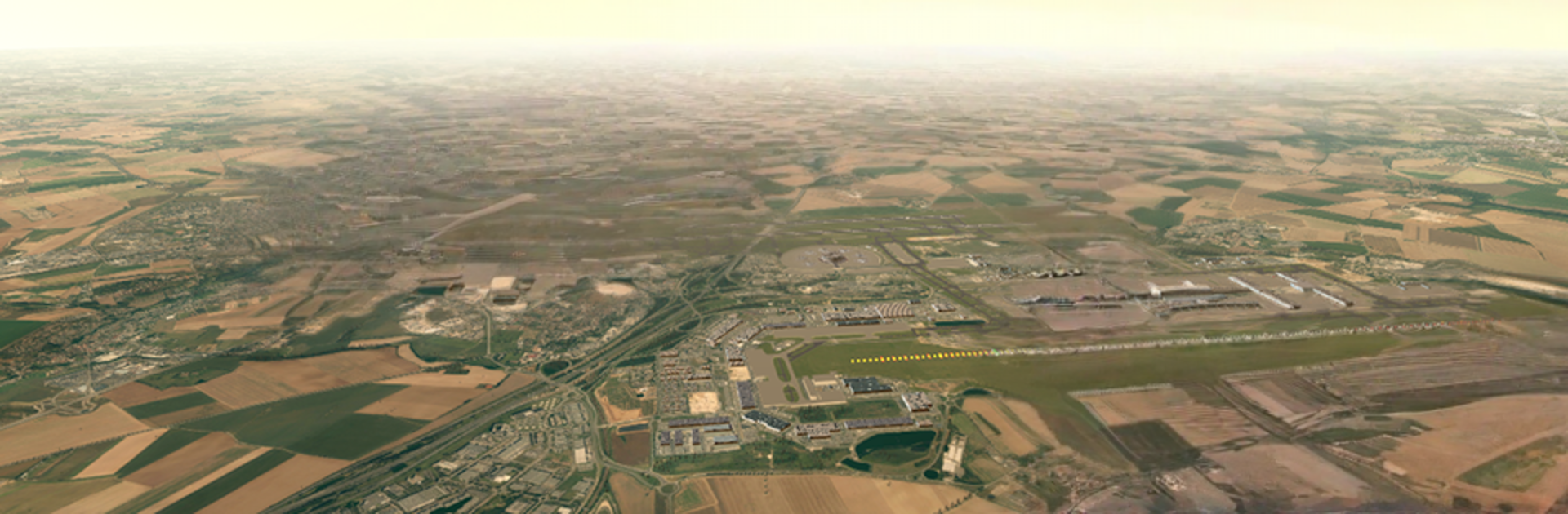
Flight Simulator 2015 FlyWings puts you in the captain’s seat over Paris with a mix of approachable controls and surprisingly deep systems. Built by Thetis Games and Flight Simulators, this Simulation title lets you try on different pilot roles—airline captain, private flyer, tactical operator, or acro enthusiast—and feel how each aircraft behaves when weather, weight, and wind get real.

Game Features

  • Diverse fleet, distinct handling: Jump into 10 different machines, from light trainers and sleek business jets to big cargo haulers, passenger airliners, and even a drone. Each one flies, climbs, and lands its own way.

  • Paris airspace, five major fields: Work routes in and out of Charles de Gaulle, Orly, Le Bourget, Vélizy–Villacoublay, or Toussus-le-Noble. Practice patterns, shoot approaches, or just enjoy the skyline.

  • 250 missions to master: Short hops, long legs, and scenario challenges keep you busy. Some objectives are exclusive to certain aircraft, so your hangar actually matters.

  • Weather that fights back: Fly under blue skies or push through rain, thunderstorms, turbulence, and G-loads. Crosswinds and bumps aren’t just visual—they change how you fly.

  • Physics grounded in real data: Aerodynamics are calculated with FoilSim-style modeling and authentic airfoil profiles, while terrain uses real elevation sources. Stalls, lift, and drag feel convincing.

  • Functional cockpits and instruments: Read live gauges, monitor engine behavior, and watch dynamic panels respond as you pitch, roll, and throttle up.

  • Two control styles: Fly with tilt (accelerometer) for that hands-on feel or switch to precise touch controls—whatever makes your landings smoother.

  • Lifelike world detail: Trees, rivers, clouds, and busy airports make each approach more believable, from high-altitude cruise to final flare.

  • Emergencies and consequences: Engine fires and crash physics are modeled, so sloppy energy management actually costs you.

  • Optional bigger-screen flying: Prefer a wider view of your panel and the Paris approach lights? Run it on your PC through BlueStacks for more elbow room.

Make your gaming sessions memorable with precise controls that give you an edge in close combats and visuals that pop up, bringing every character to life.


Game Features

Enhancements

  • Macros
  • Multi Instance
  • Multi Instance Sync
  • Script
  • Enhancements
Macros

Macros

Automate the predictable in Flight Simulator 2015 FlyWings and transform your gameplay with Macros. Get access to inventive Macros in the BlueStacks Macro Community
Multi Instance

Multi Instance

Play Flight Simulator 2015 FlyWings on one window. And chat with your friend on the other. Press CTRL + Shift + 8 to open the Multi-Instance Manager. And start creating fresh instances or clone an existing one.
Multi Instance Sync

Multi Instance Sync

Play Flight Simulator 2015 FlyWings with the power of Multi-Instance Sync. Replicate what you are doing on the main instance on all other instances. Level up faster, play more.
Script

Script

Script your way to gaming glory in Flight Simulator 2015 FlyWings with BlueStacks Script. Write and run a set of commands to automate repeated tasks. Trigger the command by assigning it to any key.
Read More

How to Download and Play Flight Simulator 2015 FlyWings on PC or Mac

  • Download and install BlueStacks on your PC or Mac

  • Complete Google sign-in to access the Play Store, or do it later

  • Look for Flight Simulator 2015 FlyWings in the search bar at the top right corner

  • Click to install Flight Simulator 2015 FlyWings from the search results

  • Complete Google sign-in (if you skipped step 2) to install Flight Simulator 2015 FlyWings

  • Click the Flight Simulator 2015 FlyWings icon on the home screen to start playing

video
Watch Video

Minimum System Requirements

With BlueStacks 5, you can get started on a PC that fulfills the following requirements.

  • Operating System

    Microsoft Windows 7 or above, macOS 11 (Big Sur) or above

  • Processor

    Intel, AMD or Apple Silicon Processor

  • RAM

    at least 4GB

  • HDD

    10GB Free Disk Space

Note:

* You must be an Administrator on your PC. Up to date graphics drivers from Microsoft or the chipset vendor.

Flight Simulator 2015 FlyWings - FAQs

  • How to play Flight Simulator 2015 FlyWings on Windows PC & Mac?

    Play Flight Simulator 2015 FlyWings on your PC or Mac by following these simple steps.

    • Click on 'Play Flight Simulator 2015 FlyWings on PC’ to download BlueStacks
    • Install it and log-in to Google Play Store
    • Launch and play the game.
  • Why is BlueStacks the fastest and safest platform to play games on PC?

    BlueStacks respects your privacy and is always safe and secure to use. It does not carry any malware, spyware, or any sort of additional software that could harm your PC.

    It is engineered to optimize speed and performance for a seamless gaming experience.

  • What are Flight Simulator 2015 FlyWings PC requirements?

    Minimum requirement to run Flight Simulator 2015 FlyWings on your PC

    • OS: Microsoft Windows 7 or above MacOS 11 (Big Sur) or above
    • Processor: Intel, AMD or Apple Silicon Processor
    • RAM: Your PC must have at least 4GB of RAM. (Note that having 4GB or more disk space is not a substitute for RAM)
    • HDD: 10GB Free Disk Space.
    • You must be an Administrator on your PC.