Games Tycoon - gamedev sim

Games Tycoon - gamedev sim

Simulation

| Insignis Games

Play on PC with BlueStacks or from our cloud

  • Overview
  • Game Features
  • How to Play

Page Modified On: August 24, 2026

Play Games Tycoon - gamedev sim on PC or Mac

Games Tycoon – gamedev sim brings the Simulation genre to life, and throws up exciting challenges for gamers. Developed by Insignis Games, this Android game is best experienced on BlueStacks, the World’s #1 app player for PC and Mac users.

About the Game

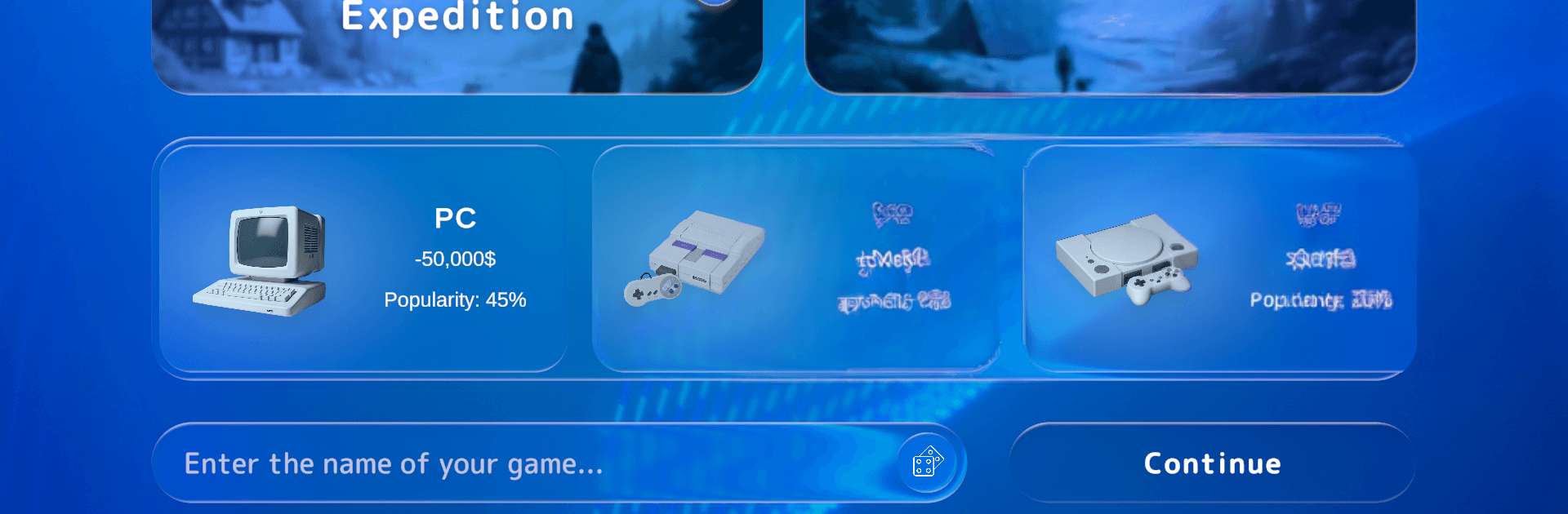
Games Tycoon – gamedev sim hands you the keys to a small studio and asks a simple question: can you turn great ideas into chart-topping games—and maybe even the hardware they run on? This Simulation game blends creative tinkering with real business choices, from hiring and budgeting to production lines and launch timing. Prefer a bigger screen? It plays smoothly on PC with BlueStacks.

Game Features

  • From tiny team to powerhouse: Start in a cramped office with a tight budget, hire standout talent, and expand into a humming headquarters packed with specialized departments.
  • Prototype to playable gold: Experiment with fresh mechanics, test quickly, and carry the good stuff into full-scale projects without wasting time or cash.
  • Your own game engine: Build a proprietary engine module by module, fold in new tech, and refine it over multiple releases to sharpen performance and reduce dev time.
  • End-to-end production control: Plan pre-production, lock milestones, keep QA on schedule, and ship polished builds with fewer last-minute surprises.
  • Design actual consoles: Spec components, streamline assembly, and coordinate launches so your hardware and game releases amplify each other.
  • Smart marketing that moves needles: Run campaigns, pick the right channels, read market trends in real time, and time reveals for maximum buzz.
  • Awards with real perks: Win trophies that raise your studio’s profile and unlock new research, funding avenues, and better negotiations.
  • Deals and acquisitions: Form partnerships, sign exclusives, acquire rival teams, and integrate their strengths into your roadmap.
  • Analytics that matter: Track sales, budgets, and player sentiment with clear dashboards that link today’s calls to long-term growth.
  • Scalable operations: Upgrade workspaces, improve production lines, and automate routine steps while keeping quality—and morale—high.

Get ready for a buttery smooth, high-performance gaming action only on BlueStacks.

Game Features

Enhancements

  • Macros
  • Multi Instance
  • Multi Instance Sync
  • Script
  • Enhancements
Macros

Macros

Automate the predictable in Games Tycoon - gamedev sim and transform your gameplay with Macros. Get access to inventive Macros in the BlueStacks Macro Community
Multi Instance

Multi Instance

Play Games Tycoon - gamedev sim on one window. And chat with your friend on the other. Press CTRL + Shift + 8 to open the Multi-Instance Manager. And start creating fresh instances or clone an existing one.
Multi Instance Sync

Multi Instance Sync

Play Games Tycoon - gamedev sim with the power of Multi-Instance Sync. Replicate what you are doing on the main instance on all other instances. Level up faster, play more.
Script

Script

Script your way to gaming glory in Games Tycoon - gamedev sim with BlueStacks Script. Write and run a set of commands to automate repeated tasks. Trigger the command by assigning it to any key.
Read More

How to Download and Play Games Tycoon - gamedev sim on PC or Mac

  • Download and install BlueStacks on your PC or Mac

  • Complete Google sign-in to access the Play Store, or do it later

  • Look for Games Tycoon - gamedev sim in the search bar at the top right corner

  • Click to install Games Tycoon - gamedev sim from the search results

  • Complete Google sign-in (if you skipped step 2) to install Games Tycoon - gamedev sim

  • Click the Games Tycoon - gamedev sim icon on the home screen to start playing

video
Watch Video

Minimum System Requirements

With BlueStacks 5, you can get started on a PC that fulfills the following requirements.

  • Operating System

    Microsoft Windows 7 or above, macOS 11 (Big Sur) or above

  • Processor

    Intel, AMD or Apple Silicon Processor

  • RAM

    at least 4GB

  • HDD

    10GB Free Disk Space

Note:

* You must be an Administrator on your PC. Up to date graphics drivers from Microsoft or the chipset vendor.

Games Tycoon - gamedev sim - FAQs

  • How to play Games Tycoon - gamedev sim on Windows PC & Mac?

    Play Games Tycoon - gamedev sim on your PC or Mac by following these simple steps.

    • Click on 'Play Games Tycoon - gamedev sim on PC’ to download BlueStacks
    • Install it and log-in to Google Play Store
    • Launch and play the game.
  • Why is BlueStacks the fastest and safest platform to play games on PC?

    BlueStacks respects your privacy and is always safe and secure to use. It does not carry any malware, spyware, or any sort of additional software that could harm your PC.

    It is engineered to optimize speed and performance for a seamless gaming experience.

  • What are Games Tycoon - gamedev sim PC requirements?

    Minimum requirement to run Games Tycoon - gamedev sim on your PC

    • OS: Microsoft Windows 7 or above MacOS 11 (Big Sur) or above
    • Processor: Intel, AMD or Apple Silicon Processor
    • RAM: Your PC must have at least 4GB of RAM. (Note that having 4GB or more disk space is not a substitute for RAM)
    • HDD: 10GB Free Disk Space.
    • You must be an Administrator on your PC.