Good Pizza, Great Pizza

Good Pizza, Great Pizza

Simulation

| TapBlaze

Play on PC with BlueStacks or from our cloud

  • Overview
  • Game Features
  • How to Play

Page Modified On: December 10, 2025

Play Good Pizza, Great Pizza on PC or Mac

Bring your A-game to Good Pizza, Great Pizza, the Casual game sensation from TapBlaze. Give your gameplay the much-needed boost with precise game controls, high FPS graphics, and top-tier features on your PC or Mac with BlueStacks.

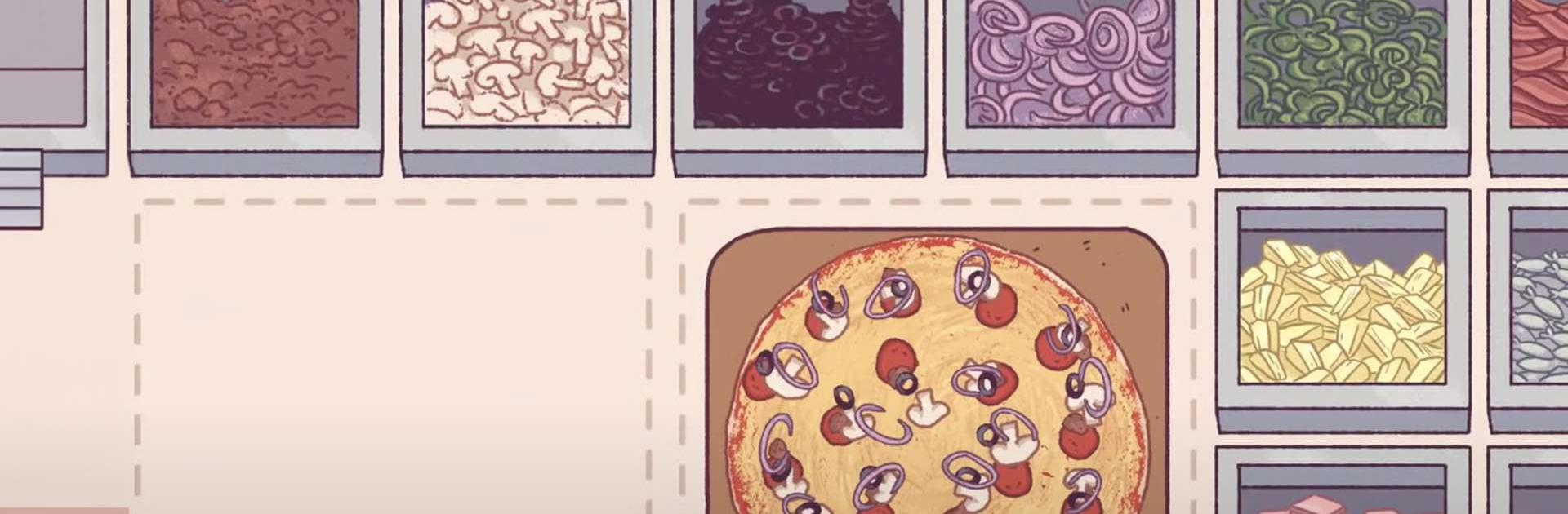
Good Pizza, Great Pizza feels like running a tiny neighborhood shop where every customer has a story and an oddly specific order. Players take tickets, spread sauce and cheese, lay down toppings, bake the pie, then slice it clean, and the game quietly checks if everything matches what was asked. Someone might want half pepperoni on the left, light sauce, no mushrooms, or the exact opposite, and payment depends on how accurate and fast the pizza comes out. There is a goofy in-world news show that talks only about pizza, which sounds silly but it actually gives little hints and adds a fun bit of world building. Money earned each day goes into upgrades, new toppings, faster ovens, a nicer counter, all that shop-keeping stuff that makes the next rush a little smoother. The rival across the street likes to stir things up, so there is a gentle sense of competition too.

It starts simple and cozy, then gets tricky when the dinner line grows and orders get picky. The art is warm, the jokes are light, and the sound of the oven is oddly relaxing. On PC with BlueStacks, the mouse makes spreading sauce and lining up slices feel neat and tidy, and the bigger screen helps with reading the more complicated requests. It scratches that “one more day” management itch without turning into a spreadsheet, and there is always that temptation to save for one more upgrade before closing time.

Make your gaming sessions memorable with precise controls that give you an edge in close combats and visuals that pop up, bringing every character to life.

Game Features

Enhancements

  • Macros
  • Multi Instance
  • Multi Instance Sync
  • Script
  • Enhancements
Macros

Macros

Automate the predictable in Good Pizza, Great Pizza and transform your gameplay with Macros. Get access to inventive Macros in the BlueStacks Macro Community
Multi Instance

Multi Instance

Play Good Pizza, Great Pizza on one window. And chat with your friend on the other. Press CTRL + Shift + 8 to open the Multi-Instance Manager. And start creating fresh instances or clone an existing one.
Multi Instance Sync

Multi Instance Sync

Play Good Pizza, Great Pizza with the power of Multi-Instance Sync. Replicate what you are doing on the main instance on all other instances. Level up faster, play more.
Script

Script

Script your way to gaming glory in Good Pizza, Great Pizza with BlueStacks Script. Write and run a set of commands to automate repeated tasks. Trigger the command by assigning it to any key.
Read More

How to Download and Play Good Pizza, Great Pizza on PC or Mac

  • Download and install BlueStacks on your PC or Mac

  • Complete Google sign-in to access the Play Store, or do it later

  • Look for Good Pizza, Great Pizza in the search bar at the top right corner

  • Click to install Good Pizza, Great Pizza from the search results

  • Complete Google sign-in (if you skipped step 2) to install Good Pizza, Great Pizza

  • Click the Good Pizza, Great Pizza icon on the home screen to start playing

video
Watch Video

Minimum System Requirements

With BlueStacks 5, you can get started on a PC that fulfills the following requirements.

  • Operating System

    Microsoft Windows 7 or above, macOS 11 (Big Sur) or above

  • Processor

    Intel, AMD or Apple Silicon Processor

  • RAM

    at least 4GB

  • HDD

    10GB Free Disk Space

Note:

* You must be an Administrator on your PC. Up to date graphics drivers from Microsoft or the chipset vendor.

Good Pizza, Great Pizza - FAQs

  • How to play Good Pizza, Great Pizza on Windows PC & Mac?

    Play Good Pizza, Great Pizza on your PC or Mac by following these simple steps.

    • Click on 'Play Good Pizza, Great Pizza on PC’ to download BlueStacks
    • Install it and log-in to Google Play Store
    • Launch and play the game.
  • Why is BlueStacks the fastest and safest platform to play games on PC?

    BlueStacks respects your privacy and is always safe and secure to use. It does not carry any malware, spyware, or any sort of additional software that could harm your PC.

    It is engineered to optimize speed and performance for a seamless gaming experience.

  • What are Good Pizza, Great Pizza PC requirements?

    Minimum requirement to run Good Pizza, Great Pizza on your PC

    • OS: Microsoft Windows 7 or above MacOS 11 (Big Sur) or above
    • Processor: Intel, AMD or Apple Silicon Processor
    • RAM: Your PC must have at least 4GB of RAM. (Note that having 4GB or more disk space is not a substitute for RAM)
    • HDD: 10GB Free Disk Space.
    • You must be an Administrator on your PC.