Grand Gangster: RP Open World

Grand Gangster: RP Open World

Simulation

| Universe Game Labs

Play on PC with BlueStacks or from our cloud

  • Overview
  • Game Features
  • How to Play

Page Modified On: October 30, 2026

Play Grand Gangster: RP Open World on PC or Mac

Bring your A-game to Grand Gangster: RP Open World, the Simulation game sensation from Universe Game Labs. Give your gameplay the much-needed boost with precise game controls, high FPS graphics, and top-tier features on your PC or Mac with BlueStacks.

About the Game
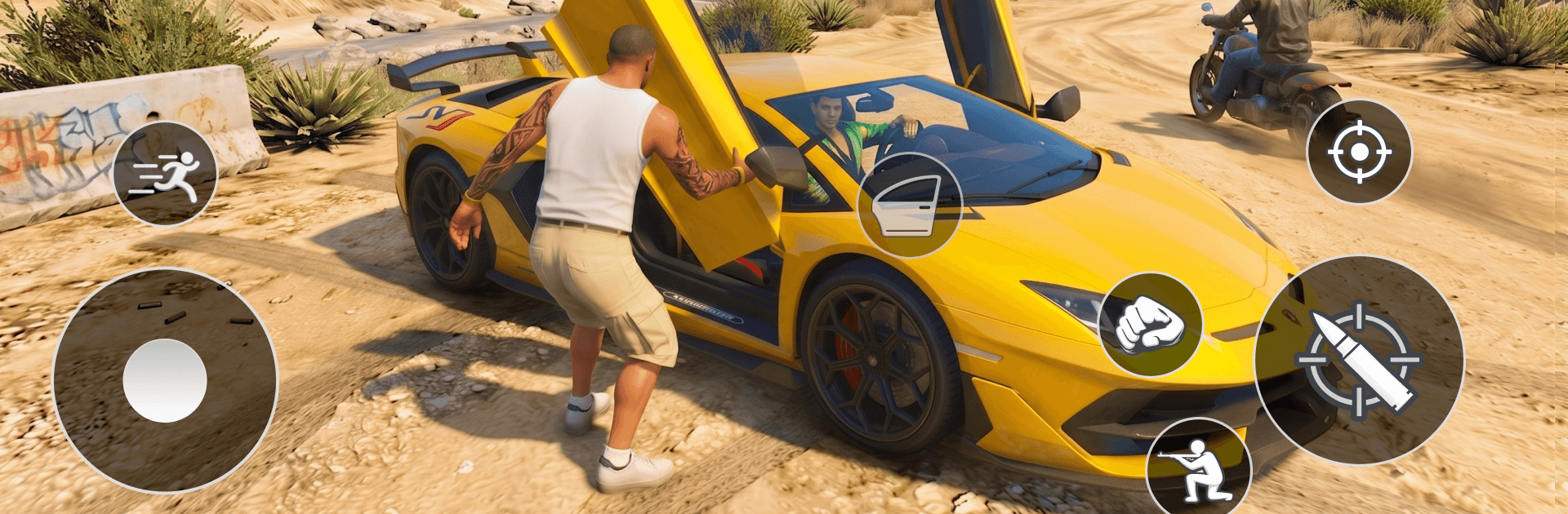
Grand Gangster: RP Open World is a gritty Simulation experience set in a sprawling city that actually feels lived-in. You start small, make your own calls, and slowly earn the kind of respect that opens doors—or slams them shut. Go hard on story missions or just roam the streets doing your thing; either way, your choices shape how the city reacts. It also feels great on BlueStacks if you like a bigger view and tight controls.

Game Features
– Open-city playground: Roam a sweeping metropolis packed with distinct districts, back alleys, busy markets, docks, and plenty of tucked-away secrets.
– Story or sandbox: Follow the main thread when you want structure, or ignore it and build your own path with side jobs, exploration, and personal goals.
– Smooth handling: Responsive driving, bike riding, and on-foot movement make chases snappy and everyday cruising relaxed.
– Missions with variety: Tackle high-speed pursuits, clever getaways, courier runs, and skill-focused tasks that keep you on your toes.
– Progress your character: Grow your stats, unlock new abilities, and gear up to handle tougher neighborhoods and bigger paydays.
– Choices carry weight: Build reputation, manage cash and resources, and decide who to help—or cross—to shift how the city treats you.
– Wheels for every mood: From nimble motorcycles to roaring sports cars, grab the ride that fits the job and the block.
– Factions and faces: Meet locals and rival crews, trade favors, and navigate relationships with characters who remember your actions.
– City feels alive: Detailed 3D streets, changing light and weather vibes, and layered audio make each block feel different from the last.
– Play your way: Knock out quick tasks in short bursts or settle in for a longer session mapping new turf and chasing bigger scores.

Start your journey now. Download the game on BlueStacks, invite your friends, and march on a new adventure.


Game Features

Enhancements

  • Macros
  • Multi Instance
  • Multi Instance Sync
  • Script
  • Enhancements
Macros

Macros

Automate the predictable in Grand Gangster: RP Open World and transform your gameplay with Macros. Get access to inventive Macros in the BlueStacks Macro Community
Multi Instance

Multi Instance

Play Grand Gangster: RP Open World on one window. And chat with your friend on the other. Press CTRL + Shift + 8 to open the Multi-Instance Manager. And start creating fresh instances or clone an existing one.
Multi Instance Sync

Multi Instance Sync

Play Grand Gangster: RP Open World with the power of Multi-Instance Sync. Replicate what you are doing on the main instance on all other instances. Level up faster, play more.
Script

Script

Script your way to gaming glory in Grand Gangster: RP Open World with BlueStacks Script. Write and run a set of commands to automate repeated tasks. Trigger the command by assigning it to any key.
Read More

How to Download and Play Grand Gangster: RP Open World on PC or Mac

  • Download and install BlueStacks on your PC or Mac

  • Complete Google sign-in to access the Play Store, or do it later

  • Look for Grand Gangster: RP Open World in the search bar at the top right corner

  • Click to install Grand Gangster: RP Open World from the search results

  • Complete Google sign-in (if you skipped step 2) to install Grand Gangster: RP Open World

  • Click the Grand Gangster: RP Open World icon on the home screen to start playing

video
Watch Video

Minimum System Requirements

With BlueStacks 5, you can get started on a PC that fulfills the following requirements.

  • Operating System

    Microsoft Windows 7 or above, macOS 11 (Big Sur) or above

  • Processor

    Intel, AMD or Apple Silicon Processor

  • RAM

    at least 4GB

  • HDD

    10GB Free Disk Space

Note:

* You must be an Administrator on your PC. Up to date graphics drivers from Microsoft or the chipset vendor.

Grand Gangster: RP Open World - FAQs

  • How to play Grand Gangster: RP Open World on Windows PC & Mac?

    Play Grand Gangster: RP Open World on your PC or Mac by following these simple steps.

    • Click on 'Play Grand Gangster: RP Open World on PC’ to download BlueStacks
    • Install it and log-in to Google Play Store
    • Launch and play the game.
  • Why is BlueStacks the fastest and safest platform to play games on PC?

    BlueStacks respects your privacy and is always safe and secure to use. It does not carry any malware, spyware, or any sort of additional software that could harm your PC.

    It is engineered to optimize speed and performance for a seamless gaming experience.

  • What are Grand Gangster: RP Open World PC requirements?

    Minimum requirement to run Grand Gangster: RP Open World on your PC

    • OS: Microsoft Windows 7 or above MacOS 11 (Big Sur) or above
    • Processor: Intel, AMD or Apple Silicon Processor
    • RAM: Your PC must have at least 4GB of RAM. (Note that having 4GB or more disk space is not a substitute for RAM)
    • HDD: 10GB Free Disk Space.
    • You must be an Administrator on your PC.