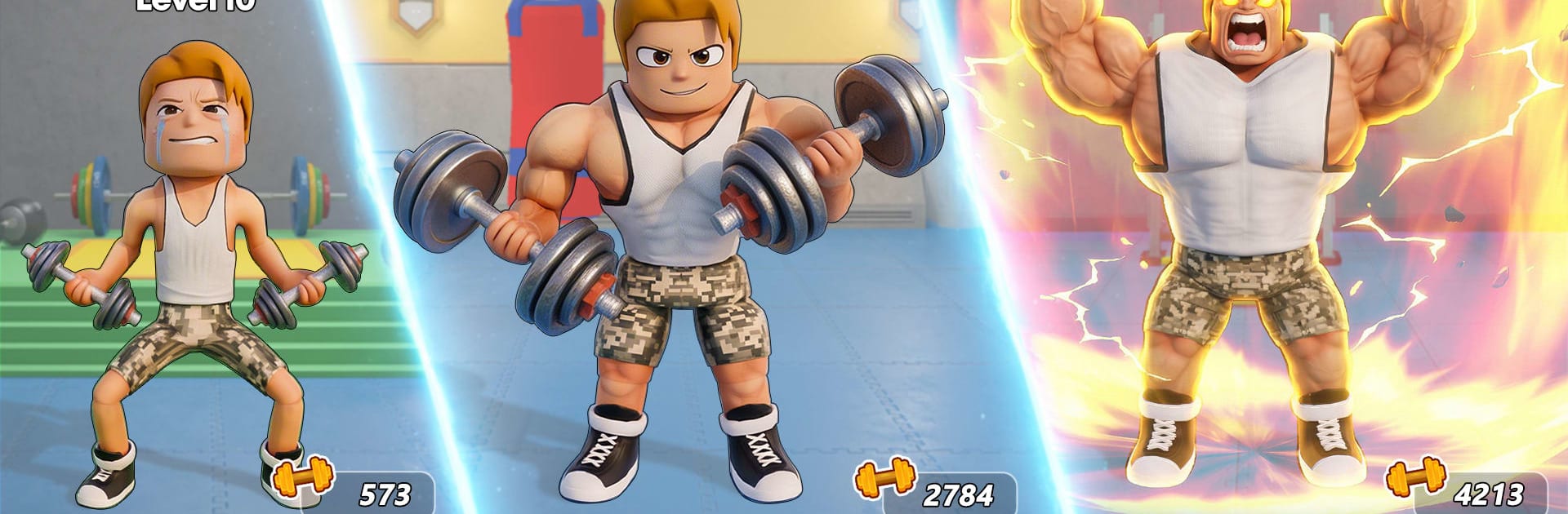
Gym King - Idle Clicker Games

Gym King - Idle Clicker Games

Simulation

| Funverse IEG

Play on PC with BlueStacks or from our cloud

  • Overview
  • Game Features
  • How to Play

Page Modified On: September 07, 2026

Play Gym King - Idle Clicker Games on PC or Mac

Explore a whole new adventure with Gym King – Idle Clicker Games, a Simulation game created by Funverse IEG. Experience great gameplay with BlueStacks, the most popular gaming platform to play Android games on your PC or Mac.

About the Game

Gym King – Idle Clicker Games is a gritty, pick-up-and-play Simulation where building a powerhouse physique is only half the story—the other half happens in the ring. You’ll tap through workouts, watch your body transform, and throw down in boxing, wrestling, and slap showdowns to prove your strength. Prefer playing on PC? It runs smoothly on BlueStacks, too.

Game Features

  • Tap-To-Train Workouts: Pump iron, smash reps, and stack gains with quick taps that turn effort into real stat boosts.
  • Real Fights, Real Heat: Step into boxing rings, wrestling mats, and slap battles to test your build against tough opponents.
  • Pick Your Path: Work through a guided career, chase tough challenges, jump into arenas, or let progress roll while you’re away with idle play.
  • Satisfying Progression: Grow stronger across strength, stamina, speed, and endurance, then feel the difference in every lift and punch.
  • Visible Transformation: Watch your character bulk up with clear, satisfying body changes that track your grind.
  • Style Your Champion: Unlock outfits, skins, accessories, and even pets to stand out while you train and fight.
  • Gyms and Arenas in 3D: Move from a humble weight room to upgraded spaces, then take the spotlight in crowded stadiums.
  • Punchy Sound Design: Hear clanking plates, heavy hits, and roaring fans that make each session feel intense.
  • Easy Controls, Smart Choices: Simple taps and swipes pair with boosters, power-ups, and energy management for deeper strategy.
  • Compete and Compare: Chase big numbers, sharpen your best times, and climb leaderboards to show who really owns the gym.

Start playing Gym King – Idle Clicker Games on BlueStacks and get a smoother, more comfortable PC or Mac setup.


Game Features

Enhancements

  • Macros
  • Multi Instance
  • Multi Instance Sync
  • Script
  • Enhancements
Macros

Macros

Automate the predictable in Gym King - Idle Clicker Games and transform your gameplay with Macros. Get access to inventive Macros in the BlueStacks Macro Community
Multi Instance

Multi Instance

Play Gym King - Idle Clicker Games on one window. And chat with your friend on the other. Press CTRL + Shift + 8 to open the Multi-Instance Manager. And start creating fresh instances or clone an existing one.
Multi Instance Sync

Multi Instance Sync

Play Gym King - Idle Clicker Games with the power of Multi-Instance Sync. Replicate what you are doing on the main instance on all other instances. Level up faster, play more.
Script

Script

Script your way to gaming glory in Gym King - Idle Clicker Games with BlueStacks Script. Write and run a set of commands to automate repeated tasks. Trigger the command by assigning it to any key.
Read More

How to Download and Play Gym King - Idle Clicker Games on PC or Mac

  • Download and install BlueStacks on your PC or Mac

  • Complete Google sign-in to access the Play Store, or do it later

  • Look for Gym King - Idle Clicker Games in the search bar at the top right corner

  • Click to install Gym King - Idle Clicker Games from the search results

  • Complete Google sign-in (if you skipped step 2) to install Gym King - Idle Clicker Games

  • Click the Gym King - Idle Clicker Games icon on the home screen to start playing

video
Watch Video

Minimum System Requirements

With BlueStacks 5, you can get started on a PC that fulfills the following requirements.

  • Operating System

    Microsoft Windows 7 or above, macOS 11 (Big Sur) or above

  • Processor

    Intel, AMD or Apple Silicon Processor

  • RAM

    at least 4GB

  • HDD

    10GB Free Disk Space

Note:

* You must be an Administrator on your PC. Up to date graphics drivers from Microsoft or the chipset vendor.

Gym King - Idle Clicker Games - FAQs

  • How to play Gym King - Idle Clicker Games on Windows PC & Mac?

    Play Gym King - Idle Clicker Games on your PC or Mac by following these simple steps.

    • Click on 'Play Gym King - Idle Clicker Games on PC’ to download BlueStacks
    • Install it and log-in to Google Play Store
    • Launch and play the game.
  • Why is BlueStacks the fastest and safest platform to play games on PC?

    BlueStacks respects your privacy and is always safe and secure to use. It does not carry any malware, spyware, or any sort of additional software that could harm your PC.

    It is engineered to optimize speed and performance for a seamless gaming experience.

  • What are Gym King - Idle Clicker Games PC requirements?

    Minimum requirement to run Gym King - Idle Clicker Games on your PC

    • OS: Microsoft Windows 7 or above MacOS 11 (Big Sur) or above
    • Processor: Intel, AMD or Apple Silicon Processor
    • RAM: Your PC must have at least 4GB of RAM. (Note that having 4GB or more disk space is not a substitute for RAM)
    • HDD: 10GB Free Disk Space.
    • You must be an Administrator on your PC.