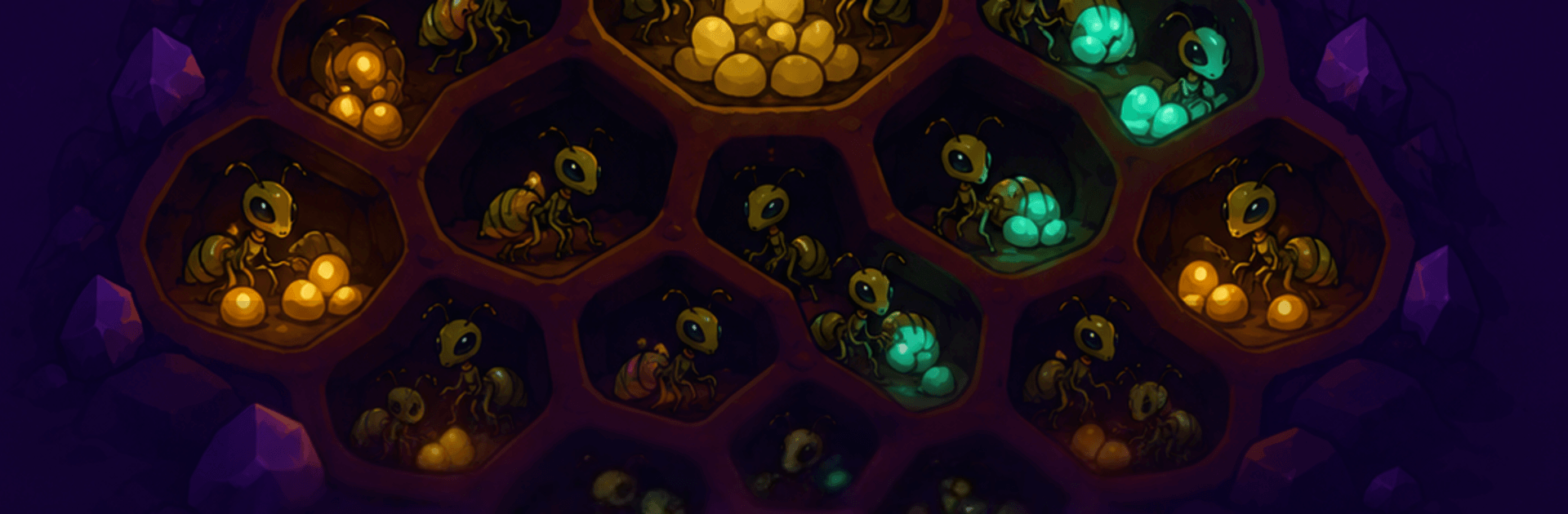
Hivemind: Idle Alien Empire

Hivemind: Idle Alien Empire

Simulation

| Infinity Games, Lda

Play on PC with BlueStacks or from our cloud

  • Overview
  • Game Features
  • How to Play

Page Modified On: August 31, 2026

Play Hivemind: Idle Alien Empire on PC or Mac

Play Hivemind: Idle Alien Empire by Infinity Games, Lda on PC or Mac with BlueStacks. Use a bigger screen, mouse and keyboard controls, and smoother performance while you play.

About the Game

Hivemind: Idle Alien Empire is a Simulation colony builder where you steer a ruthless alien nest from a scrappy burrow into a star-spanning menace. Hatch workers, carve out living rooms under the sand, and let the hive churn resources while you’re off doing other things. When you’re back, you’ll evolve the queen, prep your warriors for quick, punchy raids, and push your territory to hostile planets bristling with hazards. It also plays nicely on BlueStacks if you prefer checking in on your swarm from your desk.

Game Features

  • Evolve the Queen: Grow your monarch through 10 distinct metamorph stages, each unlocking new abilities and visible changes to your throne room.
  • Choose Your Lineage: Pick between Swarm for overwhelming numbers, Apex for heavy-hitting alphas, or Hive-Mind for slick automation with overseers and turrets.
  • Reactive Raids: Foes broadcast incoming attacks, giving you a prep window for traps and acid bombs, then reward you with a post-battle draft.
  • Planetary Conquest: Claim eight very different worlds—from lightless caverns to storm-torn skies—each with a unique hazard to counter and a custom chamber to master it.
  • Strange Spoils: Stockpile exotic materials like cryocoral, voltsap, umbrite, and more to push new upgrades and unlocks.
  • Build the Hive: Shape your base with 14 chamber types—Hatchery Nests, Biomass Farms, Mineral Maws, Warrior Dens, Gene Vaults, and others—with upgrades that visibly transform your tunnels.
  • Research & Automation: Unlock warp lattices, auto-hatching nests, drone haulers, and a deep tech tree that keeps your operation humming.
  • True Idle Gains: Your colony keeps producing while you’re offline, with tech that extends the stash period so you return to a satisfying haul.
  • Ascend for Power: Trade a completed run for Royal Jelly, bank permanent boosts, and restart with a meaner, faster-growing swarm.
  • A Real Economy: Assign workers, juggle production multipliers, slot overseers per world, and graft lineage perks to turn raw numbers into a disciplined war machine.
  • Adapting Enemies: Face a roster of 12 alien species—from dune stalkers to sunwraiths—each pushing you to rethink defenses and evolve smarter counters.

Ready to top the leaderboard? We bet you do. Let precise controls and sharp visuals optimized on BlueStacks lead you to victory.


Game Features

Enhancements

  • Macros
  • Multi Instance
  • Multi Instance Sync
  • Script
  • Enhancements
Macros

Macros

Automate the predictable in Hivemind: Idle Alien Empire and transform your gameplay with Macros. Get access to inventive Macros in the BlueStacks Macro Community
Multi Instance

Multi Instance

Play Hivemind: Idle Alien Empire on one window. And chat with your friend on the other. Press CTRL + Shift + 8 to open the Multi-Instance Manager. And start creating fresh instances or clone an existing one.
Multi Instance Sync

Multi Instance Sync

Play Hivemind: Idle Alien Empire with the power of Multi-Instance Sync. Replicate what you are doing on the main instance on all other instances. Level up faster, play more.
Script

Script

Script your way to gaming glory in Hivemind: Idle Alien Empire with BlueStacks Script. Write and run a set of commands to automate repeated tasks. Trigger the command by assigning it to any key.
Read More

How to Download and Play Hivemind: Idle Alien Empire on PC or Mac

  • Download and install BlueStacks on your PC or Mac

  • Complete Google sign-in to access the Play Store, or do it later

  • Look for Hivemind: Idle Alien Empire in the search bar at the top right corner

  • Click to install Hivemind: Idle Alien Empire from the search results

  • Complete Google sign-in (if you skipped step 2) to install Hivemind: Idle Alien Empire

  • Click the Hivemind: Idle Alien Empire icon on the home screen to start playing

video
Watch Video

Minimum System Requirements

With BlueStacks 5, you can get started on a PC that fulfills the following requirements.

  • Operating System

    Microsoft Windows 7 or above, macOS 11 (Big Sur) or above

  • Processor

    Intel, AMD or Apple Silicon Processor

  • RAM

    at least 4GB

  • HDD

    10GB Free Disk Space

Note:

* You must be an Administrator on your PC. Up to date graphics drivers from Microsoft or the chipset vendor.

Hivemind: Idle Alien Empire - FAQs

  • How to play Hivemind: Idle Alien Empire on Windows PC & Mac?

    Play Hivemind: Idle Alien Empire on your PC or Mac by following these simple steps.

    • Click on 'Play Hivemind: Idle Alien Empire on PC’ to download BlueStacks
    • Install it and log-in to Google Play Store
    • Launch and play the game.
  • Why is BlueStacks the fastest and safest platform to play games on PC?

    BlueStacks respects your privacy and is always safe and secure to use. It does not carry any malware, spyware, or any sort of additional software that could harm your PC.

    It is engineered to optimize speed and performance for a seamless gaming experience.

  • What are Hivemind: Idle Alien Empire PC requirements?

    Minimum requirement to run Hivemind: Idle Alien Empire on your PC

    • OS: Microsoft Windows 7 or above MacOS 11 (Big Sur) or above
    • Processor: Intel, AMD or Apple Silicon Processor
    • RAM: Your PC must have at least 4GB of RAM. (Note that having 4GB or more disk space is not a substitute for RAM)
    • HDD: 10GB Free Disk Space.
    • You must be an Administrator on your PC.