House Cleaner Simulator

House Cleaner Simulator

Simulation

| Digital Melody Games

Play on PC with BlueStacks or from our cloud

  • Overview
  • Game Features
  • How to Play

Page Modified On: October 16, 2026

Play House Cleaner Simulator on PC or Mac

House Cleaner Simulator brings the Simulation genre to life, and throws up exciting challenges for gamers. Developed by Digital Melody Games, this Android game is best experienced on BlueStacks, the World’s #1 app player for PC and Mac users.

About the Game
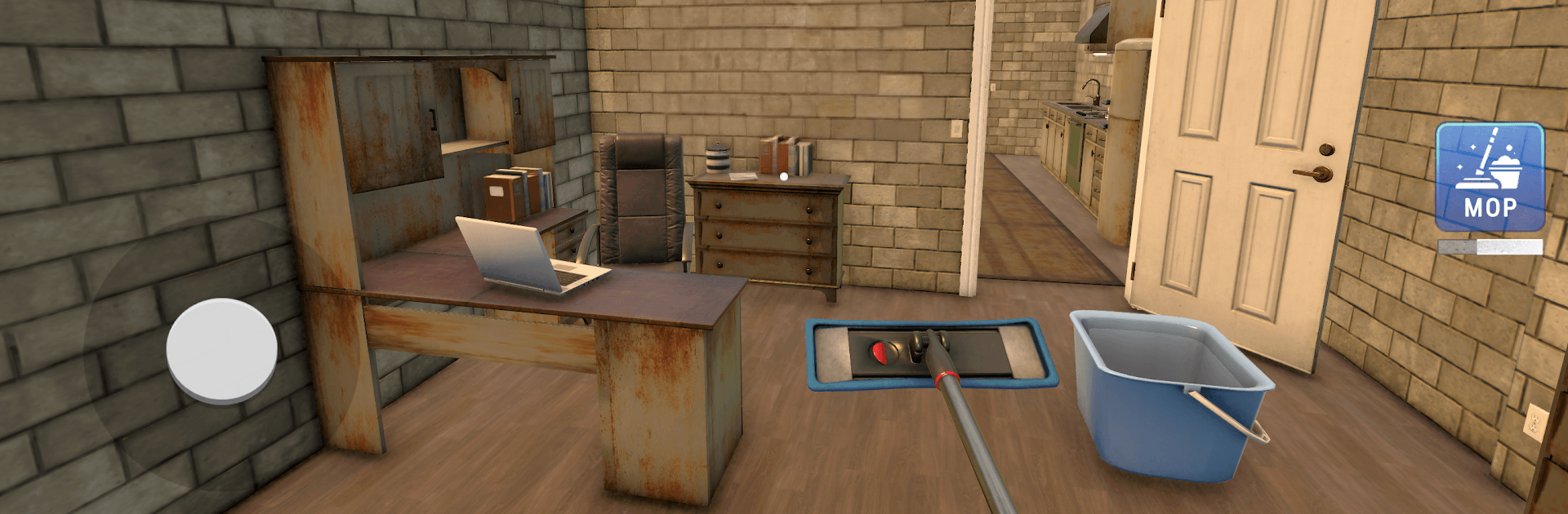
House Cleaner Simulator is all about turning messy spaces into money-makers, one satisfying scrub at a time. This Simulation lets you build a legit cleaning business from humble gigs to high-end clients, with a steady stream of upgrades, contracts, and those sweet before-and-after moments. Prefer playing on a bigger screen? It runs comfortably on PC with BlueStacks without getting in the way of the chill, tidy-up flow.

Game Features
– Jobs With Variety: Tackle cozy apartments, busy offices, hands-on workshops, bustling restaurants, and lavish mansions—each with its own types of grime and layouts to figure out.
– Pro Tools That Matter: Unlock mops, power washers, sponges, and specialized cleaners, then pick the right tool for the mess to work faster and leave a flawless finish.
– From Solo Gig to Company: Start small, earn cash, and reinvest as your one-person hustle becomes a recognized brand with steady demand.
– Reputation Opens Doors: Deliver spotless results to boost your standing, attract wealthier clients, and land more prestigious contracts over time.
– A Base That Grows With You: Upgrade your headquarters with better storage, workstations, and perks that keep jobs organized and efficient.
– Vehicles With Purpose: Add vans and work trucks to haul gear, reach bigger sites, and take on multi-room or multi-day projects without breaking stride.
– Cleaner Progress, Your Way: Improve speed, stamina, and precision to handle tougher tasks and wrap up complex jobs with confidence.
– Satisfying Before-and-After: Watch dirt melt, stains vanish, and rooms snap back to life—those glow-ups never get old.
– Chill Flow, Real Strategy: Balance budgets, pick upgrades that fit your style, and schedule jobs smartly while keeping the gameplay calm and rewarding.

BlueStacks gives you more room to focus on the game and less time adjusting around mobile limitations.


Game Features

Enhancements

  • Macros
  • Multi Instance
  • Multi Instance Sync
  • Script
  • Enhancements
Macros

Macros

Automate the predictable in House Cleaner Simulator and transform your gameplay with Macros. Get access to inventive Macros in the BlueStacks Macro Community
Multi Instance

Multi Instance

Play House Cleaner Simulator on one window. And chat with your friend on the other. Press CTRL + Shift + 8 to open the Multi-Instance Manager. And start creating fresh instances or clone an existing one.
Multi Instance Sync

Multi Instance Sync

Play House Cleaner Simulator with the power of Multi-Instance Sync. Replicate what you are doing on the main instance on all other instances. Level up faster, play more.
Script

Script

Script your way to gaming glory in House Cleaner Simulator with BlueStacks Script. Write and run a set of commands to automate repeated tasks. Trigger the command by assigning it to any key.
Read More

How to Download and Play House Cleaner Simulator on PC or Mac

  • Download and install BlueStacks on your PC or Mac

  • Complete Google sign-in to access the Play Store, or do it later

  • Look for House Cleaner Simulator in the search bar at the top right corner

  • Click to install House Cleaner Simulator from the search results

  • Complete Google sign-in (if you skipped step 2) to install House Cleaner Simulator

  • Click the House Cleaner Simulator icon on the home screen to start playing

video
Watch Video

Minimum System Requirements

With BlueStacks 5, you can get started on a PC that fulfills the following requirements.

  • Operating System

    Microsoft Windows 7 or above, macOS 11 (Big Sur) or above

  • Processor

    Intel, AMD or Apple Silicon Processor

  • RAM

    at least 4GB

  • HDD

    10GB Free Disk Space

Note:

* You must be an Administrator on your PC. Up to date graphics drivers from Microsoft or the chipset vendor.

House Cleaner Simulator - FAQs

  • How to play House Cleaner Simulator on Windows PC & Mac?

    Play House Cleaner Simulator on your PC or Mac by following these simple steps.

    • Click on 'Play House Cleaner Simulator on PC’ to download BlueStacks
    • Install it and log-in to Google Play Store
    • Launch and play the game.
  • Why is BlueStacks the fastest and safest platform to play games on PC?

    BlueStacks respects your privacy and is always safe and secure to use. It does not carry any malware, spyware, or any sort of additional software that could harm your PC.

    It is engineered to optimize speed and performance for a seamless gaming experience.

  • What are House Cleaner Simulator PC requirements?

    Minimum requirement to run House Cleaner Simulator on your PC

    • OS: Microsoft Windows 7 or above MacOS 11 (Big Sur) or above
    • Processor: Intel, AMD or Apple Silicon Processor
    • RAM: Your PC must have at least 4GB of RAM. (Note that having 4GB or more disk space is not a substitute for RAM)
    • HDD: 10GB Free Disk Space.
    • You must be an Administrator on your PC.