I Am Janitor
I Am Janitor

I Am Janitor

Simulation

| Estoty

Play on PC with BlueStacks or from our cloud

  • Overview
  • Game Features
  • How to Play

Page Modified On: September 18, 2026

Play I Am Janitor on PC or Mac

Step into the World of I Am Janitor, a thrilling Simulation game from the house of Estoty. Play this Android game on BlueStacks App Player and experience immersive gaming on PC or Mac.

About the Game

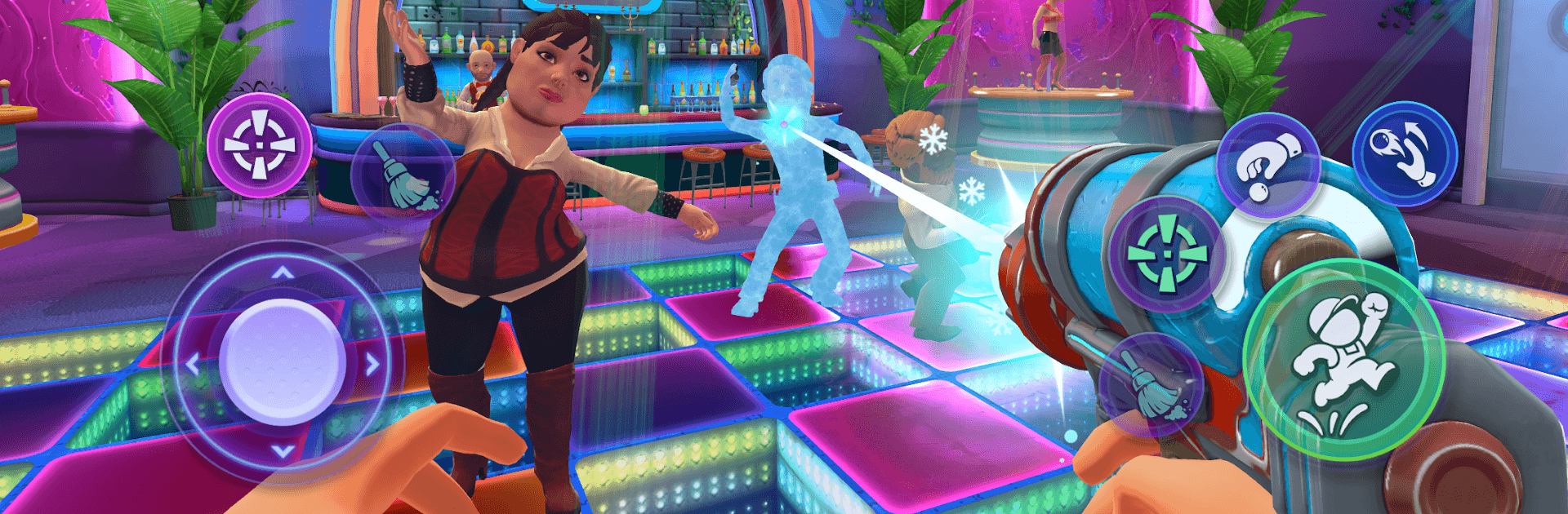
I Am Janitor is a cheeky Simulation about cleaning up the nightclub after everyone else has gone wild. Do the job straight—or go off-script with ridiculous gadgets and physics that let you flip the whole venue on its head. It also plays nicely on BlueStacks if you prefer kicking back at a desk.

Game Features

  • Night Shift Perspective: Tackle the after-hours grind—scrub floors, scrape gum, clear trash, and handle VIP disasters and nasty plumbing surprises.
  • Tools That Actually Clean: Put mops, scrapers, and strong cleaners to work for that oddly satisfying sparkle.
  • Chaos Gear, No Questions Asked: Unlock a flamethrower, gravity gun, freeze gun, and even nunchucks once the “responsible” part of the shift ends.
  • Physics Everywhere: Pick up, toss, stack, shatter, spill, and improvise with almost anything in the club.
  • Grapple & Scuffle: Use a grappler to yank snacks across the room or start physics-based scraps when guests get mouthy.
  • Keep It Sneaky: Pull pranks out of sight or expect security to notice—and they will absolutely come looking.
  • Run the Room: Slide into the DJ booth, shower the VIP with cash, or play bartender for a minute just because you can.
  • Quick Breaks: Take the edge off with darts, pool, or bowling between messes and mayhem.
  • Sandbox Mischief: Mix objects, NPCs, and goofy cause-and-effect to script your own slapstick stories—or restore perfect order.
  • Earn and Unlock: Pocket cash for honest work, then funnel it into unlocking new toys for not-so-honest fun.

Ready to top the leaderboard? We bet you do. Let precise controls and sharp visuals optimized on BlueStacks lead you to victory.


Game Features

Enhancements

  • Macros
  • Multi Instance
  • Multi Instance Sync
  • Script
  • Enhancements
Macros

Macros

Automate the predictable in I Am Janitor and transform your gameplay with Macros. Get access to inventive Macros in the BlueStacks Macro Community
Multi Instance

Multi Instance

Play I Am Janitor on one window. And chat with your friend on the other. Press CTRL + Shift + 8 to open the Multi-Instance Manager. And start creating fresh instances or clone an existing one.
Multi Instance Sync

Multi Instance Sync

Play I Am Janitor with the power of Multi-Instance Sync. Replicate what you are doing on the main instance on all other instances. Level up faster, play more.
Script

Script

Script your way to gaming glory in I Am Janitor with BlueStacks Script. Write and run a set of commands to automate repeated tasks. Trigger the command by assigning it to any key.
Read More

How to Download and Play I Am Janitor on PC or Mac

  • Download and install BlueStacks on your PC or Mac

  • Complete Google sign-in to access the Play Store, or do it later

  • Look for I Am Janitor in the search bar at the top right corner

  • Click to install I Am Janitor from the search results

  • Complete Google sign-in (if you skipped step 2) to install I Am Janitor

  • Click the I Am Janitor icon on the home screen to start playing

video
Watch Video

Minimum System Requirements

With BlueStacks 5, you can get started on a PC that fulfills the following requirements.

  • Operating System

    Microsoft Windows 7 or above, macOS 11 (Big Sur) or above

  • Processor

    Intel, AMD or Apple Silicon Processor

  • RAM

    at least 4GB

  • HDD

    10GB Free Disk Space

Note:

* You must be an Administrator on your PC. Up to date graphics drivers from Microsoft or the chipset vendor.

I Am Janitor - FAQs

  • How to play I Am Janitor on Windows PC & Mac?

    Play I Am Janitor on your PC or Mac by following these simple steps.

    • Click on 'Play I Am Janitor on PC’ to download BlueStacks
    • Install it and log-in to Google Play Store
    • Launch and play the game.
  • Why is BlueStacks the fastest and safest platform to play games on PC?

    BlueStacks respects your privacy and is always safe and secure to use. It does not carry any malware, spyware, or any sort of additional software that could harm your PC.

    It is engineered to optimize speed and performance for a seamless gaming experience.

  • What are I Am Janitor PC requirements?

    Minimum requirement to run I Am Janitor on your PC

    • OS: Microsoft Windows 7 or above MacOS 11 (Big Sur) or above
    • Processor: Intel, AMD or Apple Silicon Processor
    • RAM: Your PC must have at least 4GB of RAM. (Note that having 4GB or more disk space is not a substitute for RAM)
    • HDD: 10GB Free Disk Space.
    • You must be an Administrator on your PC.