Idle Burger Production Tycoon

Idle Burger Production Tycoon

Simulation

| Arcadian Lab

Play on PC with BlueStacks or from our cloud

  • Overview
  • Game Features
  • How to Play

Page Modified On: May 05, 2026

Play Idle Burger Production Tycoon on PC or Mac

From the innovators and creators at Arcadian Lab, Idle Burger Production Tycoon is another fun addition to the World of Simulation games. Go beyond your mobile screen and play it bigger and better on your PC or Mac. An immersive experience awaits you.

About the Game

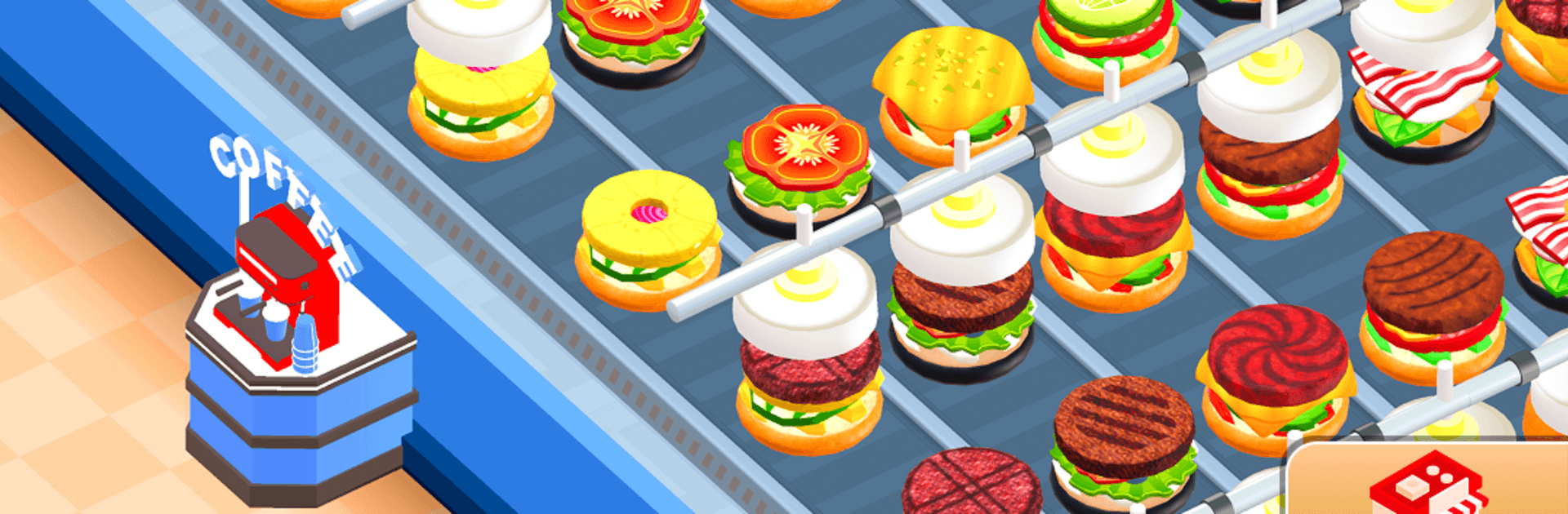
Idle Burger Production Tycoon is a Simulation game from Arcadian Lab that hands you the keys to a full-on burger factory. It’s about building a slick production line, keeping customers moving, and watching the cash roll in—even when you’re not playing. Prefer a bigger screen? It also plays great on BlueStacks.

Game Features

  • Build a real burger line: Grind patties, toast buns, and stack wild ingredient combos as your assembly belts hum along.
  • Smart automation: Upgrade machines and hire helpers so the line keeps running while you kick back and count profits.
  • Multiple ways to serve: Run a fast drive-thru, send out speedy scooter couriers, or seat folks in a cozy dining area.
  • Family-friendly dining: Set up a play corner and watch families and quirky characters bring the restaurant to life.
  • Offline earnings: Make money even when you’re away; come back to a pile of cash ready to reinvest.
  • Tweak and optimize: Speed up conveyor belts, boost packaging stations, and widen delivery capacity to handle the rush.
  • Unlock new recipes: Discover outrageous burger builds and experiment with ingredient mixes that keep customers curious.
  • Grow your empire: Expand from a single line to a bustling factory floor with better gear and smoother workflows.
  • Style your space: Add touches that fit your vibe, from layouts that flow better to visual upgrades that feel just right.
  • Easy to learn, satisfying to master: Quick taps get things moving, but clever planning turns a small shop into a machine.

Make your gaming sessions memorable with precise controls that give you an edge in close combats and visuals that pop up, bringing every character to life.


Game Features

Enhancements

  • Macros
  • Multi Instance
  • Multi Instance Sync
  • Script
  • Enhancements
Macros

Macros

Automate the predictable in Idle Burger Production Tycoon and transform your gameplay with Macros. Get access to inventive Macros in the BlueStacks Macro Community
Multi Instance

Multi Instance

Play Idle Burger Production Tycoon on one window. And chat with your friend on the other. Press CTRL + Shift + 8 to open the Multi-Instance Manager. And start creating fresh instances or clone an existing one.
Multi Instance Sync

Multi Instance Sync

Play Idle Burger Production Tycoon with the power of Multi-Instance Sync. Replicate what you are doing on the main instance on all other instances. Level up faster, play more.
Script

Script

Script your way to gaming glory in Idle Burger Production Tycoon with BlueStacks Script. Write and run a set of commands to automate repeated tasks. Trigger the command by assigning it to any key.
Read More

How to Download and Play Idle Burger Production Tycoon on PC or Mac

  • Download and install BlueStacks on your PC or Mac

  • Complete Google sign-in to access the Play Store, or do it later

  • Look for Idle Burger Production Tycoon in the search bar at the top right corner

  • Click to install Idle Burger Production Tycoon from the search results

  • Complete Google sign-in (if you skipped step 2) to install Idle Burger Production Tycoon

  • Click the Idle Burger Production Tycoon icon on the home screen to start playing

video
Watch Video

Minimum System Requirements

With BlueStacks 5, you can get started on a PC that fulfills the following requirements.

  • Operating System

    Microsoft Windows 7 or above, macOS 11 (Big Sur) or above

  • Processor

    Intel, AMD or Apple Silicon Processor

  • RAM

    at least 4GB

  • HDD

    10GB Free Disk Space

Note:

* You must be an Administrator on your PC. Up to date graphics drivers from Microsoft or the chipset vendor.

Idle Burger Production Tycoon - FAQs

  • How to play Idle Burger Production Tycoon on Windows PC & Mac?

    Play Idle Burger Production Tycoon on your PC or Mac by following these simple steps.

    • Click on 'Play Idle Burger Production Tycoon on PC’ to download BlueStacks
    • Install it and log-in to Google Play Store
    • Launch and play the game.
  • Why is BlueStacks the fastest and safest platform to play games on PC?

    BlueStacks respects your privacy and is always safe and secure to use. It does not carry any malware, spyware, or any sort of additional software that could harm your PC.

    It is engineered to optimize speed and performance for a seamless gaming experience.

  • What are Idle Burger Production Tycoon PC requirements?

    Minimum requirement to run Idle Burger Production Tycoon on your PC

    • OS: Microsoft Windows 7 or above MacOS 11 (Big Sur) or above
    • Processor: Intel, AMD or Apple Silicon Processor
    • RAM: Your PC must have at least 4GB of RAM. (Note that having 4GB or more disk space is not a substitute for RAM)
    • HDD: 10GB Free Disk Space.
    • You must be an Administrator on your PC.