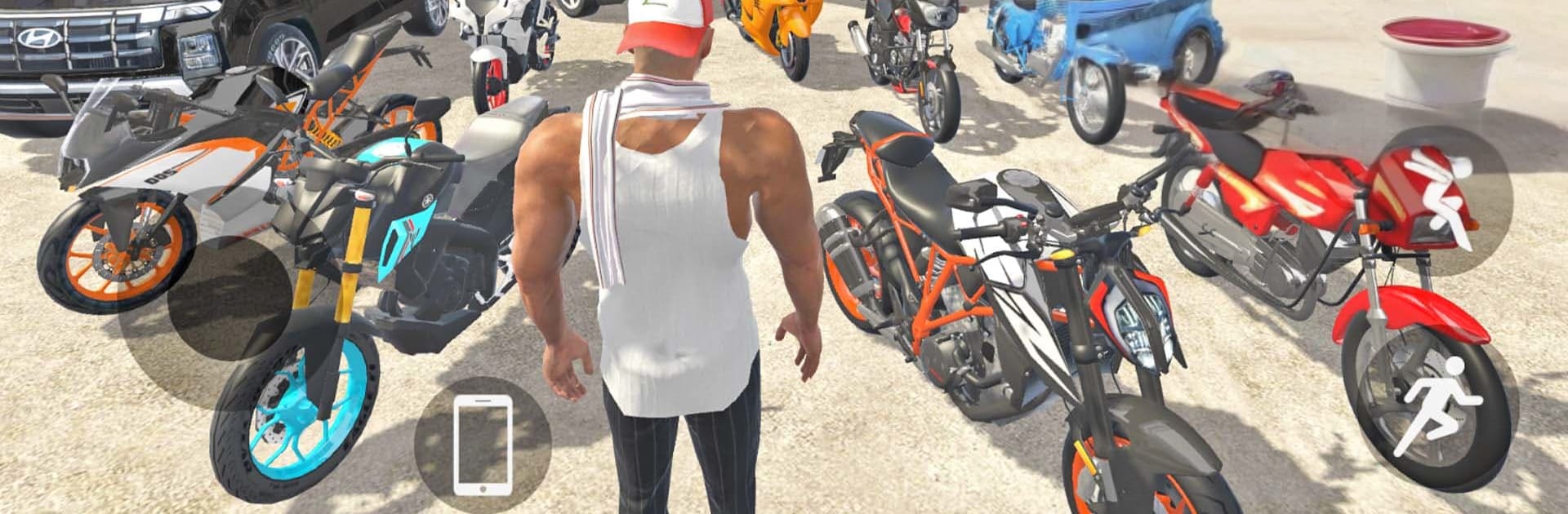
Indian Theft Simulator Aura 3D

Indian Theft Simulator Aura 3D

Simulation

| GAMING CONFERENCES AND EXHIBITIONS LTD

Play on PC with BlueStacks or from our cloud

  • Overview
  • Game Features
  • How to Play

Page Modified On: August 03, 2026

Play Indian Theft Simulator Aura 3D on PC or Mac

Indian Theft Simulator Aura 3D brings the Simulation genre to life, and throws up exciting challenges for gamers. Developed by GAMING CONFERENCES AND EXHIBITIONS LTD, this Android game is best experienced on BlueStacks, the World’s #1 app player for PC and Mac users.

About the Game

Indian Theft Simulator Aura 3D is a sandbox playground set in a lively Indian city where you can do a little bit of everything. Cruise around, stir up trouble, or just explore—switch from a sleek car to a creaky bus to a full-on train you actually drive. It’s a chill, messy, make-your-own-fun kind of Simulation with tons of odd corners to discover and plenty of toys to mess with. Prefer a bigger screen and steady controls? Playing through BlueStacks feels great without getting in the way.

Game Features

  • Massive city to roam: Wander from glossy downtown blocks to sleepy villages, jungle paths, farms, and an airport—there’s even a spooky house if you’re brave.
  • A garage that never ends: Jump into Indian cars, bikes, trucks, autos, buses, tractors, cycles, and yes, take the driver’s seat of a train.
  • Tweak and shop your rides: Hit the showroom, grab something shiny, then mod it to your taste.
  • Handy in-game phone: Manage stuff on the fly and keep your world organized while you’re on the move.
  • Cheats for pure chaos: Spawn vehicles, turn on rain, go “never wanted,” get infinite health, super run, or super jump. Simple tags like #000 make it quick.
  • Change up your look: Swap outfits when your vibe needs a reset.
  • Bring a buddy: A loyal dog companion tags along for the ride.
  • Weather that sets the mood: Rain showers roll in and change the feel of the city.
  • Drive the train: Control speed, routes, and the thrill of hauling through stations.
  • Offline friendly: Play anywhere, no connection needed.

Start your journey now. Download the game on BlueStacks, invite your friends, and march on a new adventure.


Game Features

Enhancements

  • Macros
  • Multi Instance
  • Multi Instance Sync
  • Script
  • Enhancements
Macros

Macros

Automate the predictable in Indian Theft Simulator Aura 3D and transform your gameplay with Macros. Get access to inventive Macros in the BlueStacks Macro Community
Multi Instance

Multi Instance

Play Indian Theft Simulator Aura 3D on one window. And chat with your friend on the other. Press CTRL + Shift + 8 to open the Multi-Instance Manager. And start creating fresh instances or clone an existing one.
Multi Instance Sync

Multi Instance Sync

Play Indian Theft Simulator Aura 3D with the power of Multi-Instance Sync. Replicate what you are doing on the main instance on all other instances. Level up faster, play more.
Script

Script

Script your way to gaming glory in Indian Theft Simulator Aura 3D with BlueStacks Script. Write and run a set of commands to automate repeated tasks. Trigger the command by assigning it to any key.
Read More

How to Download and Play Indian Theft Simulator Aura 3D on PC or Mac

  • Download and install BlueStacks on your PC or Mac

  • Complete Google sign-in to access the Play Store, or do it later

  • Look for Indian Theft Simulator Aura 3D in the search bar at the top right corner

  • Click to install Indian Theft Simulator Aura 3D from the search results

  • Complete Google sign-in (if you skipped step 2) to install Indian Theft Simulator Aura 3D

  • Click the Indian Theft Simulator Aura 3D icon on the home screen to start playing

video
Watch Video

Minimum System Requirements

With BlueStacks 5, you can get started on a PC that fulfills the following requirements.

  • Operating System

    Microsoft Windows 7 or above, macOS 11 (Big Sur) or above

  • Processor

    Intel, AMD or Apple Silicon Processor

  • RAM

    at least 4GB

  • HDD

    10GB Free Disk Space

Note:

* You must be an Administrator on your PC. Up to date graphics drivers from Microsoft or the chipset vendor.

Indian Theft Simulator Aura 3D - FAQs

  • How to play Indian Theft Simulator Aura 3D on Windows PC & Mac?

    Play Indian Theft Simulator Aura 3D on your PC or Mac by following these simple steps.

    • Click on 'Play Indian Theft Simulator Aura 3D on PC’ to download BlueStacks
    • Install it and log-in to Google Play Store
    • Launch and play the game.
  • Why is BlueStacks the fastest and safest platform to play games on PC?

    BlueStacks respects your privacy and is always safe and secure to use. It does not carry any malware, spyware, or any sort of additional software that could harm your PC.

    It is engineered to optimize speed and performance for a seamless gaming experience.

  • What are Indian Theft Simulator Aura 3D PC requirements?

    Minimum requirement to run Indian Theft Simulator Aura 3D on your PC

    • OS: Microsoft Windows 7 or above MacOS 11 (Big Sur) or above
    • Processor: Intel, AMD or Apple Silicon Processor
    • RAM: Your PC must have at least 4GB of RAM. (Note that having 4GB or more disk space is not a substitute for RAM)
    • HDD: 10GB Free Disk Space.
    • You must be an Administrator on your PC.