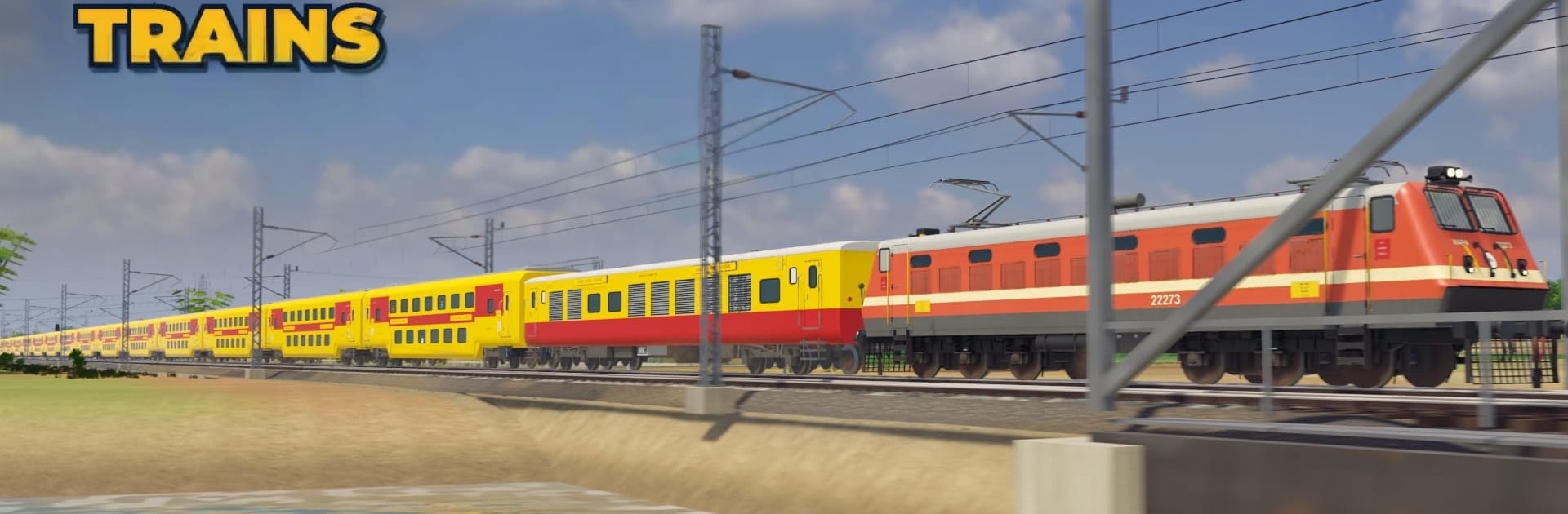
Indian Train Game: Loco Pilot

Indian Train Game: Loco Pilot

Simulation

| palmplay.in

Play on PC with BlueStacks or from our cloud

  • Overview
  • Game Features
  • How to Play

Page Modified On: November 02, 2026

Play Indian Train Game: Loco Pilot on PC or Mac

Play Indian Train Game: Loco Pilot by palmplay.in on PC or Mac with BlueStacks. Use a bigger screen, mouse and keyboard controls, and smoother performance while you play.

About the Game

Indian Train Game: Loco Pilot puts you in the hot seat of real Indian locomotives across busy routes and iconic landscapes. This Simulation mixes authentic driving with pick-up-and-play runs—freight, passenger, and quick locals—so you can feel like a working driver without the hassle. If you like a larger display and keyboard-friendly control, it also plays great on BlueStacks.

Game Features

  • Real Indian routes: Travel across 30 handcrafted lines and roughly 449 stations, from the sea-hugging Konkan stretches to the misty Western Ghats and the tea estates up north, with Hindi and English station boards.
  • Big loco roster: Handle 30+ Indian workhorses and modern powerhouses—WDM-2, WAP-7, WAG-12, a suburban EMU, even a heritage steamer—with multi-loco setups for heavy freights and fast expresses.
  • Authentic driver’s cab: Operate a fully modeled 3D cab with working gauges, throttle, train and independent brakes, horn, lights, wipers, sanding, pantograph controls, and emergency systems.
  • Services for every mood: Pick from over a thousand scheduled runs—long freights, cross-country expresses, all-stop locals—and take on a fresh Daily Duty when you want something new.
  • Signals and safety: Read the aspects, honor speed limits, hold in loops for opposing traffic, and keep it professional—jump a red and that service ends on the spot.
  • Weather and time: Drive through dawn, day, dusk, and night with summer heat, monsoon rain, and winter fog; kick on wipers and sand the rails when the track gets slick.
  • Living stations and lines: See platforms buzzing with travelers and staff, while level crossings fill with everyday traffic that pauses as your train rumbles past.
  • Multiple camera views: Switch freely between cab, chase, exterior, and lineside cameras to track signals, admire your consist, or nail that cinematic shot.
  • Career growth: Earn XP, pass grade tests, and climb from Assistant to Senior Loco Pilot to unlock more prestigious duties and tighter timetables.
  • No ads, offline play: Enjoy uninterrupted driving with zero pop-ups and full offline support, with your progress saved locally and optional rankings when you’re online.
  • Scalable performance: Choose low, medium, or high visuals so it runs smoothly on a wide range of devices.

BlueStacks gives you more room to focus on the game and less time adjusting around mobile limitations.


Game Features

Enhancements

  • Macros
  • Multi Instance
  • Multi Instance Sync
  • Script
  • Enhancements
Macros

Macros

Automate the predictable in Indian Train Game: Loco Pilot and transform your gameplay with Macros. Get access to inventive Macros in the BlueStacks Macro Community
Multi Instance

Multi Instance

Play Indian Train Game: Loco Pilot on one window. And chat with your friend on the other. Press CTRL + Shift + 8 to open the Multi-Instance Manager. And start creating fresh instances or clone an existing one.
Multi Instance Sync

Multi Instance Sync

Play Indian Train Game: Loco Pilot with the power of Multi-Instance Sync. Replicate what you are doing on the main instance on all other instances. Level up faster, play more.
Script

Script

Script your way to gaming glory in Indian Train Game: Loco Pilot with BlueStacks Script. Write and run a set of commands to automate repeated tasks. Trigger the command by assigning it to any key.
Read More

How to Download and Play Indian Train Game: Loco Pilot on PC or Mac

  • Download and install BlueStacks on your PC or Mac

  • Complete Google sign-in to access the Play Store, or do it later

  • Look for Indian Train Game: Loco Pilot in the search bar at the top right corner

  • Click to install Indian Train Game: Loco Pilot from the search results

  • Complete Google sign-in (if you skipped step 2) to install Indian Train Game: Loco Pilot

  • Click the Indian Train Game: Loco Pilot icon on the home screen to start playing

video
Watch Video

Minimum System Requirements

With BlueStacks 5, you can get started on a PC that fulfills the following requirements.

  • Operating System

    Microsoft Windows 7 or above, macOS 11 (Big Sur) or above

  • Processor

    Intel, AMD or Apple Silicon Processor

  • RAM

    at least 4GB

  • HDD

    10GB Free Disk Space

Note:

* You must be an Administrator on your PC. Up to date graphics drivers from Microsoft or the chipset vendor.

Indian Train Game: Loco Pilot - FAQs

  • How to play Indian Train Game: Loco Pilot on Windows PC & Mac?

    Play Indian Train Game: Loco Pilot on your PC or Mac by following these simple steps.

    • Click on 'Play Indian Train Game: Loco Pilot on PC’ to download BlueStacks
    • Install it and log-in to Google Play Store
    • Launch and play the game.
  • Why is BlueStacks the fastest and safest platform to play games on PC?

    BlueStacks respects your privacy and is always safe and secure to use. It does not carry any malware, spyware, or any sort of additional software that could harm your PC.

    It is engineered to optimize speed and performance for a seamless gaming experience.

  • What are Indian Train Game: Loco Pilot PC requirements?

    Minimum requirement to run Indian Train Game: Loco Pilot on your PC

    • OS: Microsoft Windows 7 or above MacOS 11 (Big Sur) or above
    • Processor: Intel, AMD or Apple Silicon Processor
    • RAM: Your PC must have at least 4GB of RAM. (Note that having 4GB or more disk space is not a substitute for RAM)
    • HDD: 10GB Free Disk Space.
    • You must be an Administrator on your PC.