Melon Craft: Ragdoll Sandbox

Melon Craft: Ragdoll Sandbox

Simulation

| Swell Games, TOO

Play on PC with BlueStacks or from our cloud

  • Overview
  • Game Features
  • How to Play

Page Modified On: July 14, 2026

Play Melon Craft: Ragdoll Sandbox on PC or Mac

Bring your A-game to Melon Craft: Ragdoll Sandbox, the Simulation game sensation from Swell Games, TOO. Give your gameplay the much-needed boost with precise game controls, high FPS graphics, and top-tier features on your PC or Mac with BlueStacks.

About the Game
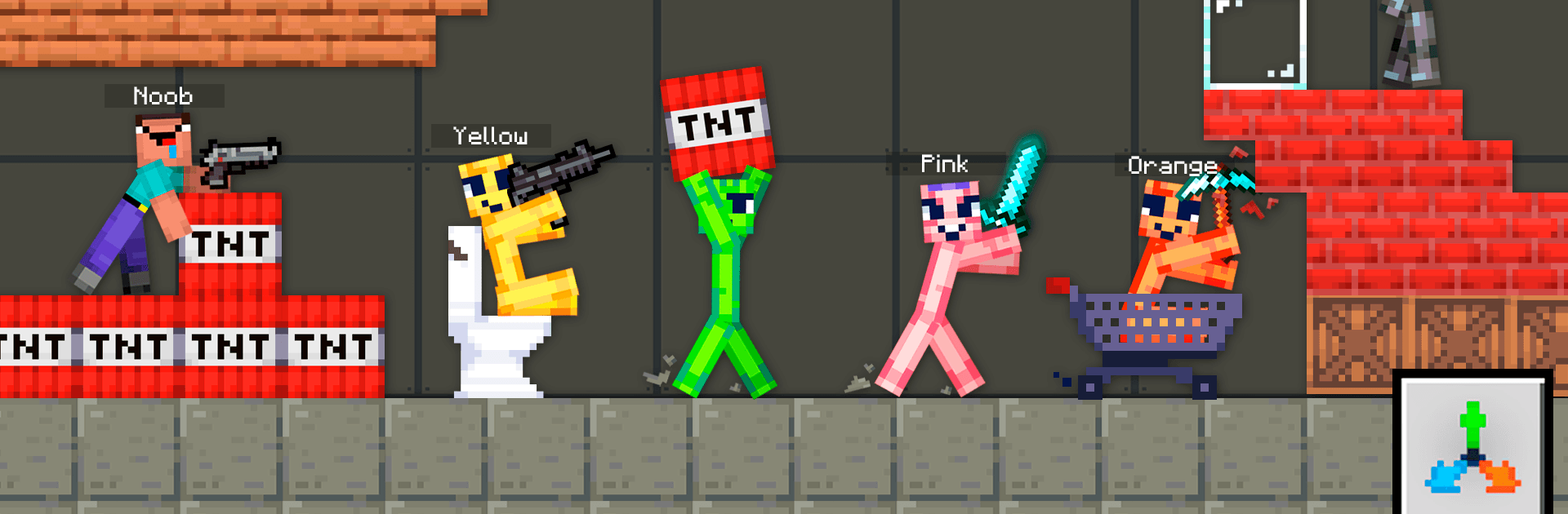
Melon Craft: Ragdoll Sandbox is a Simulation playground where physics calls the shots. Build wild contraptions, toss ragdolls into the mix, and watch every nudge, swing, and explosion ripple through the world in believable ways. It’s about tinkering for the fun of it—experiment, break stuff, then tweak and try again. Prefer a bigger canvas? It feels right at home on BlueStacks.

Game Features
– Physics-first sandbox: One cohesive simulation drives everything, so objects, characters, and materials react consistently and influence each other.
– Real-time tweaking: Change size, weight, gravity, power, and more on the fly with simple sliders, then instantly see how those adjustments change the outcome.
– Smooth building and controls: Move the camera while placing, rotating, or tossing objects for clean, precise setups and chaotic experiments that still feel under control.
– Lifelike ragdolls: Characters stumble, crumple, and respond to hits with convincing reactions. Pixel blood sticks to surfaces and even rides along on moving objects.
– Destruction that makes sense: Structures bend, stress, and collapse based on load and leverage. When something breaks, it fractures into pieces that keep simulating.
– Weapons with personality: Swing swords, axes, pickaxes, and shovels—each interacts differently with materials. Firearms fire visible projectiles with recoil, ricochets, particles, and punchy sound.
– Big booms, your rules: From TNT to a full-on nuke, dial in blast strength and see how shockwaves toss characters, crumble buildings, and scatter debris.
– Build, then unpin gravity: Snap blocks to a grid to craft stable designs. Pull a single piece and everything becomes fully physical, for dramatic topples and chain reactions.
– Emergent battles: Add multiple living characters and watch a spontaneous war mode kick in—fighters grab weapons and skirmishes unfold with surprising outcomes.
– Low-friction tutorial: A TV drops into the scene to show the basics. Don’t want it? Smash or delete it and jump straight to experimenting.

Ready to top the leaderboard? We bet you do. Let precise controls and sharp visuals optimized on BlueStacks lead you to victory.


Game Features

Enhancements

  • Macros
  • Multi Instance
  • Multi Instance Sync
  • Script
  • Enhancements
Macros

Macros

Automate the predictable in Melon Craft: Ragdoll Sandbox and transform your gameplay with Macros. Get access to inventive Macros in the BlueStacks Macro Community
Multi Instance

Multi Instance

Play Melon Craft: Ragdoll Sandbox on one window. And chat with your friend on the other. Press CTRL + Shift + 8 to open the Multi-Instance Manager. And start creating fresh instances or clone an existing one.
Multi Instance Sync

Multi Instance Sync

Play Melon Craft: Ragdoll Sandbox with the power of Multi-Instance Sync. Replicate what you are doing on the main instance on all other instances. Level up faster, play more.
Script

Script

Script your way to gaming glory in Melon Craft: Ragdoll Sandbox with BlueStacks Script. Write and run a set of commands to automate repeated tasks. Trigger the command by assigning it to any key.
Read More

How to Download and Play Melon Craft: Ragdoll Sandbox on PC or Mac

  • Download and install BlueStacks on your PC or Mac

  • Complete Google sign-in to access the Play Store, or do it later

  • Look for Melon Craft: Ragdoll Sandbox in the search bar at the top right corner

  • Click to install Melon Craft: Ragdoll Sandbox from the search results

  • Complete Google sign-in (if you skipped step 2) to install Melon Craft: Ragdoll Sandbox

  • Click the Melon Craft: Ragdoll Sandbox icon on the home screen to start playing

video
Watch Video

Minimum System Requirements

With BlueStacks 5, you can get started on a PC that fulfills the following requirements.

  • Operating System

    Microsoft Windows 7 or above, macOS 11 (Big Sur) or above

  • Processor

    Intel, AMD or Apple Silicon Processor

  • RAM

    at least 4GB

  • HDD

    10GB Free Disk Space

Note:

* You must be an Administrator on your PC. Up to date graphics drivers from Microsoft or the chipset vendor.

Melon Craft: Ragdoll Sandbox - FAQs

  • How to play Melon Craft: Ragdoll Sandbox on Windows PC & Mac?

    Play Melon Craft: Ragdoll Sandbox on your PC or Mac by following these simple steps.

    • Click on 'Play Melon Craft: Ragdoll Sandbox on PC’ to download BlueStacks
    • Install it and log-in to Google Play Store
    • Launch and play the game.
  • Why is BlueStacks the fastest and safest platform to play games on PC?

    BlueStacks respects your privacy and is always safe and secure to use. It does not carry any malware, spyware, or any sort of additional software that could harm your PC.

    It is engineered to optimize speed and performance for a seamless gaming experience.

  • What are Melon Craft: Ragdoll Sandbox PC requirements?

    Minimum requirement to run Melon Craft: Ragdoll Sandbox on your PC

    • OS: Microsoft Windows 7 or above MacOS 11 (Big Sur) or above
    • Processor: Intel, AMD or Apple Silicon Processor
    • RAM: Your PC must have at least 4GB of RAM. (Note that having 4GB or more disk space is not a substitute for RAM)
    • HDD: 10GB Free Disk Space.
    • You must be an Administrator on your PC.