Minecraft: Build it, Dream it!

Minecraft: Build it, Dream it!

Simulation

| Shahnaz Developers

Play on PC with BlueStacks or from our cloud

  • Overview
  • Game Features
  • How to Play

Page Modified On: May 25, 2026

Play Minecraft: Build it, Dream it! on PC or Mac

Minecraft: Build it, Dream it! by Shahnaz Developers has plenty to keep you busy. BlueStacks lets you play it on PC or Mac with more screen space, better control, and fewer mobile limits.

About the Game

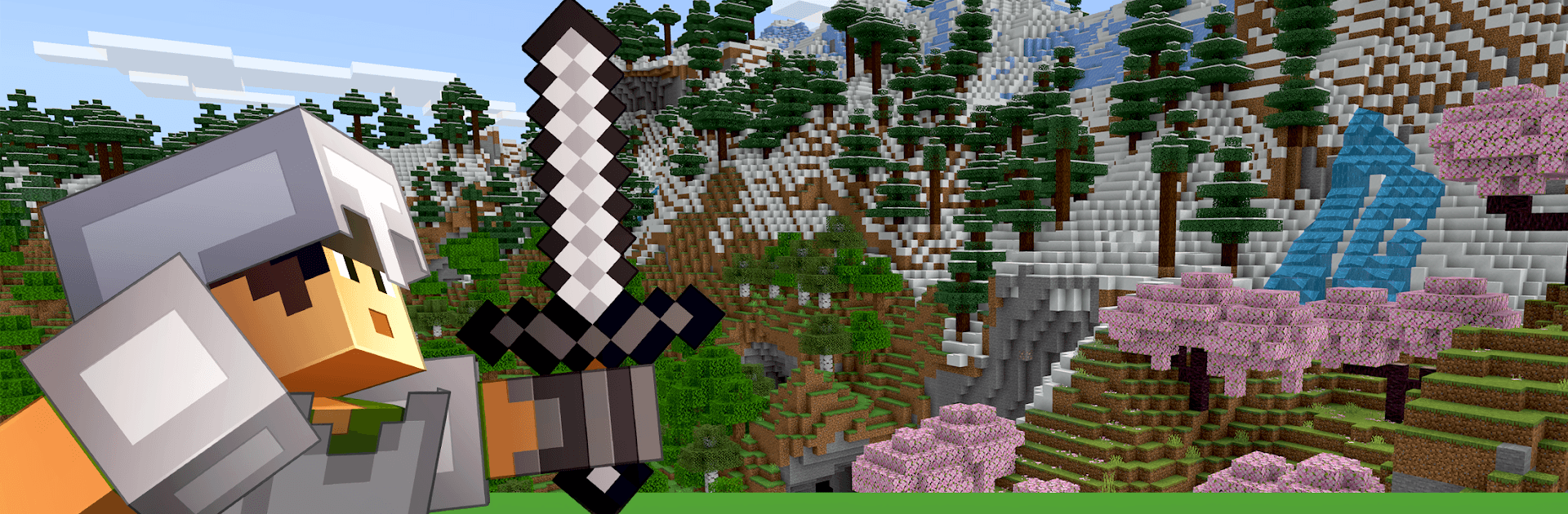
Minecraft: Build it, Dream it! is a sandbox Simulation where you shape the world block by block and decide what kind of story you want to tell. Craving chill building sessions or a little danger after dark? You’ve got both—gather resources, craft gear, and turn rough ideas into towering builds while exploring huge, ever-changing landscapes. Prefer a bigger view and precise controls? Play on mobile or load it up on BlueStacks and stretch out.

Game Features

  • Open-World Freedom: Roam vast, randomly generated biomes, collect materials, and carve out a home base wherever inspiration strikes.
  • Survival, Your Pace: Brave the night, fend off hostile creatures, and manage your resources. Craft tools, forge armor, and turn scraps into lifesavers.
  • Creative Mode Playground: Switch to a calm, no-pressure space with unlimited building potential. Sketch, experiment, and build without worrying about threats.
  • Guided Starter Hub: New to block-building? Kick off with a hands-on creative area filled with quick challenges, clever prompts, and tucked-away secrets to spark ideas.
  • Build From Tiny to Titanic: Whip up a cozy cabin, a working farm, or go big with sprawling castles and intricate interiors—your imagination sets the limits.
  • Crafting That Matters: Mine, smelt, and assemble the essentials—better picks, sturdier armor, and reliable weapons—to handle whatever the world throws at you.
  • Secrets to Discover: Wander caves, cliffs, and forests to uncover rare resources and hidden nooks that reward curiosity.
  • Flexible Controls: Smooth on touch, and comfy with keyboard and mouse when you play through BlueStacks—ideal for long building sessions.

Ready to top the leaderboard? We bet you do. Let precise controls and sharp visuals optimized on BlueStacks lead you to victory.


Game Features

Enhancements

  • Macros
  • Multi Instance
  • Multi Instance Sync
  • Script
  • Enhancements
Macros

Macros

Automate the predictable in Minecraft: Build it, Dream it! and transform your gameplay with Macros. Get access to inventive Macros in the BlueStacks Macro Community
Multi Instance

Multi Instance

Play Minecraft: Build it, Dream it! on one window. And chat with your friend on the other. Press CTRL + Shift + 8 to open the Multi-Instance Manager. And start creating fresh instances or clone an existing one.
Multi Instance Sync

Multi Instance Sync

Play Minecraft: Build it, Dream it! with the power of Multi-Instance Sync. Replicate what you are doing on the main instance on all other instances. Level up faster, play more.
Script

Script

Script your way to gaming glory in Minecraft: Build it, Dream it! with BlueStacks Script. Write and run a set of commands to automate repeated tasks. Trigger the command by assigning it to any key.
Read More

How to Download and Play Minecraft: Build it, Dream it! on PC or Mac

  • Download and install BlueStacks on your PC or Mac

  • Complete Google sign-in to access the Play Store, or do it later

  • Look for Minecraft: Build it, Dream it! in the search bar at the top right corner

  • Click to install Minecraft: Build it, Dream it! from the search results

  • Complete Google sign-in (if you skipped step 2) to install Minecraft: Build it, Dream it!

  • Click the Minecraft: Build it, Dream it! icon on the home screen to start playing

video
Watch Video

Minimum System Requirements

With BlueStacks 5, you can get started on a PC that fulfills the following requirements.

  • Operating System

    Microsoft Windows 7 or above, macOS 11 (Big Sur) or above

  • Processor

    Intel, AMD or Apple Silicon Processor

  • RAM

    at least 4GB

  • HDD

    10GB Free Disk Space

Note:

* You must be an Administrator on your PC. Up to date graphics drivers from Microsoft or the chipset vendor.

Minecraft: Build it, Dream it! - FAQs

  • How to play Minecraft: Build it, Dream it! on Windows PC & Mac?

    Play Minecraft: Build it, Dream it! on your PC or Mac by following these simple steps.

    • Click on 'Play Minecraft: Build it, Dream it! on PC’ to download BlueStacks
    • Install it and log-in to Google Play Store
    • Launch and play the game.
  • Why is BlueStacks the fastest and safest platform to play games on PC?

    BlueStacks respects your privacy and is always safe and secure to use. It does not carry any malware, spyware, or any sort of additional software that could harm your PC.

    It is engineered to optimize speed and performance for a seamless gaming experience.

  • What are Minecraft: Build it, Dream it! PC requirements?

    Minimum requirement to run Minecraft: Build it, Dream it! on your PC

    • OS: Microsoft Windows 7 or above MacOS 11 (Big Sur) or above
    • Processor: Intel, AMD or Apple Silicon Processor
    • RAM: Your PC must have at least 4GB of RAM. (Note that having 4GB or more disk space is not a substitute for RAM)
    • HDD: 10GB Free Disk Space.
    • You must be an Administrator on your PC.