Monster World: Catch and care

Monster World: Catch and care

Simulation

| Take Top Entertainment

Play on PC with BlueStacks or from our cloud

  • Overview
  • Game Features
  • How to Play

Page Modified On: January 02, 2026

Play Monster World: Catch and care on PC or Mac

Step into the World of Monster World: Catch and care, a thrilling Simulation game from the house of Take Top Entertainment. Play this Android game on BlueStacks App Player and experience immersive gaming on PC or Mac.

About the Game

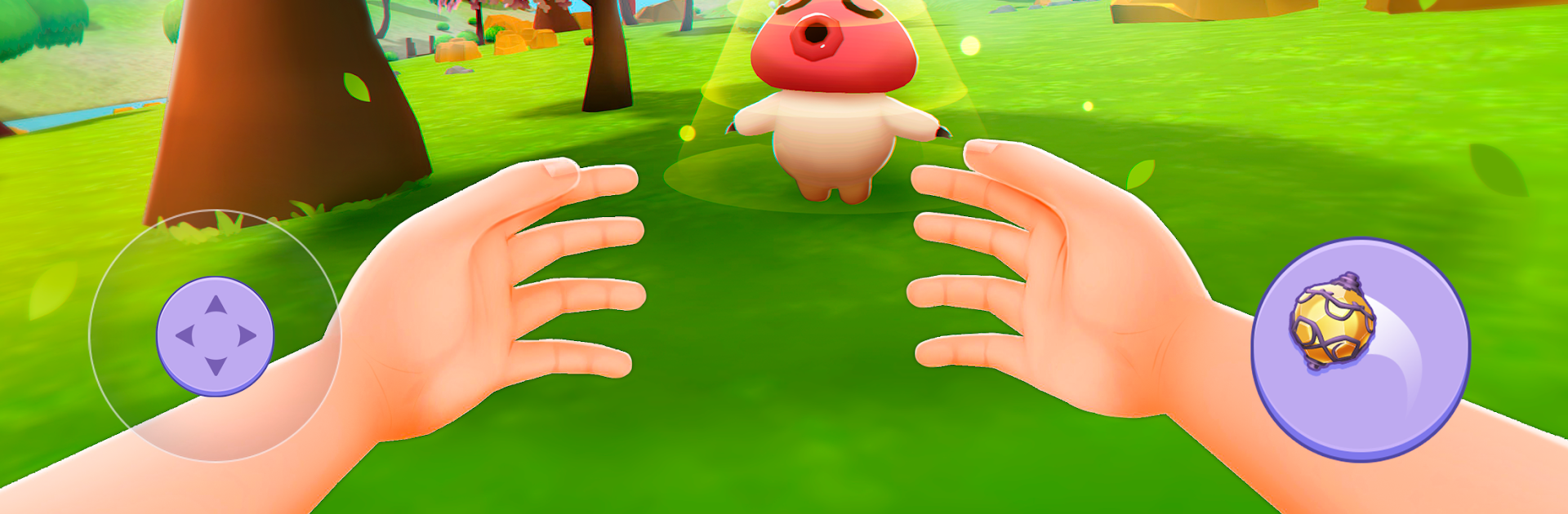
Monster World: Catch and care is a creature-care and survival mashup where your best tools are curiosity, patience, and a backpack full of snacks. Explore a sprawling world, befriend quirky little monsters, and build a cozy setup to keep everyone happy and healthy. It’s a Simulation from Take Top Entertainment that’s as much about nurturing bonds as it is about smart strategy in the arena.

Game Features

  • Open-world exploration: Wander through forests, deserts, and shadowy caves, hunting for rare materials, hidden paths, and new companions waiting to be discovered.
  • Catch and care system: Meet monsters with distinct personalities and abilities. Earn their trust, learn their quirks, and turn new friendships into reliable partnerships.
  • Crafting that matters: Build habitats, mix restorative brews, and forge gear that supports both you and your team. Your setup influences training, comfort, and performance.
  • A home worth returning to: Create a warm base where you can train, rest, and experiment with routines. Watch your monsters grow as you dial in the perfect care plan.
  • Thoughtful training: It’s not just about stats. Plan sessions that match each monster’s strengths, boost confidence, and encourage long-term growth.
  • Strategic battles and tournaments: Face off in matches where timing, team synergy, and your bond with each monster determine the outcome—brute force won’t carry you far.
  • Stories in every companion: Each new friend adds a small story to your journey. From timid starters to confident powerhouses, their progress feels personal.
  • Play your way: Smooth on mobile, and if you prefer keyboard and mouse, it runs comfortably on PC with BlueStacks without getting in the way of the experience.

Ready to top the leaderboard? We bet you do. Let precise controls and sharp visuals optimized on BlueStacks lead you to victory.


Game Features

Enhancements

  • Macros
  • Multi Instance
  • Multi Instance Sync
  • Script
  • Enhancements
Macros

Macros

Automate the predictable in Monster World: Catch and care and transform your gameplay with Macros. Get access to inventive Macros in the BlueStacks Macro Community
Multi Instance

Multi Instance

Play Monster World: Catch and care on one window. And chat with your friend on the other. Press CTRL + Shift + 8 to open the Multi-Instance Manager. And start creating fresh instances or clone an existing one.
Multi Instance Sync

Multi Instance Sync

Play Monster World: Catch and care with the power of Multi-Instance Sync. Replicate what you are doing on the main instance on all other instances. Level up faster, play more.
Script

Script

Script your way to gaming glory in Monster World: Catch and care with BlueStacks Script. Write and run a set of commands to automate repeated tasks. Trigger the command by assigning it to any key.
Read More

How to Download and Play Monster World: Catch and care on PC or Mac

  • Download and install BlueStacks on your PC or Mac

  • Complete Google sign-in to access the Play Store, or do it later

  • Look for Monster World: Catch and care in the search bar at the top right corner

  • Click to install Monster World: Catch and care from the search results

  • Complete Google sign-in (if you skipped step 2) to install Monster World: Catch and care

  • Click the Monster World: Catch and care icon on the home screen to start playing

video
Watch Video

Minimum System Requirements

With BlueStacks 5, you can get started on a PC that fulfills the following requirements.

  • Operating System

    Microsoft Windows 7 or above, macOS 11 (Big Sur) or above

  • Processor

    Intel, AMD or Apple Silicon Processor

  • RAM

    at least 4GB

  • HDD

    10GB Free Disk Space

Note:

* You must be an Administrator on your PC. Up to date graphics drivers from Microsoft or the chipset vendor.

Monster World: Catch and care - FAQs

  • How to play Monster World: Catch and care on Windows PC & Mac?

    Play Monster World: Catch and care on your PC or Mac by following these simple steps.

    • Click on 'Play Monster World: Catch and care on PC’ to download BlueStacks
    • Install it and log-in to Google Play Store
    • Launch and play the game.
  • Why is BlueStacks the fastest and safest platform to play games on PC?

    BlueStacks respects your privacy and is always safe and secure to use. It does not carry any malware, spyware, or any sort of additional software that could harm your PC.

    It is engineered to optimize speed and performance for a seamless gaming experience.

  • What are Monster World: Catch and care PC requirements?

    Minimum requirement to run Monster World: Catch and care on your PC

    • OS: Microsoft Windows 7 or above MacOS 11 (Big Sur) or above
    • Processor: Intel, AMD or Apple Silicon Processor
    • RAM: Your PC must have at least 4GB of RAM. (Note that having 4GB or more disk space is not a substitute for RAM)
    • HDD: 10GB Free Disk Space.
    • You must be an Administrator on your PC.