My Shopping Mall
My Shopping Mall

My Shopping Mall

Simulation

| Sekgames

Play on PC with BlueStacks or from our cloud

  • Overview
  • Game Features
  • How to Play

Page Modified On: October 10, 2025

Play My Shopping Mall on PC or Mac

Join millions to experience My Shopping Mall, an exciting Simulation game from Sekgames. With BlueStacks App Player, you are always a step ahead of your opponent, ready to outplay them with faster gameplay and better control with the mouse and keyboard on your PC or Mac.

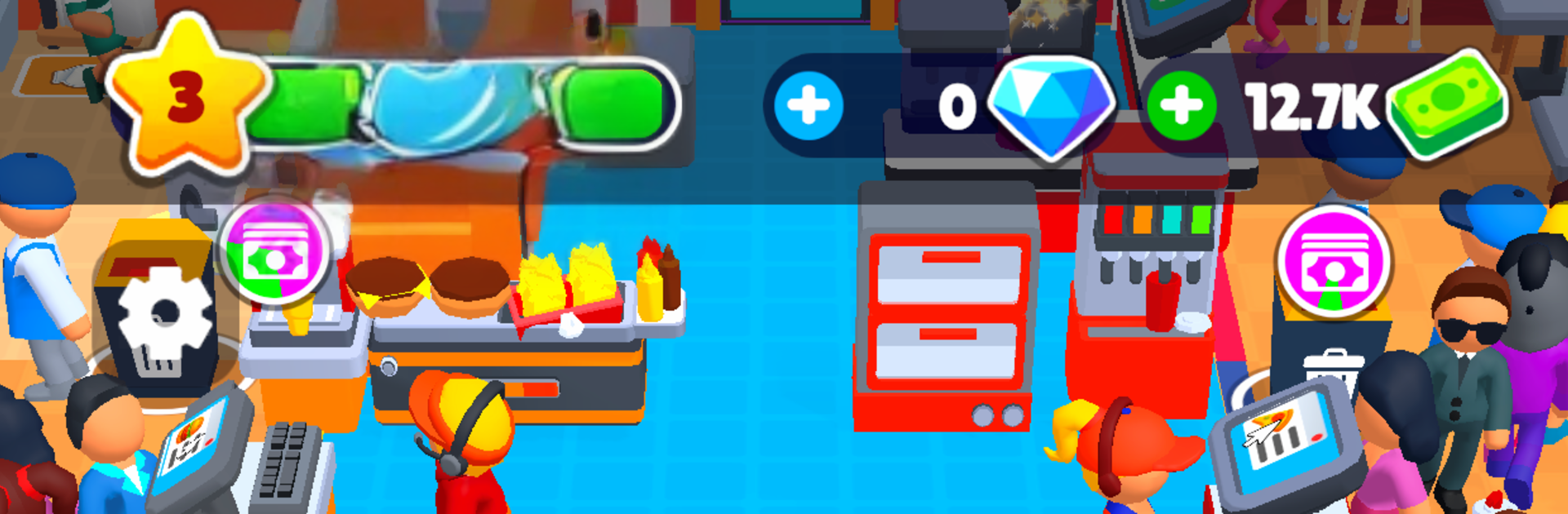
My Shopping Mall is a relaxed management-idle mix where a tiny plaza slowly becomes a busy shopping center. Players place boutiques, food stalls, and little entertainment corners, then tweak layouts so crowds flow cleanly instead of bunching at the registers. Watching foot traffic jump after opening a new wing or upgrading a store feels good, and the game keeps earning while closed, so there is always cash to reinvest when coming back.

Staff matter more than it first seems. Cashiers speed up lines, security keeps things calm, cleaners stop those messy bottlenecks, and event hosts kick off small promos that nudge sales higher. As the mall grows, there are more floors, VIP areas, and a wider mix of shops to unlock, from fashion to electronics to spots that feel like mini theme attractions. The loop is simple but hooks in: collect, expand, shuffle a few placements, bump a staff skill, watch numbers rise. It is not a hardcore sim with endless spreadsheets, but there is enough strategy to reward good store combos and smart pathing. The look is bright and cheerful, with that clicky sound effect feedback that makes upgrades oddly satisfying.

On PC with BlueStacks, the mouse makes dragging stores and snapping paths into place way easier, and quick hotkeys help when swapping between menus. It suits players who enjoy calm tycoon progress, short check-ins, and a bit of layout tinkering without alot of stress.

Get ready for a buttery smooth, high-performance gaming action only on BlueStacks.

Game Features

Enhancements

  • Macros
  • Multi Instance
  • Multi Instance Sync
  • Script
  • Enhancements
Macros

Macros

Automate the predictable in My Shopping Mall and transform your gameplay with Macros. Get access to inventive Macros in the BlueStacks Macro Community
Multi Instance

Multi Instance

Play My Shopping Mall on one window. And chat with your friend on the other. Press CTRL + Shift + 8 to open the Multi-Instance Manager. And start creating fresh instances or clone an existing one.
Multi Instance Sync

Multi Instance Sync

Play My Shopping Mall with the power of Multi-Instance Sync. Replicate what you are doing on the main instance on all other instances. Level up faster, play more.
Script

Script

Script your way to gaming glory in My Shopping Mall with BlueStacks Script. Write and run a set of commands to automate repeated tasks. Trigger the command by assigning it to any key.
Read More

How to Download and Play My Shopping Mall on PC or Mac

  • Download and install BlueStacks on your PC or Mac

  • Complete Google sign-in to access the Play Store, or do it later

  • Look for My Shopping Mall in the search bar at the top right corner

  • Click to install My Shopping Mall from the search results

  • Complete Google sign-in (if you skipped step 2) to install My Shopping Mall

  • Click the My Shopping Mall icon on the home screen to start playing

video
Watch Video

Minimum System Requirements

With BlueStacks 5, you can get started on a PC that fulfills the following requirements.

  • Operating System

    Microsoft Windows 7 or above, macOS 11 (Big Sur) or above

  • Processor

    Intel, AMD or Apple Silicon Processor

  • RAM

    at least 4GB

  • HDD

    10GB Free Disk Space

Note:

* You must be an Administrator on your PC. Up to date graphics drivers from Microsoft or the chipset vendor.

My Shopping Mall - FAQs

  • How to play My Shopping Mall on Windows PC & Mac?

    Play My Shopping Mall on your PC or Mac by following these simple steps.

    • Click on 'Play My Shopping Mall on PC’ to download BlueStacks
    • Install it and log-in to Google Play Store
    • Launch and play the game.
  • Why is BlueStacks the fastest and safest platform to play games on PC?

    BlueStacks respects your privacy and is always safe and secure to use. It does not carry any malware, spyware, or any sort of additional software that could harm your PC.

    It is engineered to optimize speed and performance for a seamless gaming experience.

  • What are My Shopping Mall PC requirements?

    Minimum requirement to run My Shopping Mall on your PC

    • OS: Microsoft Windows 7 or above MacOS 11 (Big Sur) or above
    • Processor: Intel, AMD or Apple Silicon Processor
    • RAM: Your PC must have at least 4GB of RAM. (Note that having 4GB or more disk space is not a substitute for RAM)
    • HDD: 10GB Free Disk Space.
    • You must be an Administrator on your PC.