
국민의원
국민의원

국민의원

Simulation

| Beyond Bricks

Play on PC with BlueStacks or from our cloud

  • Overview
  • Game Features
  • How to Play

Page Modified On: December 22, 2025

Play 국민의원 on PC or Mac

국민의원 brings the Simulation genre to life, and throws up exciting challenges for gamers. Developed by Beyond Bricks, this Android game is best experienced on BlueStacks, the World’s #1 app player for PC and Mac users.

About the Game

국민의원 is a Simulation from Beyond Bricks where you juggle everyday life with the weight of national decisions. You’re not just clocking in for a paycheck—you’re also shaping laws, swaying public opinion, and steering big moments like appointments, approval ratings, and even impeachment votes. It’s part life sim, part political sandbox, and it’s surprisingly personal.

Game Features

  • Double life, real consequences: Hold a job, pay taxes, and manage relationships while serving as a member of the National Assembly. Your choices at home and at work ripple into your influence in parliament.

  • Money turns into influence: Head to the office, earn your salary, and watch taxes paid convert into voting power. Invest in vehicles and real estate to boost efficiency and, yes, your social standing.

  • Date, marry, and build a legacy: Meet someone through a blind date app, go on dates, raise affection, and propose when the time’s right. Marriage and kids increase your voting weight, and your children can carry on your career after retirement.

  • Write and repeal the rules: Gain legislative contribution by voting on agenda items. Earn enough credibility and you can propose or amend bills yourself, pushing through the changes you actually want.

  • Appoint, dismiss, and impeach: Use your votes to influence key government appointments, track presidential and party approval ratings, and take part in high-stakes decisions when the nation’s patience runs thin.

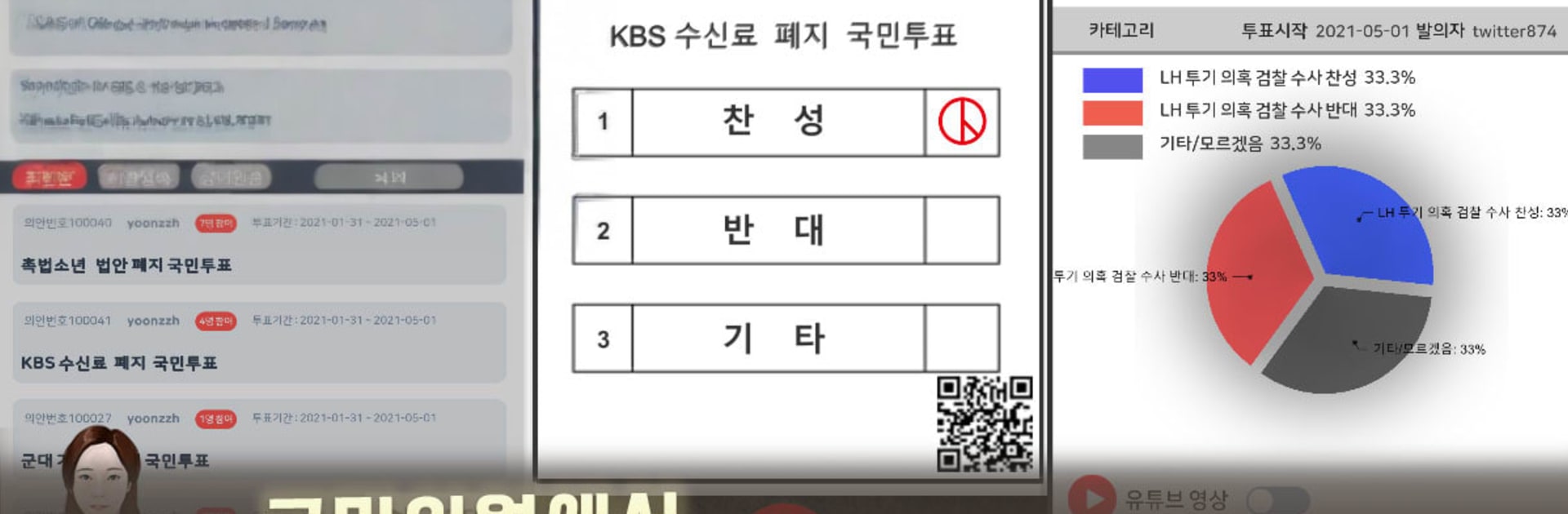
  • Crowd-powered decisions: The “People’s Assembly” system tallies votes from many players on social and political issues. The majority opinion becomes the outcome, making public sentiment a real mechanic—not just a meter.

  • Climb the social ladder: Increase income, improve your lifestyle, and unlock more options that make you more persuasive in the chamber and more successful in your personal life.

  • Smooth on PC with BlueStacks: Prefer keyboard control and a larger screen? 국민의원 plays comfortably on BlueStacks without changing how the Simulation feels.

Get ready for a buttery smooth, high-performance gaming action only on BlueStacks.

Game Features

Enhancements

  • Macros
  • Multi Instance
  • Multi Instance Sync
  • Script
  • Enhancements
Macros

Macros

Automate the predictable in 국민의원 and transform your gameplay with Macros. Get access to inventive Macros in the BlueStacks Macro Community
Multi Instance

Multi Instance

Play 국민의원 on one window. And chat with your friend on the other. Press CTRL + Shift + 8 to open the Multi-Instance Manager. And start creating fresh instances or clone an existing one.
Multi Instance Sync

Multi Instance Sync

Play 국민의원 with the power of Multi-Instance Sync. Replicate what you are doing on the main instance on all other instances. Level up faster, play more.
Script

Script

Script your way to gaming glory in 국민의원 with BlueStacks Script. Write and run a set of commands to automate repeated tasks. Trigger the command by assigning it to any key.
Read More

How to Download and Play 국민의원 on PC or Mac

  • Download and install BlueStacks on your PC or Mac

  • Complete Google sign-in to access the Play Store, or do it later

  • Look for 국민의원 in the search bar at the top right corner

  • Click to install 국민의원 from the search results

  • Complete Google sign-in (if you skipped step 2) to install 국민의원

  • Click the 국민의원 icon on the home screen to start playing

video
Watch Video

Minimum System Requirements

With BlueStacks 5, you can get started on a PC that fulfills the following requirements.

  • Operating System

    Microsoft Windows 7 or above, macOS 11 (Big Sur) or above

  • Processor

    Intel, AMD or Apple Silicon Processor

  • RAM

    at least 4GB

  • HDD

    10GB Free Disk Space

Note:

* You must be an Administrator on your PC. Up to date graphics drivers from Microsoft or the chipset vendor.

국민의원 - FAQs

  • How to play 국민의원 on Windows PC & Mac?

    Play 국민의원 on your PC or Mac by following these simple steps.

    • Click on 'Play 국민의원 on PC’ to download BlueStacks
    • Install it and log-in to Google Play Store
    • Launch and play the game.
  • Why is BlueStacks the fastest and safest platform to play games on PC?

    BlueStacks respects your privacy and is always safe and secure to use. It does not carry any malware, spyware, or any sort of additional software that could harm your PC.

    It is engineered to optimize speed and performance for a seamless gaming experience.

  • What are 국민의원 PC requirements?

    Minimum requirement to run 국민의원 on your PC

    • OS: Microsoft Windows 7 or above MacOS 11 (Big Sur) or above
    • Processor: Intel, AMD or Apple Silicon Processor
    • RAM: Your PC must have at least 4GB of RAM. (Note that having 4GB or more disk space is not a substitute for RAM)
    • HDD: 10GB Free Disk Space.
    • You must be an Administrator on your PC.








