
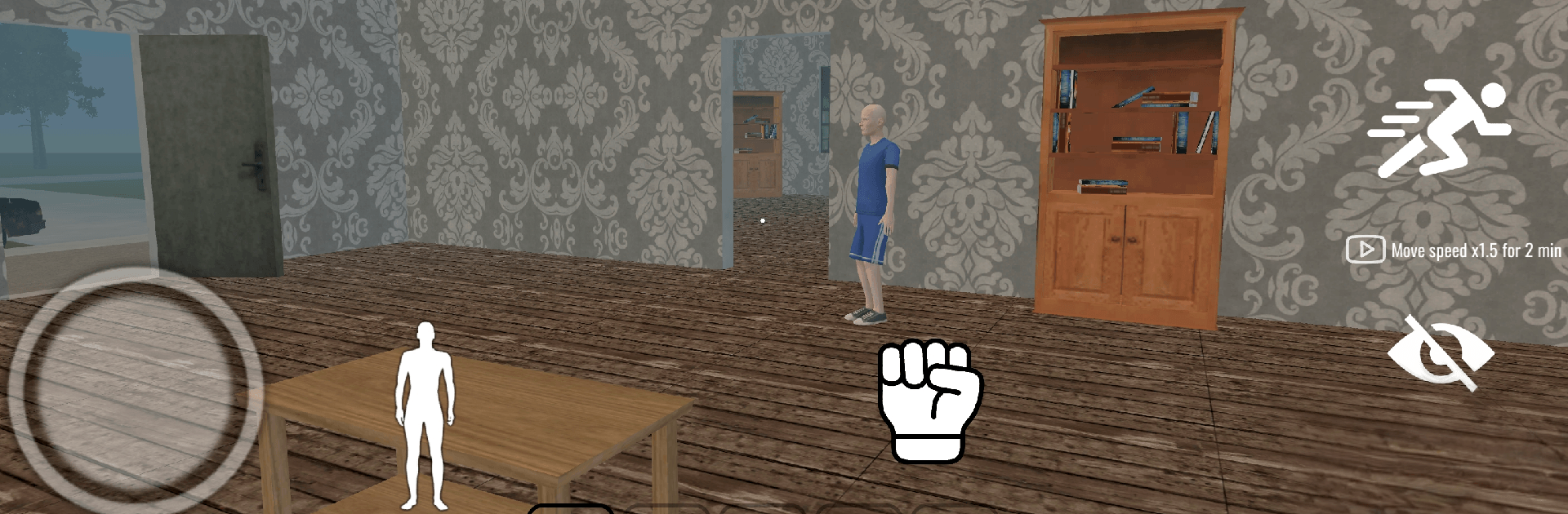
Naughty Schoolboy Runaway

Naughty Schoolboy Runaway

Simulation

| Q8Power

Play on PC with BlueStacks or from our cloud

  • Overview
  • Game Features
  • How to Play

Page Modified On: July 27, 2026

Play Naughty Schoolboy Runaway on PC or Mac

Naughty Schoolboy Runaway brings the Simulation genre to life, and throws up exciting challenges for gamers. Developed by Q8Power, this Android game is best experienced on BlueStacks, the World’s #1 app player for PC and Mac users.

About the Game

Naughty Schoolboy Runaway is a cheeky Simulation that turns getting grounded into a full-on escape caper. You’re a restless kid stuck in a ridiculously big house, poking around every corner for clues, toys, and the all-important key. Expect quick, quirky challenges, plenty of surprises, and lots of “wait, can I actually do that?” moments as you make your getaway.

Game Features

  • Mischief-powered escape: Hunt down hidden keys, unlock new rooms, and piece together your route to freedom while the house throws curveballs your way.
  • A giant, interactive house: From the garage to the study, every room is packed with oddities, secrets, and touchable objects that react in funny, unpredictable ways.
  • Drive, fly, and cause a scene: Race toy cars down hallways, weave a helicopter through tight spots, and turn everyday spaces into your personal playground.
  • Aim, toss, and pop: Land shots on a hoop, pop clusters of balloons, and hit bullseyes with arrows to clear creative objectives.
  • Sound and color breaks: Tap out quick piano mini-challenges and chill with satisfying color-fill moments between the bigger tasks.
  • Pick-your-path sandbox: Tackle missions in any order, experiment with shortcuts, and make your own brand of chaos—planned or not.
  • Snappy challenges, big payoff: Short missions encourage retries, cleaner runs, and finding smarter solutions when things go sideways.
  • Plays great on PC with BlueStacks: Prefer keyboard and mouse? It feels natural and precise without changing the game’s playful vibe.

BlueStacks gives you more room to focus on the game and less time adjusting around mobile limitations.


Game Features

Enhancements

  • Macros
  • Multi Instance
  • Multi Instance Sync
  • Script
  • Enhancements
Macros

Macros

Automate the predictable in Naughty Schoolboy Runaway and transform your gameplay with Macros. Get access to inventive Macros in the BlueStacks Macro Community
Multi Instance

Multi Instance

Play Naughty Schoolboy Runaway on one window. And chat with your friend on the other. Press CTRL + Shift + 8 to open the Multi-Instance Manager. And start creating fresh instances or clone an existing one.
Multi Instance Sync

Multi Instance Sync

Play Naughty Schoolboy Runaway with the power of Multi-Instance Sync. Replicate what you are doing on the main instance on all other instances. Level up faster, play more.
Script

Script

Script your way to gaming glory in Naughty Schoolboy Runaway with BlueStacks Script. Write and run a set of commands to automate repeated tasks. Trigger the command by assigning it to any key.
Read More

How to Download and Play Naughty Schoolboy Runaway on PC or Mac

  • Download and install BlueStacks on your PC or Mac

  • Complete Google sign-in to access the Play Store, or do it later

  • Look for Naughty Schoolboy Runaway in the search bar at the top right corner

  • Click to install Naughty Schoolboy Runaway from the search results

  • Complete Google sign-in (if you skipped step 2) to install Naughty Schoolboy Runaway

  • Click the Naughty Schoolboy Runaway icon on the home screen to start playing

video
Watch Video

Minimum System Requirements

With BlueStacks 5, you can get started on a PC that fulfills the following requirements.

  • Operating System

    Microsoft Windows 7 or above, macOS 11 (Big Sur) or above

  • Processor

    Intel, AMD or Apple Silicon Processor

  • RAM

    at least 4GB

  • HDD

    10GB Free Disk Space

Note:

* You must be an Administrator on your PC. Up to date graphics drivers from Microsoft or the chipset vendor.

Naughty Schoolboy Runaway - FAQs

  • How to play Naughty Schoolboy Runaway on Windows PC & Mac?

    Play Naughty Schoolboy Runaway on your PC or Mac by following these simple steps.

    • Click on 'Play Naughty Schoolboy Runaway on PC’ to download BlueStacks
    • Install it and log-in to Google Play Store
    • Launch and play the game.
  • Why is BlueStacks the fastest and safest platform to play games on PC?

    BlueStacks respects your privacy and is always safe and secure to use. It does not carry any malware, spyware, or any sort of additional software that could harm your PC.

    It is engineered to optimize speed and performance for a seamless gaming experience.

  • What are Naughty Schoolboy Runaway PC requirements?

    Minimum requirement to run Naughty Schoolboy Runaway on your PC

    • OS: Microsoft Windows 7 or above MacOS 11 (Big Sur) or above
    • Processor: Intel, AMD or Apple Silicon Processor
    • RAM: Your PC must have at least 4GB of RAM. (Note that having 4GB or more disk space is not a substitute for RAM)
    • HDD: 10GB Free Disk Space.
    • You must be an Administrator on your PC.







