Path of Titans
Path of Titans

Path of Titans

Simulation

| Alderon Games Pty Ltd

Play on PC with BlueStacks or from our cloud

  • Overview
  • Game Features
  • How to Play

Page Modified On: April 09, 2026

Play Path of Titans on PC or Mac

Join millions to experience Path of Titans, an exciting Simulation game from Alderon Games Pty Ltd. With BlueStacks App Player, you are always a step ahead of your opponent, ready to outplay them with faster gameplay and better control with the mouse and keyboard on your PC or Mac.

About the Game

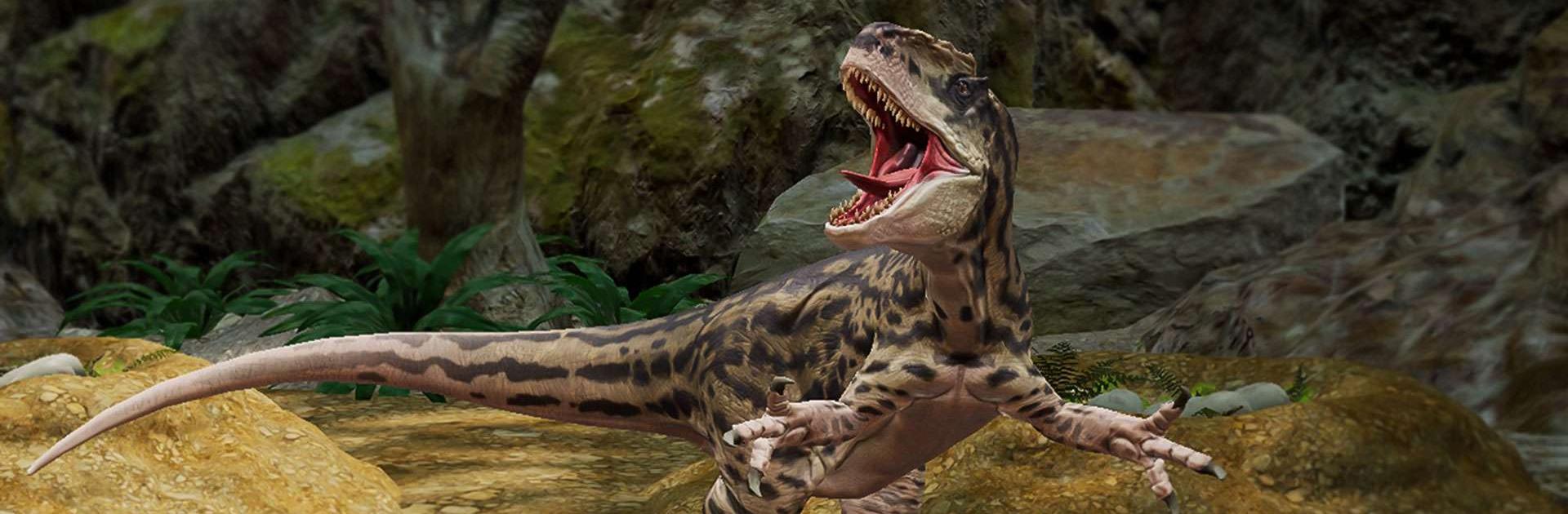
Path of Titans lets you step into the scales of a real dinosaur and figure out how to make it in a wild, player-filled world. It’s a Simulation MMO where you start tiny, learn fast, and try not to end up as someone else’s snack. Made by Alderon Games Pty Ltd, it’s all about survival, cooperation, and carving out your place in a living ecosystem.

Game Features

  • Grow from Hatchling to Heavyweight: Begin life as a baby and mature into a towering adult. Pick from 28+ playable species—think Allosaurus, Spinosaurus, Stegosaurus, Sarcosuchus—and discover how each one hunts, hides, and fights differently.

  • A Massive Shared Wilderness: Roam an 8 km by 8 km seamless landscape with up to roughly 200 players per server. Track food and water, watch the weather, and try not to become lunch.

  • Cross-Play with Your Pack: Team up for group quests, explore together, and watch each other’s backs regardless of device. You can even jump in on PC using BlueStacks without changing your progress.

  • Make Your Dino Yours: Unlock skins, tweak colors and markings, and pick subspecies that shift your stats. Build a look—and a role—that fits your style.

  • Combat with Real Bite: Earn new abilities through play, like a tail slam that can crack bones, rending claws that cause bleeding, or a venomous bite. Mix and match to create a moveset that suits your niche in the food chain.

  • Quests and Cooperation: Complete objectives solo or with friends to earn rewards and grow stronger. From scouting runs to resource runs, there’s always something useful to do.

  • Modding and Community Creations: Expand the game with community-made content. Add new dinosaurs, maps, prehistoric mammals, or go wild with dragons and other monsters—then craft your own world if you’re feeling creative.

Get ready for a buttery smooth, high-performance gaming action only on BlueStacks.

Game Features

Enhancements

  • Macros
  • Multi Instance
  • Multi Instance Sync
  • Script
  • Enhancements
Macros

Macros

Automate the predictable in Path of Titans and transform your gameplay with Macros. Get access to inventive Macros in the BlueStacks Macro Community
Multi Instance

Multi Instance

Play Path of Titans on one window. And chat with your friend on the other. Press CTRL + Shift + 8 to open the Multi-Instance Manager. And start creating fresh instances or clone an existing one.
Multi Instance Sync

Multi Instance Sync

Play Path of Titans with the power of Multi-Instance Sync. Replicate what you are doing on the main instance on all other instances. Level up faster, play more.
Script

Script

Script your way to gaming glory in Path of Titans with BlueStacks Script. Write and run a set of commands to automate repeated tasks. Trigger the command by assigning it to any key.
Read More

How to Download and Play Path of Titans on PC or Mac

  • Download and install BlueStacks on your PC or Mac

  • Complete Google sign-in to access the Play Store, or do it later

  • Look for Path of Titans in the search bar at the top right corner

  • Click to install Path of Titans from the search results

  • Complete Google sign-in (if you skipped step 2) to install Path of Titans

  • Click the Path of Titans icon on the home screen to start playing

video
Watch Video

Minimum System Requirements

With BlueStacks 5, you can get started on a PC that fulfills the following requirements.

  • Operating System

    Microsoft Windows 7 or above, macOS 11 (Big Sur) or above

  • Processor

    Intel, AMD or Apple Silicon Processor

  • RAM

    at least 4GB

  • HDD

    10GB Free Disk Space

Note:

* You must be an Administrator on your PC. Up to date graphics drivers from Microsoft or the chipset vendor.

Path of Titans - FAQs

  • How to play Path of Titans on Windows PC & Mac?

    Play Path of Titans on your PC or Mac by following these simple steps.

    • Click on 'Play Path of Titans on PC’ to download BlueStacks
    • Install it and log-in to Google Play Store
    • Launch and play the game.
  • Why is BlueStacks the fastest and safest platform to play games on PC?

    BlueStacks respects your privacy and is always safe and secure to use. It does not carry any malware, spyware, or any sort of additional software that could harm your PC.

    It is engineered to optimize speed and performance for a seamless gaming experience.

  • What are Path of Titans PC requirements?

    Minimum requirement to run Path of Titans on your PC

    • OS: Microsoft Windows 7 or above MacOS 11 (Big Sur) or above
    • Processor: Intel, AMD or Apple Silicon Processor
    • RAM: Your PC must have at least 4GB of RAM. (Note that having 4GB or more disk space is not a substitute for RAM)
    • HDD: 10GB Free Disk Space.
    • You must be an Administrator on your PC.