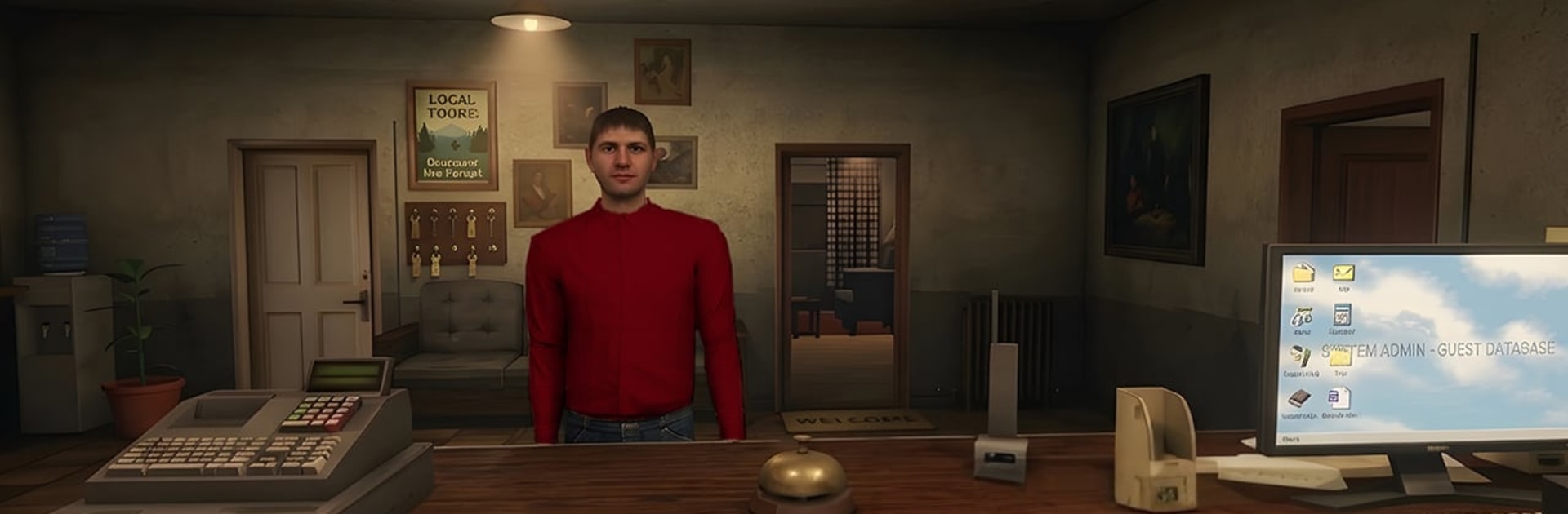
Photo Anomaly: Darkroom

Photo Anomaly: Darkroom

Simulation

| GameTech LLC

Play on PC with BlueStacks or from our cloud

  • Overview
  • Game Features
  • How to Play

Page Modified On: August 14, 2026

Play Photo Anomaly: Darkroom on PC or Mac

Bring your A-game to Photo Anomaly: Darkroom, the Simulation game sensation from GameTech LLC. Give your gameplay the much-needed boost with precise game controls, high FPS graphics, and top-tier features on your PC or Mac with BlueStacks.

About the Game

Photo Anomaly: Darkroom is a tense Simulation experience where your flashlight is both a lifeline and a lie detector. You’ll sweep through a quiet, creaking house, trying to catch subtle changes—an object out of place, a shape that wasn’t there a minute ago—before things spiral. It’s all about sharp eyes, steady nerves, and noticing the moment the room stops feeling right. Prefer a bigger display and clearer audio cues? Playing on PC with BlueStacks makes every whisper and shadow easier to read.

Game Features

  • Eerie House Patrol: Move room to room and track tiny visual changes—what used to be familiar suddenly isn’t, and that’s your warning.
  • Flashlight Tactics: Tilt, sweep, and focus your beam to reveal hidden anomalies lurking in corners, under frames, and along the walls.
  • Spot the Wrongness: Catch warped portraits, shifted furniture, extra shapes where none should exist, and other unsettling “errors” in reality.
  • Sound That Stalks You: Creaks, knocks, and distant whispers hint at where to look next, building pressure when you least expect it.
  • Unpredictable Scares: Jumps and stings don’t wait on a script; they hit when your guard slips or your eyes linger in the wrong place.
  • Rising Night Pressure: Each shift tightens the window for catching anomalies, pushing your focus and memory to the edge.
  • No Hand-Holding: Minimal on-screen clutter keeps your attention on the environment—your instincts and observation do the heavy lifting.

Get ready for a buttery smooth, high-performance gaming action only on BlueStacks.

Game Features

Enhancements

  • Macros
  • Multi Instance
  • Multi Instance Sync
  • Script
  • Enhancements
Macros

Macros

Automate the predictable in Photo Anomaly: Darkroom and transform your gameplay with Macros. Get access to inventive Macros in the BlueStacks Macro Community
Multi Instance

Multi Instance

Play Photo Anomaly: Darkroom on one window. And chat with your friend on the other. Press CTRL + Shift + 8 to open the Multi-Instance Manager. And start creating fresh instances or clone an existing one.
Multi Instance Sync

Multi Instance Sync

Play Photo Anomaly: Darkroom with the power of Multi-Instance Sync. Replicate what you are doing on the main instance on all other instances. Level up faster, play more.
Script

Script

Script your way to gaming glory in Photo Anomaly: Darkroom with BlueStacks Script. Write and run a set of commands to automate repeated tasks. Trigger the command by assigning it to any key.
Read More

How to Download and Play Photo Anomaly: Darkroom on PC or Mac

  • Download and install BlueStacks on your PC or Mac

  • Complete Google sign-in to access the Play Store, or do it later

  • Look for Photo Anomaly: Darkroom in the search bar at the top right corner

  • Click to install Photo Anomaly: Darkroom from the search results

  • Complete Google sign-in (if you skipped step 2) to install Photo Anomaly: Darkroom

  • Click the Photo Anomaly: Darkroom icon on the home screen to start playing

video
Watch Video

Minimum System Requirements

With BlueStacks 5, you can get started on a PC that fulfills the following requirements.

  • Operating System

    Microsoft Windows 7 or above, macOS 11 (Big Sur) or above

  • Processor

    Intel, AMD or Apple Silicon Processor

  • RAM

    at least 4GB

  • HDD

    10GB Free Disk Space

Note:

* You must be an Administrator on your PC. Up to date graphics drivers from Microsoft or the chipset vendor.

Photo Anomaly: Darkroom - FAQs

  • How to play Photo Anomaly: Darkroom on Windows PC & Mac?

    Play Photo Anomaly: Darkroom on your PC or Mac by following these simple steps.

    • Click on 'Play Photo Anomaly: Darkroom on PC’ to download BlueStacks
    • Install it and log-in to Google Play Store
    • Launch and play the game.
  • Why is BlueStacks the fastest and safest platform to play games on PC?

    BlueStacks respects your privacy and is always safe and secure to use. It does not carry any malware, spyware, or any sort of additional software that could harm your PC.

    It is engineered to optimize speed and performance for a seamless gaming experience.

  • What are Photo Anomaly: Darkroom PC requirements?

    Minimum requirement to run Photo Anomaly: Darkroom on your PC

    • OS: Microsoft Windows 7 or above MacOS 11 (Big Sur) or above
    • Processor: Intel, AMD or Apple Silicon Processor
    • RAM: Your PC must have at least 4GB of RAM. (Note that having 4GB or more disk space is not a substitute for RAM)
    • HDD: 10GB Free Disk Space.
    • You must be an Administrator on your PC.