Pizza Truck California Cooking

Pizza Truck California Cooking

Simulation

| Tapps Games

Play on PC with BlueStacks or from our cloud

  • Overview
  • Game Features
  • How to Play

Page Modified On: January 02, 2026

Play Pizza Truck California Cooking on PC or Mac

Pizza Truck California Cooking brings the Simulation genre to life, and throws up exciting challenges for gamers. Developed by Tapps Games, this Android game is best experienced on BlueStacks, the World’s #1 app player for PC and Mac users.

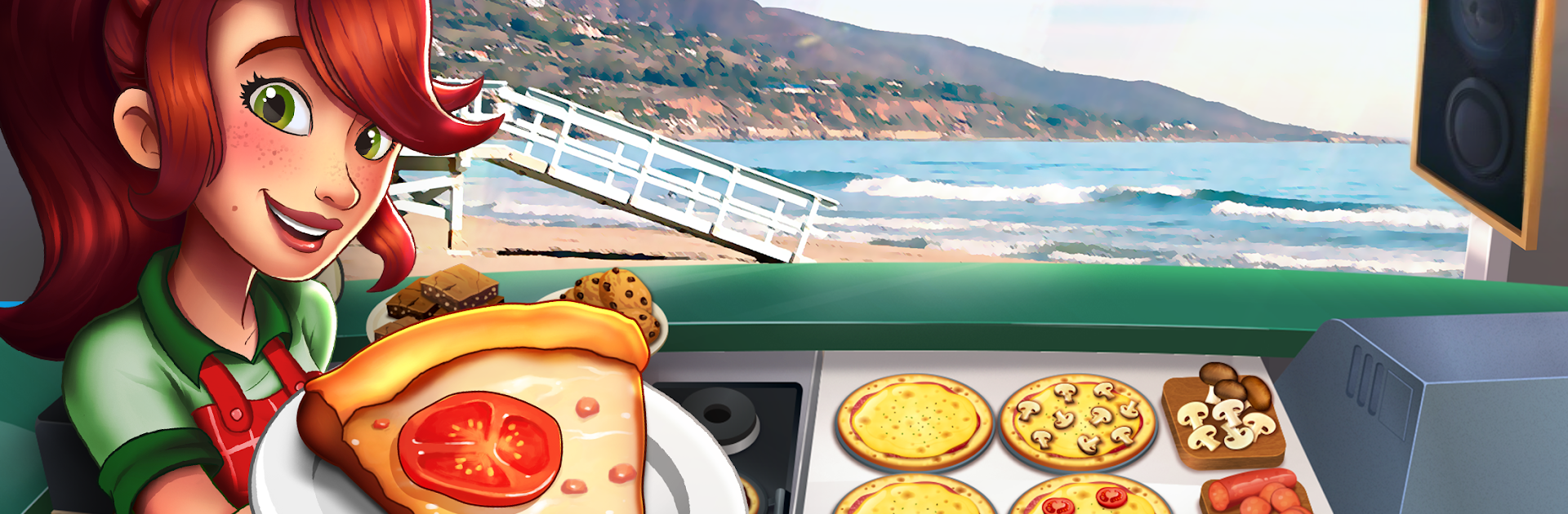
Pizza Truck California Cooking is a fast, clicky cooking game about running a pizza truck up and down California. It is all about quick decisions and tidy timing. Orders stack up, dough needs stretching, sauce gets ladled, toppings go on, and the oven timer never stops ticking. Burn a pie and the next customer walks away, nail the crunch and everyone tips better. It starts simple, then throws more ingredients and pickier customers into the mix until it turns into a fun little storm. Upgrades matter a lot. A better oven shaves seconds, an extra prep slot keeps the line moving, and new tools help crank out slices without the panic. There is a daily spin that tosses out coins and gems, which helps push the truck forward without grinding forever.

The road trip angle is nice too. One shift might be on a busy Hollywood sidewalk, another at a fairground or a beach boardwalk, and each spot tweaks the pace and the kind of orders that show up. Customers have patience bars, so there is always that push to balance speed with not serving half-baked crust. On BlueStacks, playing with a mouse and bigger screen makes the later, hectic stages feel cleaner, since quick clicks beat fat-finger slips. The game is free and throws optional purchases at times, but it is perfectly possible to upgrade gear over time and keep the truck humming. If managing chaos and chasing that perfect crispy pie sounds fun, this scratches that itch without getting too serious.

Get ready for a buttery smooth, high-performance gaming action only on BlueStacks.

Game Features

Enhancements

  • Macros
  • Multi Instance
  • Multi Instance Sync
  • Script
  • Enhancements
Macros

Macros

Automate the predictable in Pizza Truck California Cooking and transform your gameplay with Macros. Get access to inventive Macros in the BlueStacks Macro Community
Multi Instance

Multi Instance

Play Pizza Truck California Cooking on one window. And chat with your friend on the other. Press CTRL + Shift + 8 to open the Multi-Instance Manager. And start creating fresh instances or clone an existing one.
Multi Instance Sync

Multi Instance Sync

Play Pizza Truck California Cooking with the power of Multi-Instance Sync. Replicate what you are doing on the main instance on all other instances. Level up faster, play more.
Script

Script

Script your way to gaming glory in Pizza Truck California Cooking with BlueStacks Script. Write and run a set of commands to automate repeated tasks. Trigger the command by assigning it to any key.
Read More

How to Download and Play Pizza Truck California Cooking on PC or Mac

  • Download and install BlueStacks on your PC or Mac

  • Complete Google sign-in to access the Play Store, or do it later

  • Look for Pizza Truck California Cooking in the search bar at the top right corner

  • Click to install Pizza Truck California Cooking from the search results

  • Complete Google sign-in (if you skipped step 2) to install Pizza Truck California Cooking

  • Click the Pizza Truck California Cooking icon on the home screen to start playing

video
Watch Video

Minimum System Requirements

With BlueStacks 5, you can get started on a PC that fulfills the following requirements.

  • Operating System

    Microsoft Windows 7 or above, macOS 11 (Big Sur) or above

  • Processor

    Intel, AMD or Apple Silicon Processor

  • RAM

    at least 4GB

  • HDD

    10GB Free Disk Space

Note:

* You must be an Administrator on your PC. Up to date graphics drivers from Microsoft or the chipset vendor.

Pizza Truck California Cooking - FAQs

  • How to play Pizza Truck California Cooking on Windows PC & Mac?

    Play Pizza Truck California Cooking on your PC or Mac by following these simple steps.

    • Click on 'Play Pizza Truck California Cooking on PC’ to download BlueStacks
    • Install it and log-in to Google Play Store
    • Launch and play the game.
  • Why is BlueStacks the fastest and safest platform to play games on PC?

    BlueStacks respects your privacy and is always safe and secure to use. It does not carry any malware, spyware, or any sort of additional software that could harm your PC.

    It is engineered to optimize speed and performance for a seamless gaming experience.

  • What are Pizza Truck California Cooking PC requirements?

    Minimum requirement to run Pizza Truck California Cooking on your PC

    • OS: Microsoft Windows 7 or above MacOS 11 (Big Sur) or above
    • Processor: Intel, AMD or Apple Silicon Processor
    • RAM: Your PC must have at least 4GB of RAM. (Note that having 4GB or more disk space is not a substitute for RAM)
    • HDD: 10GB Free Disk Space.
    • You must be an Administrator on your PC.