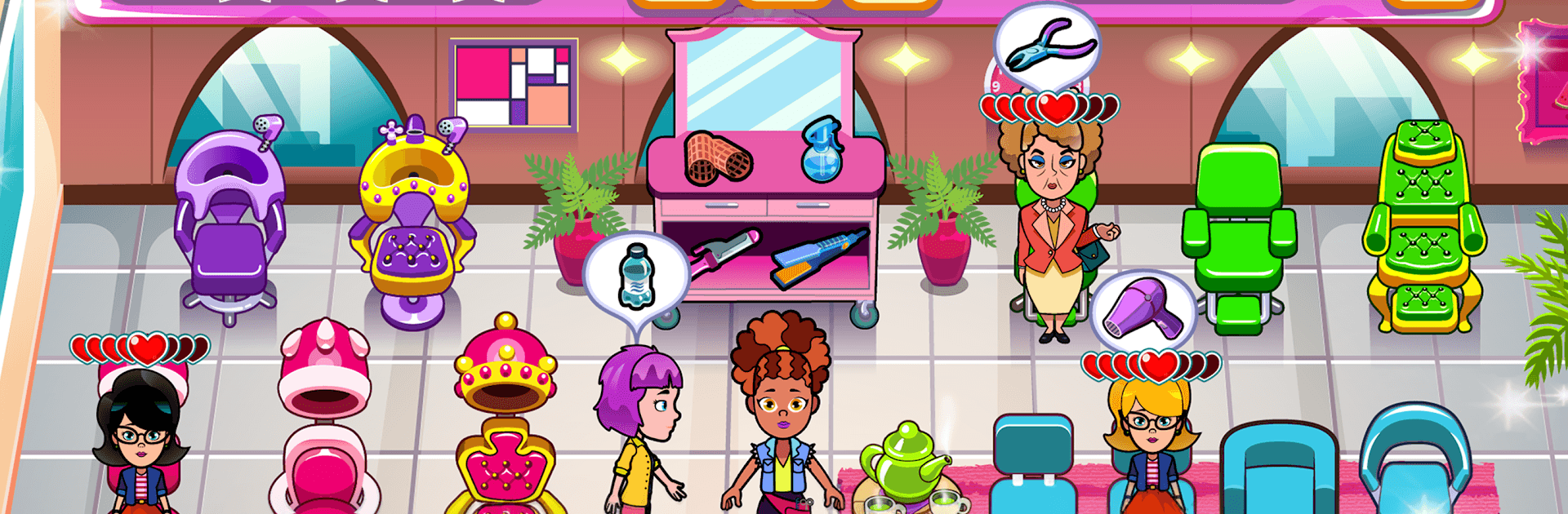
Top Beauty Salon -  Hair and Makeup Parlor Game

Top Beauty Salon - Hair and Makeup Parlor Game

Simulation

| Tapps Games

Play on PC with BlueStacks or from our cloud

  • Overview
  • Game Features
  • How to Play

Page Modified On: August 20, 2026

Play Top Beauty Salon - Hair and Makeup Parlor Game on PC or Mac

Play Top Beauty Salon – Hair and Makeup Parlor Game by Tapps Games on PC or Mac with BlueStacks. Use a bigger screen, mouse and keyboard controls, and smoother performance while you play.

About the Game

Top Beauty Salon – Hair and Makeup Parlor Game is a fast-paced Simulation where you run Rebeca’s buzzing beauty spot and keep a steady stream of clients looking their best. With Taylor’s friendly guidance, you’ll balance quick service, smart upgrades, and steady hands to turn a modest salon into the town favorite. Sessions are snappy, challenges ramp up fast, and every decision—what to do first, what to buy next—actually matters.

Game Features

  • Time-Management Rush: Juggle hair coloring, stylish blowouts, and fresh nail polish while keeping wait times low and smiles high.
  • Salon Upgrades: Use your hard-earned cash to add stations, speed up processes, and create a setup that handles bigger crowds without breaking a sweat.
  • Pro Tools & Techniques: Work with straighteners, rollers, and vibrant dyes to deliver clean, polished looks under pressure.
  • Growing Challenge: Each level adds tougher combos, tighter timers, and busier queues, pushing you to refine your rhythm and priorities.
  • Earn, Spend, Improve: Happy customers pay well—reinvest those coins in better equipment and faster service to stay ahead.
  • Helpful Guidance: Taylor drops in with tips and goals so you can sharpen your flow, avoid bottlenecks, and keep standards high.
  • Quick Sessions: Jump into compact stages perfect for a short break, then try “just one more” to chase a cleaner, faster run.
  • PC-Friendly Option: Prefer a larger screen and precise clicks? Play on PC with BlueStacks for smooth controls and comfy sessions.

Ready to top the leaderboard? We bet you do. Let precise controls and sharp visuals optimized on BlueStacks lead you to victory.


Game Features

Enhancements

  • Macros
  • Multi Instance
  • Multi Instance Sync
  • Script
  • Enhancements
Macros

Macros

Automate the predictable in Top Beauty Salon - Hair and Makeup Parlor Game and transform your gameplay with Macros. Get access to inventive Macros in the BlueStacks Macro Community
Multi Instance

Multi Instance

Play Top Beauty Salon - Hair and Makeup Parlor Game on one window. And chat with your friend on the other. Press CTRL + Shift + 8 to open the Multi-Instance Manager. And start creating fresh instances or clone an existing one.
Multi Instance Sync

Multi Instance Sync

Play Top Beauty Salon - Hair and Makeup Parlor Game with the power of Multi-Instance Sync. Replicate what you are doing on the main instance on all other instances. Level up faster, play more.
Script

Script

Script your way to gaming glory in Top Beauty Salon - Hair and Makeup Parlor Game with BlueStacks Script. Write and run a set of commands to automate repeated tasks. Trigger the command by assigning it to any key.
Read More

How to Download and Play Top Beauty Salon - Hair and Makeup Parlor Game on PC or Mac

  • Download and install BlueStacks on your PC or Mac

  • Complete Google sign-in to access the Play Store, or do it later

  • Look for Top Beauty Salon - Hair and Makeup Parlor Game in the search bar at the top right corner

  • Click to install Top Beauty Salon - Hair and Makeup Parlor Game from the search results

  • Complete Google sign-in (if you skipped step 2) to install Top Beauty Salon - Hair and Makeup Parlor Game

  • Click the Top Beauty Salon - Hair and Makeup Parlor Game icon on the home screen to start playing

video
Watch Video

Minimum System Requirements

With BlueStacks 5, you can get started on a PC that fulfills the following requirements.

  • Operating System

    Microsoft Windows 7 or above, macOS 11 (Big Sur) or above

  • Processor

    Intel, AMD or Apple Silicon Processor

  • RAM

    at least 4GB

  • HDD

    10GB Free Disk Space

Note:

* You must be an Administrator on your PC. Up to date graphics drivers from Microsoft or the chipset vendor.

Top Beauty Salon - Hair and Makeup Parlor Game - FAQs

  • How to play Top Beauty Salon - Hair and Makeup Parlor Game on Windows PC & Mac?

    Play Top Beauty Salon - Hair and Makeup Parlor Game on your PC or Mac by following these simple steps.

    • Click on 'Play Top Beauty Salon - Hair and Makeup Parlor Game on PC’ to download BlueStacks
    • Install it and log-in to Google Play Store
    • Launch and play the game.
  • Why is BlueStacks the fastest and safest platform to play games on PC?

    BlueStacks respects your privacy and is always safe and secure to use. It does not carry any malware, spyware, or any sort of additional software that could harm your PC.

    It is engineered to optimize speed and performance for a seamless gaming experience.

  • What are Top Beauty Salon - Hair and Makeup Parlor Game PC requirements?

    Minimum requirement to run Top Beauty Salon - Hair and Makeup Parlor Game on your PC

    • OS: Microsoft Windows 7 or above MacOS 11 (Big Sur) or above
    • Processor: Intel, AMD or Apple Silicon Processor
    • RAM: Your PC must have at least 4GB of RAM. (Note that having 4GB or more disk space is not a substitute for RAM)
    • HDD: 10GB Free Disk Space.
    • You must be an Administrator on your PC.