Police Bike City Simulator

Police Bike City Simulator

Simulation

| Game Pickle

Play on PC with BlueStacks or from our cloud

  • Overview
  • Game Features
  • How to Play

Page Modified On: August 24, 2026

Play Police Bike City Simulator on PC or Mac

Explore a whole new adventure with Police Bike City Simulator, a Simulation game created by Game Pickle. Experience great gameplay with BlueStacks, the most popular gaming platform to play Android games on your PC or Mac.

About the Game

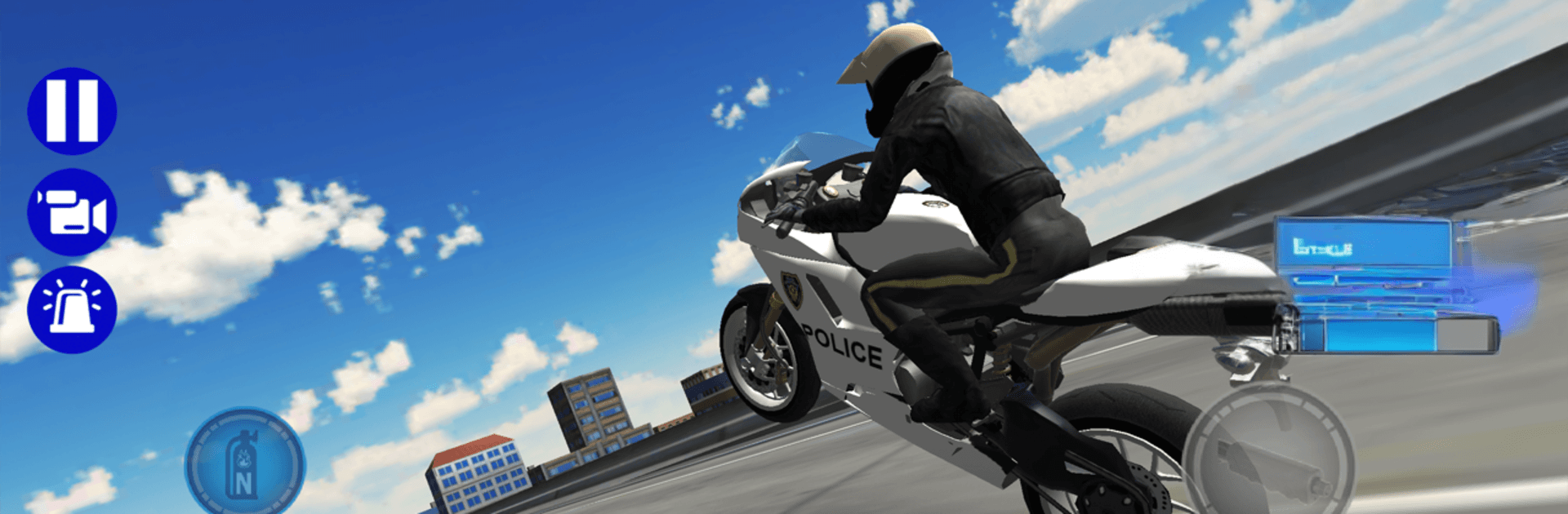
You’re the newest officer on two wheels, and the city’s your playground. Police Bike City Simulator is an open-world motorbike Simulation where you thread through traffic, hit massive jumps, and kick on the sirens for that patrol rush—then see what happens if you overcook a turn. It even feels great on BlueStacks with a larger view and handy key mapping.

Game Features

  • Open city to explore: Cruise wide boulevards, slip down tight alleys, and find your own routes across a big urban map.
  • Fast, nimble rides: Choose from multiple police‑issue bikes that corner hard, accelerate fast, and feel tuned for quick reactions.
  • Nitro on demand: Tap the boost to rocket past traffic, clear gaps, and turn near-misses into clean getaways.
  • Stunt-ready spots: Seek out ramps and ledges scattered around town and chain jumps for pure style points.
  • Ragdoll wipeouts: Mistime a lane change and watch a full tumble with satisfying, real-time ragdoll physics.
  • Pick your control style: Go tilt for lean-based steering or use on-screen buttons—the handling stays responsive either way.
  • Lights and sirens: Flash the bars and blare the siren for an unmistakable on-duty vibe.
  • Traffic threading challenge: Weave, time your moves, and read gaps as speeds climb and nerves get tested.
  • Quick to learn, hard to put down: Simple controls make it easy to start; smooth, crash-free runs take real practice.
  • No in-app purchases: Just ride, experiment, and have fun—no store pop-ups getting in your way.

BlueStacks gives you more room to focus on the game and less time adjusting around mobile limitations.


Game Features

Enhancements

  • Macros
  • Multi Instance
  • Multi Instance Sync
  • Script
  • Enhancements
Macros

Macros

Automate the predictable in Police Bike City Simulator and transform your gameplay with Macros. Get access to inventive Macros in the BlueStacks Macro Community
Multi Instance

Multi Instance

Play Police Bike City Simulator on one window. And chat with your friend on the other. Press CTRL + Shift + 8 to open the Multi-Instance Manager. And start creating fresh instances or clone an existing one.
Multi Instance Sync

Multi Instance Sync

Play Police Bike City Simulator with the power of Multi-Instance Sync. Replicate what you are doing on the main instance on all other instances. Level up faster, play more.
Script

Script

Script your way to gaming glory in Police Bike City Simulator with BlueStacks Script. Write and run a set of commands to automate repeated tasks. Trigger the command by assigning it to any key.
Read More

How to Download and Play Police Bike City Simulator on PC or Mac

  • Download and install BlueStacks on your PC or Mac

  • Complete Google sign-in to access the Play Store, or do it later

  • Look for Police Bike City Simulator in the search bar at the top right corner

  • Click to install Police Bike City Simulator from the search results

  • Complete Google sign-in (if you skipped step 2) to install Police Bike City Simulator

  • Click the Police Bike City Simulator icon on the home screen to start playing

video
Watch Video

Minimum System Requirements

With BlueStacks 5, you can get started on a PC that fulfills the following requirements.

  • Operating System

    Microsoft Windows 7 or above, macOS 11 (Big Sur) or above

  • Processor

    Intel, AMD or Apple Silicon Processor

  • RAM

    at least 4GB

  • HDD

    10GB Free Disk Space

Note:

* You must be an Administrator on your PC. Up to date graphics drivers from Microsoft or the chipset vendor.

Police Bike City Simulator - FAQs

  • How to play Police Bike City Simulator on Windows PC & Mac?

    Play Police Bike City Simulator on your PC or Mac by following these simple steps.

    • Click on 'Play Police Bike City Simulator on PC’ to download BlueStacks
    • Install it and log-in to Google Play Store
    • Launch and play the game.
  • Why is BlueStacks the fastest and safest platform to play games on PC?

    BlueStacks respects your privacy and is always safe and secure to use. It does not carry any malware, spyware, or any sort of additional software that could harm your PC.

    It is engineered to optimize speed and performance for a seamless gaming experience.

  • What are Police Bike City Simulator PC requirements?

    Minimum requirement to run Police Bike City Simulator on your PC

    • OS: Microsoft Windows 7 or above MacOS 11 (Big Sur) or above
    • Processor: Intel, AMD or Apple Silicon Processor
    • RAM: Your PC must have at least 4GB of RAM. (Note that having 4GB or more disk space is not a substitute for RAM)
    • HDD: 10GB Free Disk Space.
    • You must be an Administrator on your PC.