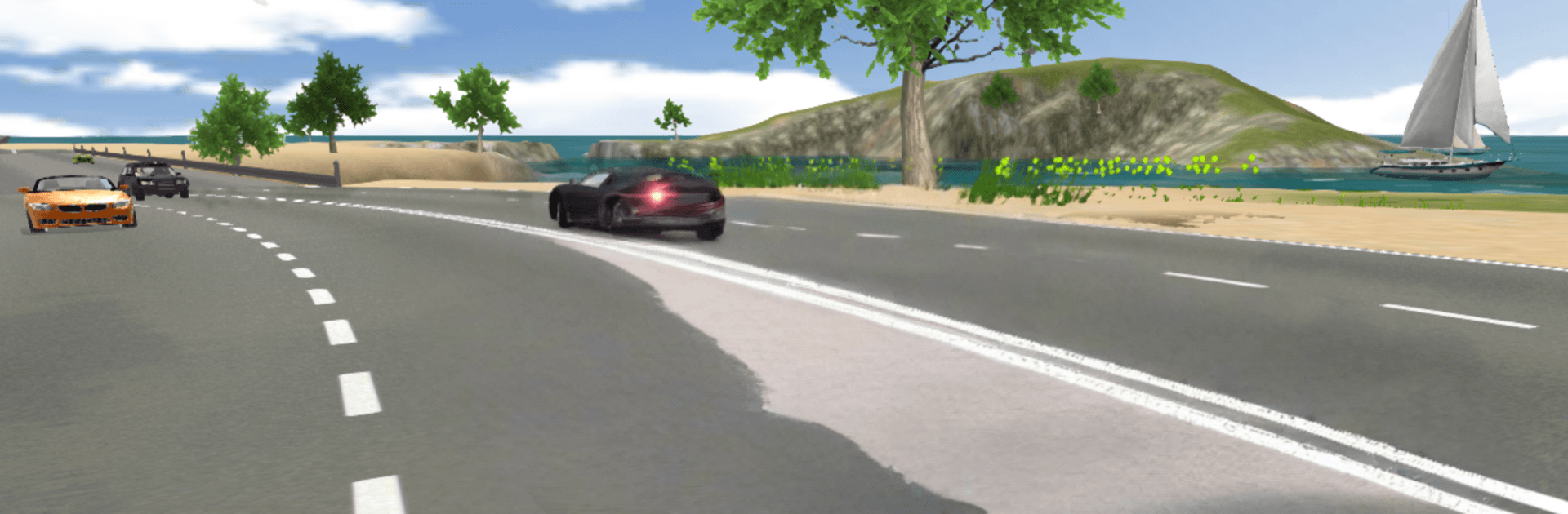
Gangster Crime Car Simulator

Gangster Crime Car Simulator

Simulation

| Game Pickle

Play on PC with BlueStacks or from our cloud

  • Overview
  • Game Features
  • How to Play

Page Modified On: August 17, 2026

Play Gangster Crime Car Simulator on PC or Mac

Bring your A-game to Gangster Crime Car Simulator, the Simulation game sensation from Game Pickle. Give your gameplay the much-needed boost with precise game controls, high FPS graphics, and top-tier features on your PC or Mac with BlueStacks.

About the Game

Gangster Crime Car Simulator is a city-driving Simulation where you moonlight as the go-to driver for gang members who need a quick, quiet ride. Your job? Snag pickups around town, beat the timer, dodge cops, and keep your car in one piece while stacking cash for better wheels. Prefer playing on a larger display with crisp controls? It runs smoothly on BlueStacks, too.

Game Features

  • Big city to roam: Cruise through wide streets, narrow alleys, and busy intersections as you plan the quickest path to each pickup and drop-off.
  • High-speed pickups: Grab a location, floor it, and get your passenger there before the clock runs out—no dawdling allowed.
  • Police on your tail: Shake off sirens with tight turns and clever routes; if you get boxed in, that fare is gone.
  • Real traffic variety: Navigate around everyday vehicles—ambulances, fire trucks, delivery vans, even ice cream trucks—each behaving like real road users.
  • Satisfying driving feel: Weighty handling, believable grip, and damage that actually matters when you bump a curb or clip a fender.
  • Easy, customizable controls: Switch between touch and tilt options and fine-tune steering that feels right for you.
  • Cars worth earning: Start with something scrappy, then unlock slick sports cars with serious horsepower as your reputation grows.
  • Mission-based hustle: String together multiple rides, manage risk vs. reward, and build streaks for bigger payouts without wrecking your ride.

Start your journey now. Download the game on BlueStacks, invite your friends, and march on a new adventure.


Game Features

Enhancements

  • Macros
  • Multi Instance
  • Multi Instance Sync
  • Script
  • Enhancements
Macros

Macros

Automate the predictable in Gangster Crime Car Simulator and transform your gameplay with Macros. Get access to inventive Macros in the BlueStacks Macro Community
Multi Instance

Multi Instance

Play Gangster Crime Car Simulator on one window. And chat with your friend on the other. Press CTRL + Shift + 8 to open the Multi-Instance Manager. And start creating fresh instances or clone an existing one.
Multi Instance Sync

Multi Instance Sync

Play Gangster Crime Car Simulator with the power of Multi-Instance Sync. Replicate what you are doing on the main instance on all other instances. Level up faster, play more.
Script

Script

Script your way to gaming glory in Gangster Crime Car Simulator with BlueStacks Script. Write and run a set of commands to automate repeated tasks. Trigger the command by assigning it to any key.
Read More

How to Download and Play Gangster Crime Car Simulator on PC or Mac

  • Download and install BlueStacks on your PC or Mac

  • Complete Google sign-in to access the Play Store, or do it later

  • Look for Gangster Crime Car Simulator in the search bar at the top right corner

  • Click to install Gangster Crime Car Simulator from the search results

  • Complete Google sign-in (if you skipped step 2) to install Gangster Crime Car Simulator

  • Click the Gangster Crime Car Simulator icon on the home screen to start playing

video
Watch Video

Minimum System Requirements

With BlueStacks 5, you can get started on a PC that fulfills the following requirements.

  • Operating System

    Microsoft Windows 7 or above, macOS 11 (Big Sur) or above

  • Processor

    Intel, AMD or Apple Silicon Processor

  • RAM

    at least 4GB

  • HDD

    10GB Free Disk Space

Note:

* You must be an Administrator on your PC. Up to date graphics drivers from Microsoft or the chipset vendor.

Gangster Crime Car Simulator - FAQs

  • How to play Gangster Crime Car Simulator on Windows PC & Mac?

    Play Gangster Crime Car Simulator on your PC or Mac by following these simple steps.

    • Click on 'Play Gangster Crime Car Simulator on PC’ to download BlueStacks
    • Install it and log-in to Google Play Store
    • Launch and play the game.
  • Why is BlueStacks the fastest and safest platform to play games on PC?

    BlueStacks respects your privacy and is always safe and secure to use. It does not carry any malware, spyware, or any sort of additional software that could harm your PC.

    It is engineered to optimize speed and performance for a seamless gaming experience.

  • What are Gangster Crime Car Simulator PC requirements?

    Minimum requirement to run Gangster Crime Car Simulator on your PC

    • OS: Microsoft Windows 7 or above MacOS 11 (Big Sur) or above
    • Processor: Intel, AMD or Apple Silicon Processor
    • RAM: Your PC must have at least 4GB of RAM. (Note that having 4GB or more disk space is not a substitute for RAM)
    • HDD: 10GB Free Disk Space.
    • You must be an Administrator on your PC.