Police Car Simulator - Cop Chase

Police Car Simulator - Cop Chase

Simulation

| Game Pickle

Play on PC with BlueStacks or from our cloud

  • Overview
  • Game Features
  • How to Play

Page Modified On: August 10, 2026

Play Police Car Simulator - Cop Chase on PC or Mac

Play Police Car Simulator – Cop Chase by Game Pickle on PC or Mac with BlueStacks. Use a bigger screen, mouse and keyboard controls, and smoother performance while you play.

About the Game

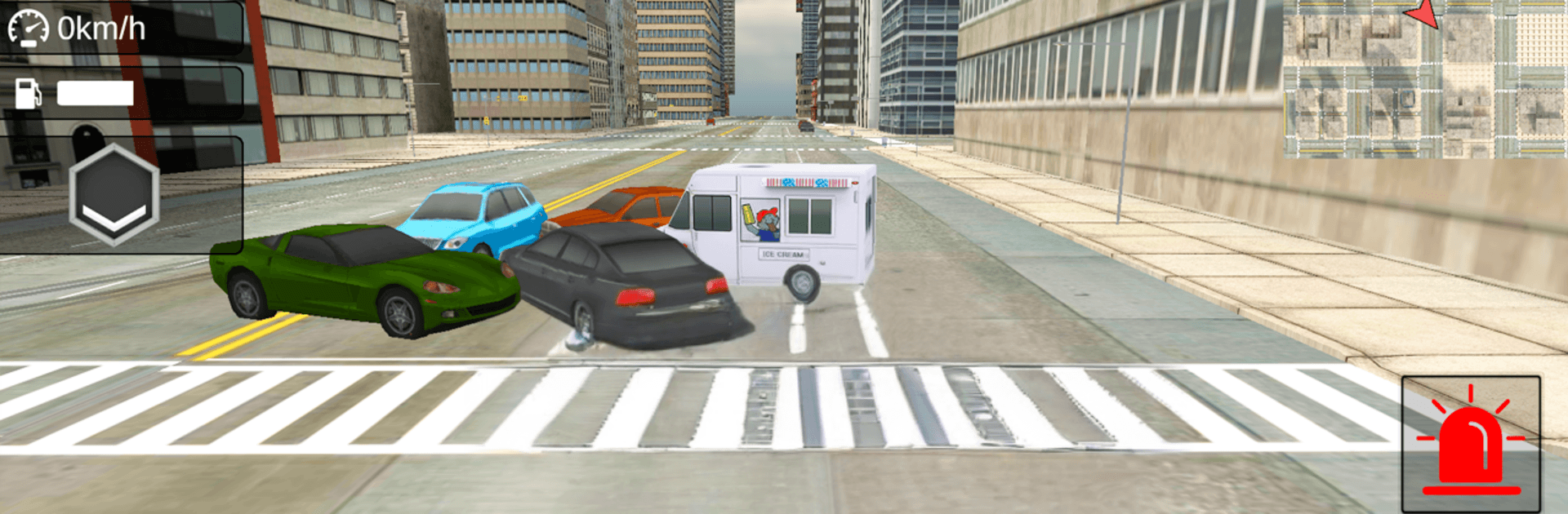
Police Car Simulator – Cop Chase throws you behind the wheel as a street-savvy officer in a lively city. It’s a Simulation game all about patrolling, pulling over rule-breakers, and chasing down getaway drivers across a huge map. Want to cruise, respond to emergencies, or rise through the ranks? You’ve got the freedom to do it your way. Prefer playing on PC? It feels great on BlueStacks too.

Game Features

  • Open-city patrols: Explore a massive urban map with busy intersections, neighborhoods, and a bustling port. There are miles of roads to learn—and plenty of shortcuts when things get heated.

  • Real chase action: Spot a speeder, tail a reckless driver, or hunt a stolen ride. Flip on the lights and siren and see if you can keep up when they bolt.

  • Missions that matter: Tackle everything from drunk-driving stops and red-light runners to high-risk pursuits. You’ll also handle emergency runs and special jobs like escorting a VIP limo or rushing to an accident scene.

  • Rank up and earn badges: Complete assignments, make smart arrests, and climb the ladder. There are 24 rank badges to collect if you’re up for the grind.

  • Build your garage: Start small, then unlock new police cruisers with mission rewards. Each ride brings its own feel, from sturdy patrol units to slick interceptors.

  • Lively traffic and physics: AI drivers behave like real commuters, forcing you to time turns, manage speed, and master drifting when a corner comes in hot.

  • Smooth driving controls: Choose touch, tilt, or a steering wheel layout. Swap camera angles to get the view you like—cockpit, chase, or wide.

  • Tweakable performance: Adjust graphics settings to keep things running smoothly, whether you want sharper visuals or extra frames.

  • Unlimited play: No shortage of streets to cover or calls to answer—patrol as long as you like and keep stacking those successful busts.

Start playing Police Car Simulator – Cop Chase on BlueStacks and get a smoother, more comfortable PC or Mac setup.


Game Features

Enhancements

  • Macros
  • Multi Instance
  • Multi Instance Sync
  • Script
  • Enhancements
Macros

Macros

Automate the predictable in Police Car Simulator - Cop Chase and transform your gameplay with Macros. Get access to inventive Macros in the BlueStacks Macro Community
Multi Instance

Multi Instance

Play Police Car Simulator - Cop Chase on one window. And chat with your friend on the other. Press CTRL + Shift + 8 to open the Multi-Instance Manager. And start creating fresh instances or clone an existing one.
Multi Instance Sync

Multi Instance Sync

Play Police Car Simulator - Cop Chase with the power of Multi-Instance Sync. Replicate what you are doing on the main instance on all other instances. Level up faster, play more.
Script

Script

Script your way to gaming glory in Police Car Simulator - Cop Chase with BlueStacks Script. Write and run a set of commands to automate repeated tasks. Trigger the command by assigning it to any key.
Read More

How to Download and Play Police Car Simulator - Cop Chase on PC or Mac

  • Download and install BlueStacks on your PC or Mac

  • Complete Google sign-in to access the Play Store, or do it later

  • Look for Police Car Simulator - Cop Chase in the search bar at the top right corner

  • Click to install Police Car Simulator - Cop Chase from the search results

  • Complete Google sign-in (if you skipped step 2) to install Police Car Simulator - Cop Chase

  • Click the Police Car Simulator - Cop Chase icon on the home screen to start playing

video
Watch Video

Minimum System Requirements

With BlueStacks 5, you can get started on a PC that fulfills the following requirements.

  • Operating System

    Microsoft Windows 7 or above, macOS 11 (Big Sur) or above

  • Processor

    Intel, AMD or Apple Silicon Processor

  • RAM

    at least 4GB

  • HDD

    10GB Free Disk Space

Note:

* You must be an Administrator on your PC. Up to date graphics drivers from Microsoft or the chipset vendor.

Police Car Simulator - Cop Chase - FAQs

  • How to play Police Car Simulator - Cop Chase on Windows PC & Mac?

    Play Police Car Simulator - Cop Chase on your PC or Mac by following these simple steps.

    • Click on 'Play Police Car Simulator - Cop Chase on PC’ to download BlueStacks
    • Install it and log-in to Google Play Store
    • Launch and play the game.
  • Why is BlueStacks the fastest and safest platform to play games on PC?

    BlueStacks respects your privacy and is always safe and secure to use. It does not carry any malware, spyware, or any sort of additional software that could harm your PC.

    It is engineered to optimize speed and performance for a seamless gaming experience.

  • What are Police Car Simulator - Cop Chase PC requirements?

    Minimum requirement to run Police Car Simulator - Cop Chase on your PC

    • OS: Microsoft Windows 7 or above MacOS 11 (Big Sur) or above
    • Processor: Intel, AMD or Apple Silicon Processor
    • RAM: Your PC must have at least 4GB of RAM. (Note that having 4GB or more disk space is not a substitute for RAM)
    • HDD: 10GB Free Disk Space.
    • You must be an Administrator on your PC.