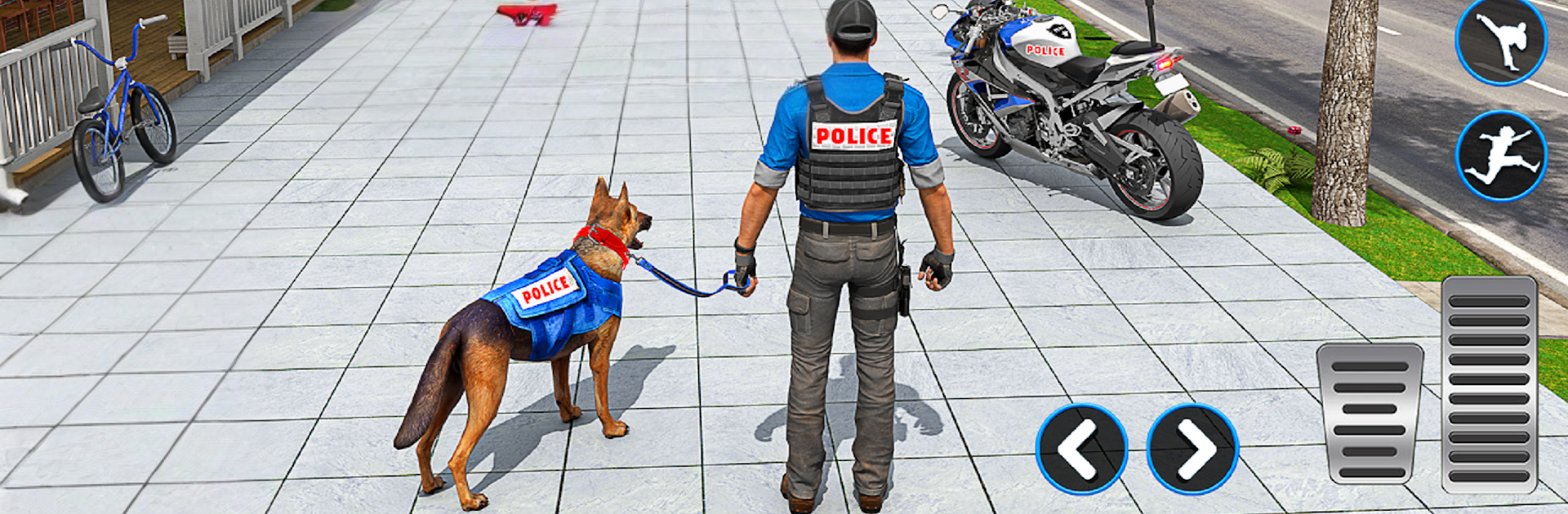
Police Chase Police Simulator

Police Chase Police Simulator

Simulation

| Lion Gamez Studio

Play on PC with BlueStacks or from our cloud

  • Overview
  • Game Features
  • How to Play

Page Modified On: January 02, 2026

Play Police Chase Police Simulator on PC or Mac

Police Chase Police Simulator brings the Simulation genre to life, and throws up exciting challenges for gamers. Developed by Lion Gamez Studio, this Android game is best experienced on BlueStacks, the World’s #1 app player for PC and Mac users.

About the Game

Police Chase Police Simulator puts you in the driver’s seat of real police work—fast pursuits, urgent rescues, and careful patrols—across a living city. It’s an open-world Simulation game from Lion Gamez Studio that mixes high-speed driving with tactical decision-making and a bit of everyday cop routine. Want to unwind with a quick patrol or jump into a tense VIP escort? You choose the shift.

Game Features

  • Open-world patrols: Cruise through busy streets, back roads, and highways while keeping an eye out for trouble and responding to calls as they pop up.
  • High-stakes chases: Hit the lights and go after fleeing suspects. Manage corners, traffic, and timing to box them in without wrecking your ride.
  • Varied missions: Guard bank vans, secure roadblocks, collect checkpoint data, and escort high-profile VIPs through risky routes.
  • Emergency response: Roll up to crash scenes, handle car accident rescues fast, and stabilize situations before they escalate.
  • Crime-fighting scenarios: Tackle hostage escorts and specialized operations that push your driving and strategy skills.
  • Multiple vehicles: Swap between modern police cars, rugged jeeps, and a nimble police bike—each with distinct handling for the job at hand.
  • Realistic systems: Feel believable physics, dynamic weather, and a day-night cycle that changes how you drive and how the city behaves.
  • Officer roles: Take on traffic control, routine city patrols, and special protection details to broaden your toolkit.
  • Authentic audio: Real sirens, radio chatter, and ambient city sounds help set the tone during calm patrols and red-alert chases.
  • PC-friendly option: Prefer a bigger screen and keyboard controls? You can also play through BlueStacks for a different way to run your shifts.

Ready to top the leaderboard? We bet you do. Let precise controls and sharp visuals optimized on BlueStacks lead you to victory.


Game Features

Enhancements

  • Macros
  • Multi Instance
  • Multi Instance Sync
  • Script
  • Enhancements
Macros

Macros

Automate the predictable in Police Chase Police Simulator and transform your gameplay with Macros. Get access to inventive Macros in the BlueStacks Macro Community
Multi Instance

Multi Instance

Play Police Chase Police Simulator on one window. And chat with your friend on the other. Press CTRL + Shift + 8 to open the Multi-Instance Manager. And start creating fresh instances or clone an existing one.
Multi Instance Sync

Multi Instance Sync

Play Police Chase Police Simulator with the power of Multi-Instance Sync. Replicate what you are doing on the main instance on all other instances. Level up faster, play more.
Script

Script

Script your way to gaming glory in Police Chase Police Simulator with BlueStacks Script. Write and run a set of commands to automate repeated tasks. Trigger the command by assigning it to any key.
Read More

How to Download and Play Police Chase Police Simulator on PC or Mac

  • Download and install BlueStacks on your PC or Mac

  • Complete Google sign-in to access the Play Store, or do it later

  • Look for Police Chase Police Simulator in the search bar at the top right corner

  • Click to install Police Chase Police Simulator from the search results

  • Complete Google sign-in (if you skipped step 2) to install Police Chase Police Simulator

  • Click the Police Chase Police Simulator icon on the home screen to start playing

video
Watch Video

Minimum System Requirements

With BlueStacks 5, you can get started on a PC that fulfills the following requirements.

  • Operating System

    Microsoft Windows 7 or above, macOS 11 (Big Sur) or above

  • Processor

    Intel, AMD or Apple Silicon Processor

  • RAM

    at least 4GB

  • HDD

    10GB Free Disk Space

Note:

* You must be an Administrator on your PC. Up to date graphics drivers from Microsoft or the chipset vendor.

Police Chase Police Simulator - FAQs

  • How to play Police Chase Police Simulator on Windows PC & Mac?

    Play Police Chase Police Simulator on your PC or Mac by following these simple steps.

    • Click on 'Play Police Chase Police Simulator on PC’ to download BlueStacks
    • Install it and log-in to Google Play Store
    • Launch and play the game.
  • Why is BlueStacks the fastest and safest platform to play games on PC?

    BlueStacks respects your privacy and is always safe and secure to use. It does not carry any malware, spyware, or any sort of additional software that could harm your PC.

    It is engineered to optimize speed and performance for a seamless gaming experience.

  • What are Police Chase Police Simulator PC requirements?

    Minimum requirement to run Police Chase Police Simulator on your PC

    • OS: Microsoft Windows 7 or above MacOS 11 (Big Sur) or above
    • Processor: Intel, AMD or Apple Silicon Processor
    • RAM: Your PC must have at least 4GB of RAM. (Note that having 4GB or more disk space is not a substitute for RAM)
    • HDD: 10GB Free Disk Space.
    • You must be an Administrator on your PC.