Pond Pals
Pond Pals

Pond Pals

Simulation

| HyperBeard

Play on PC with BlueStacks or from our cloud

Click here to Pre-Register for Pond Pals
  • Overview
  • Features
  • How to Play

Page Modified On: May 04, 2026

Play Pond Pals on PC or Mac

Explore a whole new adventure with Pond Pals, a Simulation game created by HyperBeard. Experience great gameplay with BlueStacks, the most popular gaming platform to play Android games on your PC or Mac.

About the Game

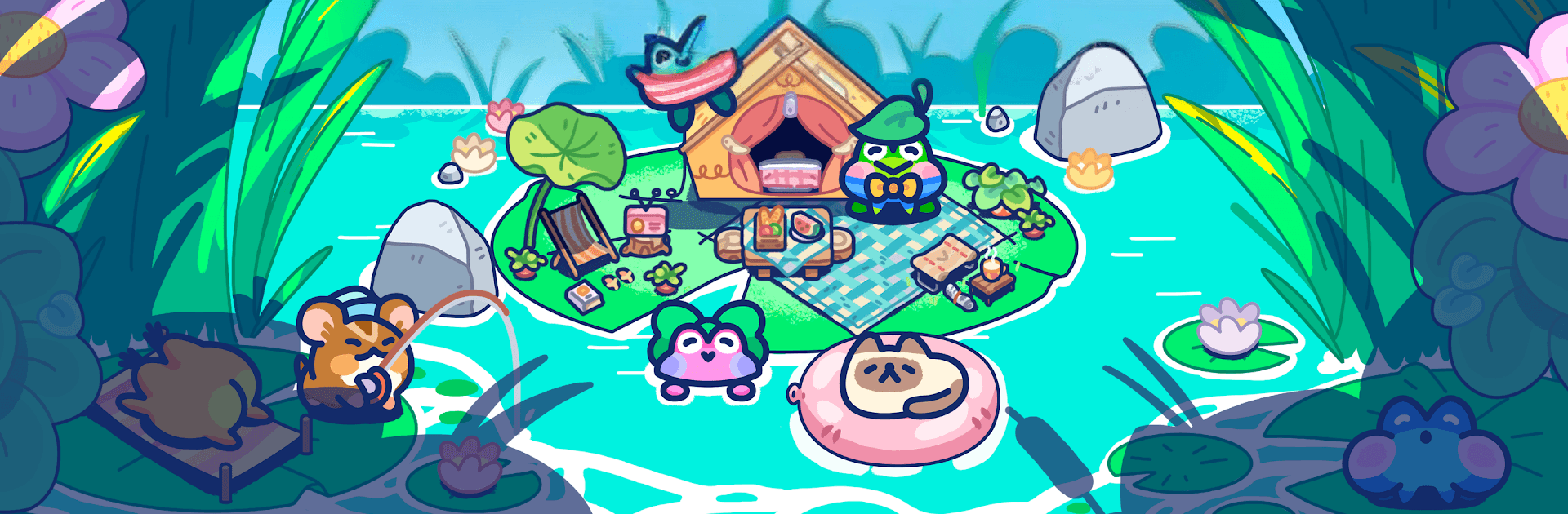
Pond Pals is a cozy Simulation from HyperBeard about helping a shy little frog named Aaron turn his quiet pond into a charming glamping hideaway. You’re the calm, capable friend who designs the space, welcomes guests, and keeps the vibe easygoing. It’s gentle, thoughtful, and a great pick when you want something low-pressure to tinker with. Prefer a bigger screen? It also plays comfortably on PC through BlueStacks.

Game Features

  • Build a lakeside retreat: Arrange tents, lanterns, docks, and cute decor to shape a glampsite that feels uniquely yours.
  • Meet quirky visitors: Attract frogs with distinct tastes—chatty foodies, sleepy sunbathers, early-bird fishers, and more—each with little preferences to learn.
  • Cook and craft: Whip up simple meals, brew that oddly delightful mushroom juice, and stock treats that keep guests smiling.
  • Host chill activities: Set up fishing spots, cozy campfires, and mellow hangouts so everyone has something relaxing to do.
  • Upgrade as you go: Improve tents, expand the grounds, and unlock new areas piece by piece—no rush, just steady progress.
  • Stories with heart: Discover small character moments as Aaron opens up and your guests share bite-size tales about their day.
  • Easy, soothing pacing: Designed for winding down—check in, make a few thoughtful tweaks, and watch the pond come to life.
  • Deep customization: Mix colors, furniture, and layouts to nail the exact mood you want, from rustic hideout to whimsical getaway.

Slay your opponents with your epic moves. Play it your way on BlueStacks and dominate the battlefield.


Features

  • Macros

    Automate the predictable in Pond Pals and transform your gameplay with Macros. Get access to inventive Macros in the BlueStacks Macro Community

  • Multi Instance

    Play Pond Pals on one window. And chat with your friend on the other. Press CTRL + Shift + 8 to open the Multi-Instance Manager. And start creating fresh instances or clone an existing one.

  • Multi Instance Sync

    Play Pond Pals with the power of Multi-Instance Sync. Replicate what you are doing on the main instance on all other instances. Level up faster, play more.

  • Script

    Script your way to gaming glory in Pond Pals with BlueStacks Script. Write and run a set of commands to automate repeated tasks. Trigger the command by assigning it to any key.

How to Download and Play Pond Pals on PC or Mac

  • Download and install BlueStacks on your PC or Mac

  • Complete Google sign-in to access the Play Store, or do it later

  • Look for Pond Pals in the search bar at the top right corner

  • Click to install Pond Pals from the search results

  • Complete Google sign-in (if you skipped step 2) to install Pond Pals

  • Click the Pond Pals icon on the home screen to start playing

video
Watch Video

Minimum System Requirements

With BlueStacks 5, you can get started on a PC that fulfills the following requirements.

  • Operating System

    Microsoft Windows 7 or above, macOS 11 (Big Sur) or above

  • Processor

    Intel, AMD or Apple Silicon Processor

  • RAM

    at least 4GB

  • HDD

    10GB Free Disk Space

Note:

* You must be an Administrator on your PC. Up to date graphics drivers from Microsoft or the chipset vendor.

Exclusive Gaming Content. And More.

Get the latest updates on the BlueStacks Blog.

See More
Pond Pals

Be among the first to play Pond Pals on PC

Get notified when the Game launches

Pond Pals - FAQs

  • How to play Pond Pals on Windows PC & Mac?

    Play Pond Pals on your PC or Mac by following these simple steps.

    • Click on 'Play Pond Pals on PC’ to download BlueStacks
    • Install it and log-in to Google Play Store
    • Launch and play the game.
  • Why is BlueStacks the fastest and safest platform to play games on PC?

    BlueStacks respects your privacy and is always safe and secure to use. It does not carry any malware, spyware, or any sort of additional software that could harm your PC.

    It is engineered to optimize speed and performance for a seamless gaming experience.

  • What are Pond Pals PC requirements?

    Minimum requirement to run Pond Pals on your PC

    • OS: Microsoft Windows 7 or above MacOS 11 (Big Sur) or above
    • Processor: Intel, AMD or Apple Silicon Processor
    • RAM: Your PC must have at least 4GB of RAM. (Note that having 4GB or more disk space is not a substitute for RAM)
    • HDD: 10GB Free Disk Space.
    • You must be an Administrator on your PC.