
鉄道パークZ
鉄道パークZ

鉄道パークZ

Simulation

| Toei.advertising.ltd

Play on PC with BlueStacks or from our cloud

  • Overview
  • Game Features
  • How to Play

Page Modified On: August 24, 2026

Play 鉄道パークZ on PC or Mac

Play 鉄道パークZ by Toei.advertising.ltd on PC or Mac with BlueStacks. Use a bigger screen, mouse and keyboard controls, and smoother performance while you play.

About the Game

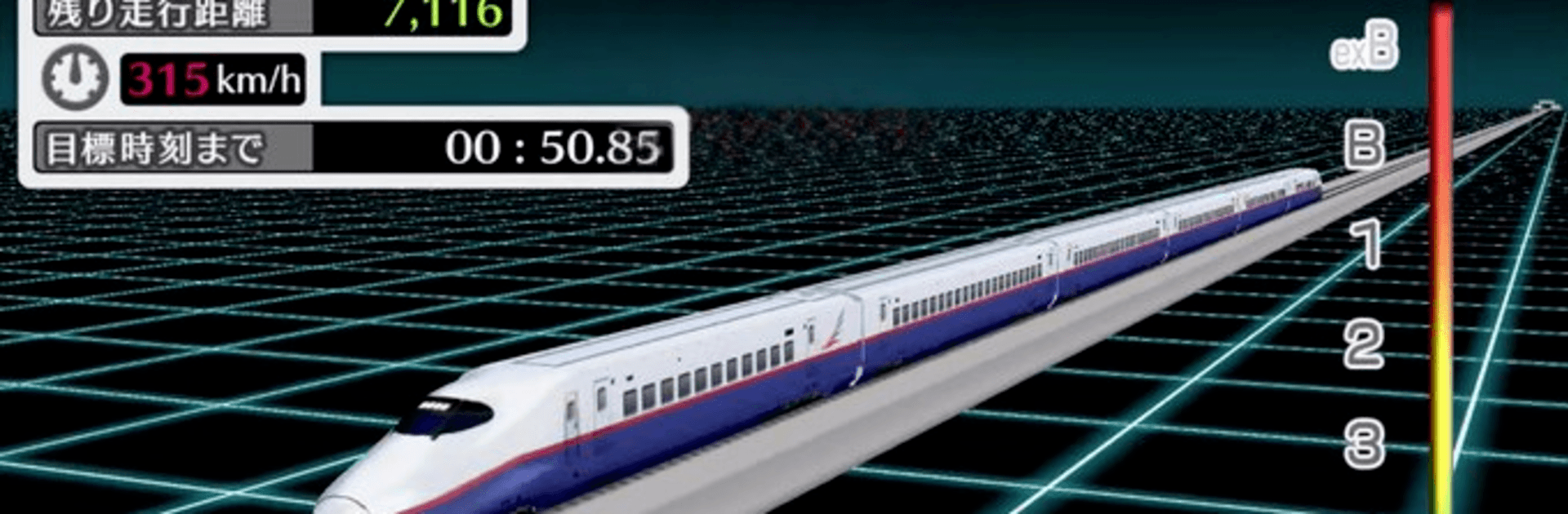
鉄道パークZ is all about the joy of railways—building them, watching them run, and soaking in the tiny details that make model trains so satisfying. This Simulation lets you craft your own miniature world, then sit back as authentic trains wind through tunnels, bridges, and bustling cities. It’s unhurried and hands-on, with a cozy vibe and plenty of tools to make it your own. Prefer playing on a bigger screen? It also runs smoothly on PC with BlueStacks.

Game Features

  • Authentic 3D trains: Faithfully recreated rolling stock from JR lines and other railways deliver that “real thing” feel in miniature scale.
  • Build-your-own diorama: Lay tracks, add structures, stack overpasses, and carve out complex interchanges to design a layout that’s unmistakably yours.
  • Linked scenic maps: Explore countryside, dense urban zones, and everything in between across connected areas that feel like one long journey.
  • Flexible camera and photo tools: Swap viewpoints on the fly, hop into ride-along angles, snap photos, and organize your best shots in a built-in album.
  • Events and little surprises: Fun moments pop up on your routes to keep drives lively without getting in the way of your chill session.
  • Real station announcements: Hear platform-style voice lines performed by Eiji Tsuda, adding that unmistakable “you are there” atmosphere.
  • Music by Hyadain: A spirited soundtrack from Hyadain sets the pace—from relaxed building sessions to busy mainline runs.
  • Relaxed pacing, deep tinkering: Take your time planning routes, testing changes, and watching trains meet, pass, and glide through your handiwork.
  • Smooth play on PC with BlueStacks: Enjoy crisp visuals and easy camera control when you’d like a desk-bound building session.

BlueStacks gives you more room to focus on the game and less time adjusting around mobile limitations.


Game Features

Enhancements

  • Macros
  • Multi Instance
  • Multi Instance Sync
  • Script
  • Enhancements
Macros

Macros

Automate the predictable in 鉄道パークZ and transform your gameplay with Macros. Get access to inventive Macros in the BlueStacks Macro Community
Multi Instance

Multi Instance

Play 鉄道パークZ on one window. And chat with your friend on the other. Press CTRL + Shift + 8 to open the Multi-Instance Manager. And start creating fresh instances or clone an existing one.
Multi Instance Sync

Multi Instance Sync

Play 鉄道パークZ with the power of Multi-Instance Sync. Replicate what you are doing on the main instance on all other instances. Level up faster, play more.
Script

Script

Script your way to gaming glory in 鉄道パークZ with BlueStacks Script. Write and run a set of commands to automate repeated tasks. Trigger the command by assigning it to any key.
Read More

How to Download and Play 鉄道パークZ on PC or Mac

  • Download and install BlueStacks on your PC or Mac

  • Complete Google sign-in to access the Play Store, or do it later

  • Look for 鉄道パークZ in the search bar at the top right corner

  • Click to install 鉄道パークZ from the search results

  • Complete Google sign-in (if you skipped step 2) to install 鉄道パークZ

  • Click the 鉄道パークZ icon on the home screen to start playing

video
Watch Video

Minimum System Requirements

With BlueStacks 5, you can get started on a PC that fulfills the following requirements.

  • Operating System

    Microsoft Windows 7 or above, macOS 11 (Big Sur) or above

  • Processor

    Intel, AMD or Apple Silicon Processor

  • RAM

    at least 4GB

  • HDD

    10GB Free Disk Space

Note:

* You must be an Administrator on your PC. Up to date graphics drivers from Microsoft or the chipset vendor.

鉄道パークZ - FAQs

  • How to play 鉄道パークZ on Windows PC & Mac?

    Play 鉄道パークZ on your PC or Mac by following these simple steps.

    • Click on 'Play 鉄道パークZ on PC’ to download BlueStacks
    • Install it and log-in to Google Play Store
    • Launch and play the game.
  • Why is BlueStacks the fastest and safest platform to play games on PC?

    BlueStacks respects your privacy and is always safe and secure to use. It does not carry any malware, spyware, or any sort of additional software that could harm your PC.

    It is engineered to optimize speed and performance for a seamless gaming experience.

  • What are 鉄道パークZ PC requirements?

    Minimum requirement to run 鉄道パークZ on your PC

    • OS: Microsoft Windows 7 or above MacOS 11 (Big Sur) or above
    • Processor: Intel, AMD or Apple Silicon Processor
    • RAM: Your PC must have at least 4GB of RAM. (Note that having 4GB or more disk space is not a substitute for RAM)
    • HDD: 10GB Free Disk Space.
    • You must be an Administrator on your PC.







