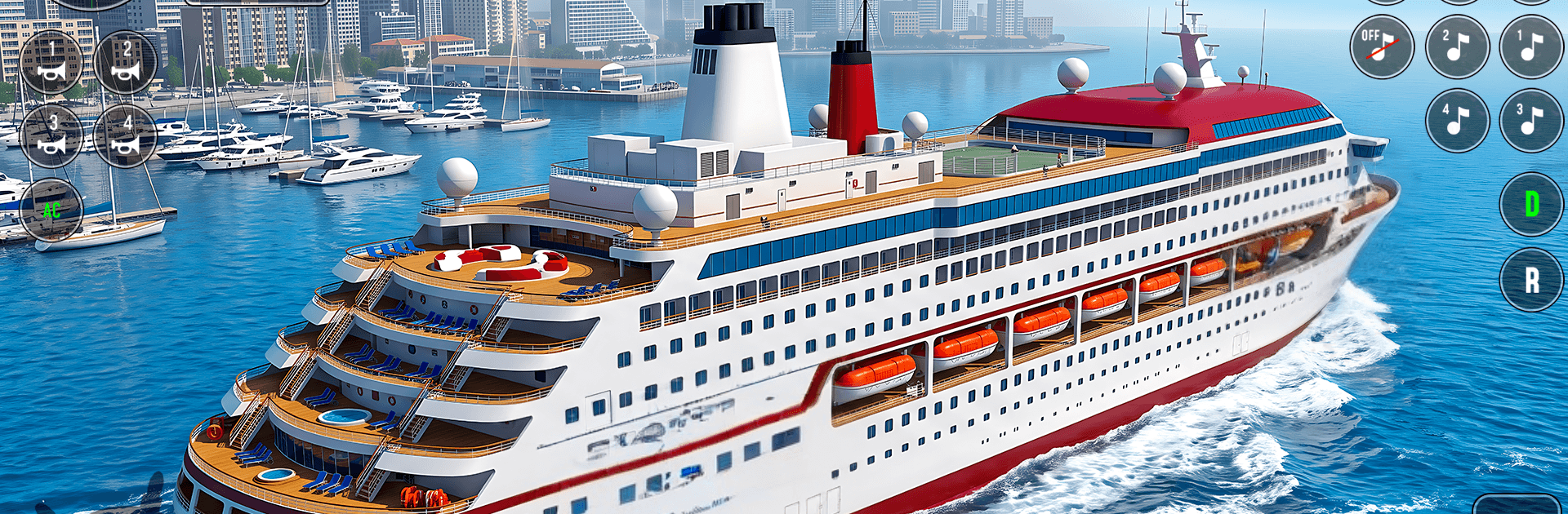
Real Cargo Ship Game Simulator

Real Cargo Ship Game Simulator

Simulation

| TGM GLOBAL

Play on PC with BlueStacks or from our cloud

  • Overview
  • Game Features
  • How to Play

Page Modified On: September 11, 2026

Play Real Cargo Ship Game Simulator on PC or Mac

Explore a whole new adventure with Real Cargo Ship Game Simulator, a Simulation game created by TGM GLOBAL. Experience great gameplay with BlueStacks, the most popular gaming platform to play Android games on your PC or Mac.

About the Game

Real Cargo Ship Game Simulator puts you behind the controls of mighty vessels and towering cranes, all in a grounded, hands-on Simulation experience. You’ll juggle real shipping work—loading containers, securing heavy cargo, and steering through busy ports—while keeping an eye on the weather and the clock. Prefer a bigger view of the harbor? It also plays smoothly on PC with BlueStacks.

Game Features

  • Hands-on cargo ops: Operate massive cranes to lift, balance, and stack containers with care so the deck stays safe and steady.
  • Heavy and fragile loads: Switch between oversized machinery and delicate shipments, adjusting speed and angles to keep everything intact.
  • Authentic ship handling: Feel the weight and momentum as you throttle, reverse, and pivot through tight channels and crowded docks.
  • Dynamic weather: Rain, fog, and rough waves challenge visibility and control, pushing your planning and piloting skills.
  • Sea port navigation: Plot routes, time your entries, and thread past moorings and markers across a bustling harbor environment.
  • Smooth, responsive controls: Intuitive steering and crane inputs make tricky moves manageable without losing that realistic feel.
  • Missions that matter: Tackle varied jobs—from quick transfers to full cargo runs—each with different goals and challenges.
  • Grow your operation: Complete contracts, earn cash, and expand your fleet to build a true ship transport empire.
  • Precision and timing: Hit tight windows, avoid bumps and scrapes, and keep cargo secure to earn higher payouts and ratings.

Start playing Real Cargo Ship Game Simulator on BlueStacks and get a smoother, more comfortable PC or Mac setup.


Game Features

Enhancements

  • Macros
  • Multi Instance
  • Multi Instance Sync
  • Script
  • Enhancements
Macros

Macros

Automate the predictable in Real Cargo Ship Game Simulator and transform your gameplay with Macros. Get access to inventive Macros in the BlueStacks Macro Community
Multi Instance

Multi Instance

Play Real Cargo Ship Game Simulator on one window. And chat with your friend on the other. Press CTRL + Shift + 8 to open the Multi-Instance Manager. And start creating fresh instances or clone an existing one.
Multi Instance Sync

Multi Instance Sync

Play Real Cargo Ship Game Simulator with the power of Multi-Instance Sync. Replicate what you are doing on the main instance on all other instances. Level up faster, play more.
Script

Script

Script your way to gaming glory in Real Cargo Ship Game Simulator with BlueStacks Script. Write and run a set of commands to automate repeated tasks. Trigger the command by assigning it to any key.
Read More

How to Download and Play Real Cargo Ship Game Simulator on PC or Mac

  • Download and install BlueStacks on your PC or Mac

  • Complete Google sign-in to access the Play Store, or do it later

  • Look for Real Cargo Ship Game Simulator in the search bar at the top right corner

  • Click to install Real Cargo Ship Game Simulator from the search results

  • Complete Google sign-in (if you skipped step 2) to install Real Cargo Ship Game Simulator

  • Click the Real Cargo Ship Game Simulator icon on the home screen to start playing

video
Watch Video

Minimum System Requirements

With BlueStacks 5, you can get started on a PC that fulfills the following requirements.

  • Operating System

    Microsoft Windows 7 or above, macOS 11 (Big Sur) or above

  • Processor

    Intel, AMD or Apple Silicon Processor

  • RAM

    at least 4GB

  • HDD

    10GB Free Disk Space

Note:

* You must be an Administrator on your PC. Up to date graphics drivers from Microsoft or the chipset vendor.

Real Cargo Ship Game Simulator - FAQs

  • How to play Real Cargo Ship Game Simulator on Windows PC & Mac?

    Play Real Cargo Ship Game Simulator on your PC or Mac by following these simple steps.

    • Click on 'Play Real Cargo Ship Game Simulator on PC’ to download BlueStacks
    • Install it and log-in to Google Play Store
    • Launch and play the game.
  • Why is BlueStacks the fastest and safest platform to play games on PC?

    BlueStacks respects your privacy and is always safe and secure to use. It does not carry any malware, spyware, or any sort of additional software that could harm your PC.

    It is engineered to optimize speed and performance for a seamless gaming experience.

  • What are Real Cargo Ship Game Simulator PC requirements?

    Minimum requirement to run Real Cargo Ship Game Simulator on your PC

    • OS: Microsoft Windows 7 or above MacOS 11 (Big Sur) or above
    • Processor: Intel, AMD or Apple Silicon Processor
    • RAM: Your PC must have at least 4GB of RAM. (Note that having 4GB or more disk space is not a substitute for RAM)
    • HDD: 10GB Free Disk Space.
    • You must be an Administrator on your PC.