Run Farm Run
Run Farm Run

Run Farm Run

Simulation

| Remaster Games

Play on PC with BlueStacks or from our cloud

  • Overview
  • Game Features
  • How to Play

Page Modified On: October 26, 2026

Play Run Farm Run on PC or Mac

Run Farm Run brings the Simulation genre to life, and throws up exciting challenges for gamers. Developed by Remaster Games, this Android game is best experienced on BlueStacks, the World’s #1 app player for PC and Mac users.

About the Game
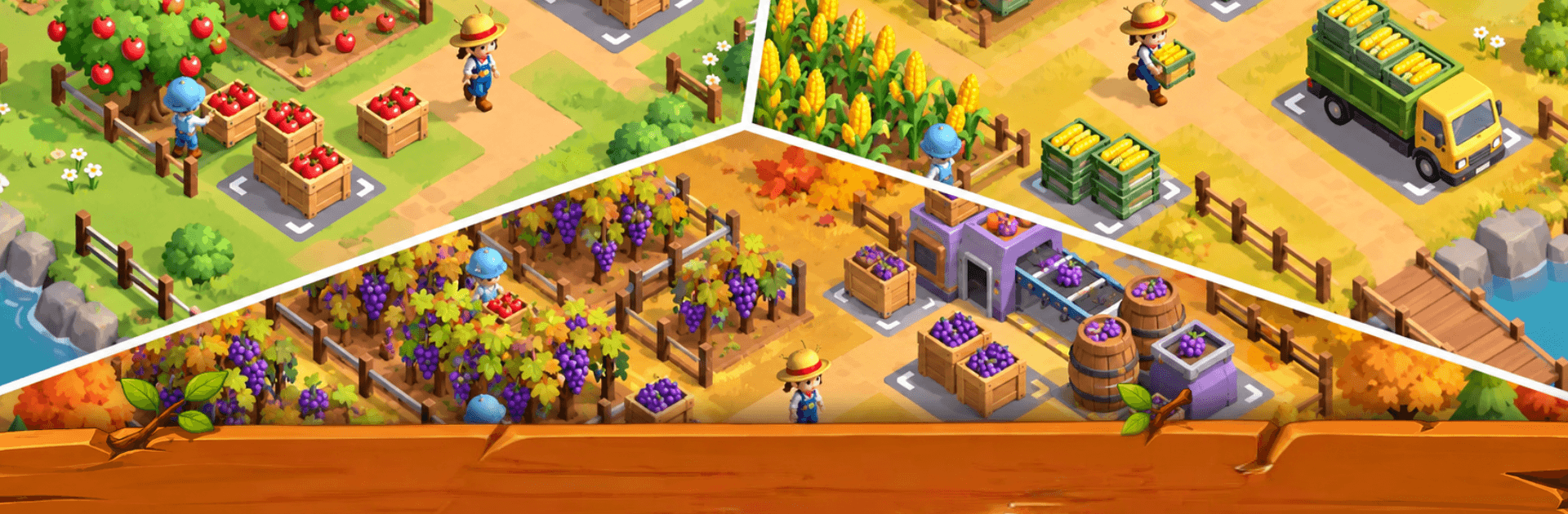
Run Farm Run is a laid‑back Simulation that turns a sleepy patch of land into a full-on farm-to-table operation. You’ll harvest, haul, and tinker with machines as crops become real products—think salty popcorn and fresh-baked bread—while a growing crew keeps everything moving. Want to play on a bigger screen? It runs smoothly on PC with BlueStacks.

Game Features
– Field-to-Fork Flow: Plant, cut, carry, and process as you turn raw corn and wheat into snacks and staples without missing a beat.
– Full Production Line: Unlock threshers, mills, poppers, and ovens; link each station so materials keep flowing and bottlenecks don’t pile up.
– Your Crew, Your Call: Hire harvesters and haulers, promote standout workers, and fine-tune roles to keep the schedule tight.
– Upgrades That Matter: Boost your speed, strength, and carrying stacks, then power up machines for faster cycles, bigger capacity, and better profits.
– Expand the Grounds: Open new fields, add processing bays, and build out fresh facilities as your operation scales up.
– Satisfying Automation: Watch conveyors hum, kernels burst, flour puff, and trucks roll out fully loaded—wrapped in a bright, low‑poly art style with simple, snappy controls.
– Tasks and Orders: Clear daily goals and special shipments to earn rewards and unlock new looks for your gear and crew.
– Progress That Sticks: Collect earnings made while you were away, then reinvest to squeeze more output from every field and machine.

BlueStacks gives you more room to focus on the game and less time adjusting around mobile limitations.


Game Features

Enhancements

  • Macros
  • Multi Instance
  • Multi Instance Sync
  • Script
  • Enhancements
Macros

Macros

Automate the predictable in Run Farm Run and transform your gameplay with Macros. Get access to inventive Macros in the BlueStacks Macro Community
Multi Instance

Multi Instance

Play Run Farm Run on one window. And chat with your friend on the other. Press CTRL + Shift + 8 to open the Multi-Instance Manager. And start creating fresh instances or clone an existing one.
Multi Instance Sync

Multi Instance Sync

Play Run Farm Run with the power of Multi-Instance Sync. Replicate what you are doing on the main instance on all other instances. Level up faster, play more.
Script

Script

Script your way to gaming glory in Run Farm Run with BlueStacks Script. Write and run a set of commands to automate repeated tasks. Trigger the command by assigning it to any key.
Read More

How to Download and Play Run Farm Run on PC or Mac

  • Download and install BlueStacks on your PC or Mac

  • Complete Google sign-in to access the Play Store, or do it later

  • Look for Run Farm Run in the search bar at the top right corner

  • Click to install Run Farm Run from the search results

  • Complete Google sign-in (if you skipped step 2) to install Run Farm Run

  • Click the Run Farm Run icon on the home screen to start playing

video
Watch Video

Minimum System Requirements

With BlueStacks 5, you can get started on a PC that fulfills the following requirements.

  • Operating System

    Microsoft Windows 7 or above, macOS 11 (Big Sur) or above

  • Processor

    Intel, AMD or Apple Silicon Processor

  • RAM

    at least 4GB

  • HDD

    10GB Free Disk Space

Note:

* You must be an Administrator on your PC. Up to date graphics drivers from Microsoft or the chipset vendor.

Run Farm Run - FAQs

  • How to play Run Farm Run on Windows PC & Mac?

    Play Run Farm Run on your PC or Mac by following these simple steps.

    • Click on 'Play Run Farm Run on PC’ to download BlueStacks
    • Install it and log-in to Google Play Store
    • Launch and play the game.
  • Why is BlueStacks the fastest and safest platform to play games on PC?

    BlueStacks respects your privacy and is always safe and secure to use. It does not carry any malware, spyware, or any sort of additional software that could harm your PC.

    It is engineered to optimize speed and performance for a seamless gaming experience.

  • What are Run Farm Run PC requirements?

    Minimum requirement to run Run Farm Run on your PC

    • OS: Microsoft Windows 7 or above MacOS 11 (Big Sur) or above
    • Processor: Intel, AMD or Apple Silicon Processor
    • RAM: Your PC must have at least 4GB of RAM. (Note that having 4GB or more disk space is not a substitute for RAM)
    • HDD: 10GB Free Disk Space.
    • You must be an Administrator on your PC.