Sahin Simulator : Ultimate

Sahin Simulator : Ultimate

Simulation

| Barış Kaplan

Play on PC with BlueStacks or from our cloud

  • Overview
  • Game Features
  • How to Play

Page Modified On: October 13, 2025

Play Sahin Simulator : Ultimate on PC or Mac

Bring your A-game to Sahin Simulator : Ultimate, the Simulation game sensation from Barış Kaplan. Give your gameplay the much-needed boost with precise game controls, high FPS graphics, and top-tier features on your PC or Mac with BlueStacks.

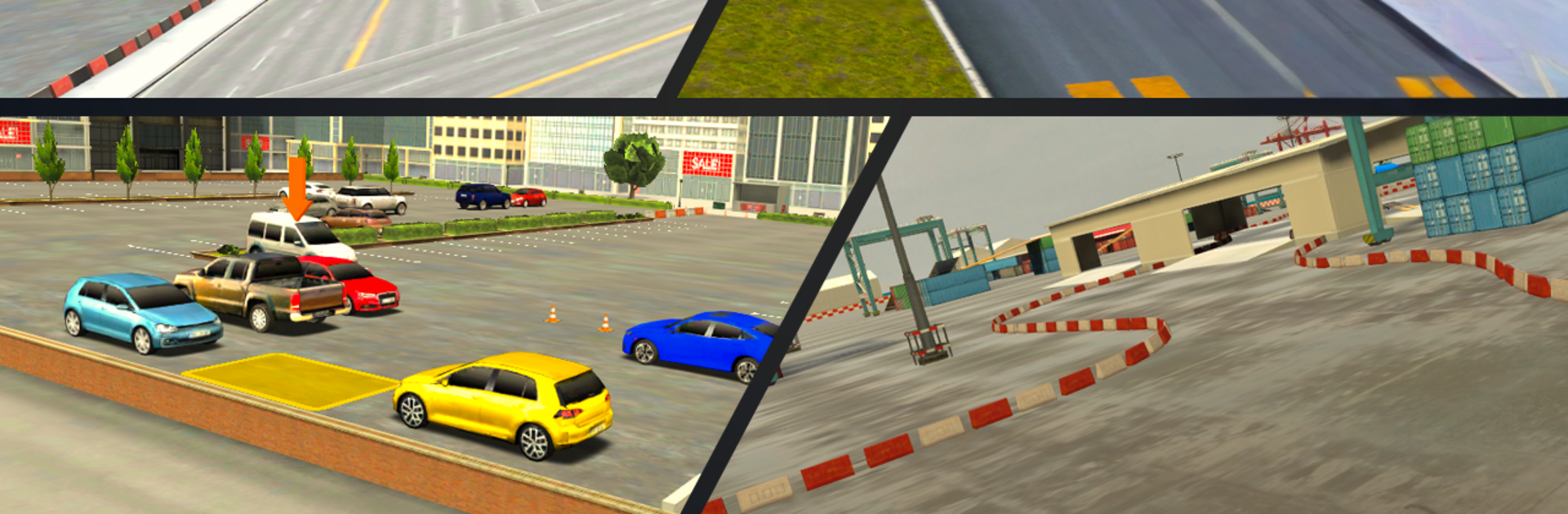
Sahin Simulator: Ultimate is all about taking a humble street car and turning it into a showy drift machine, then actually driving it like one. The first thing that stands out is the tuning. There are loads of parts to swap, with spoilers, wheels, exhausts, and full color control for body and windows. Stickers on the rear glass with custom text is a funny touch, and the suspension options let someone slam the car and add camber until it scrapes. Even the hood and trunk get attention, so the whole build can match a look, from clean to loud.

On the road, the handling leans toward smooth sliding, with realistic traffic and other vehicles giving enough pressure to drive well instead of just donut circles. There is a free ride mode for cruising and practicing lines, and there are several game modes, including multiplayer, for anyone who wants to show off their setup or trade drifts in the same world. A built in radio keeps the drive from feeling empty. The decal system works nicely for people who like small details, and the language options make it easy to navigate menus.

Running it on BlueStacks on PC helps a lot, since keyboard control makes long drifts steadier and the graphics look extra crisp on a monitor. The whole package feels like a proper garage-to-street loop, more than a simple parking or drift toy, and that is what gives it legs.

Start your journey now. Download the game on BlueStacks, invite your friends, and march on a new adventure.


Game Features

Enhancements

  • Macros
  • Multi Instance
  • Multi Instance Sync
  • Script
  • Enhancements
Macros

Macros

Automate the predictable in Sahin Simulator : Ultimate and transform your gameplay with Macros. Get access to inventive Macros in the BlueStacks Macro Community
Multi Instance

Multi Instance

Play Sahin Simulator : Ultimate on one window. And chat with your friend on the other. Press CTRL + Shift + 8 to open the Multi-Instance Manager. And start creating fresh instances or clone an existing one.
Multi Instance Sync

Multi Instance Sync

Play Sahin Simulator : Ultimate with the power of Multi-Instance Sync. Replicate what you are doing on the main instance on all other instances. Level up faster, play more.
Script

Script

Script your way to gaming glory in Sahin Simulator : Ultimate with BlueStacks Script. Write and run a set of commands to automate repeated tasks. Trigger the command by assigning it to any key.
Read More

How to Download and Play Sahin Simulator : Ultimate on PC or Mac

  • Download and install BlueStacks on your PC or Mac

  • Complete Google sign-in to access the Play Store, or do it later

  • Look for Sahin Simulator : Ultimate in the search bar at the top right corner

  • Click to install Sahin Simulator : Ultimate from the search results

  • Complete Google sign-in (if you skipped step 2) to install Sahin Simulator : Ultimate

  • Click the Sahin Simulator : Ultimate icon on the home screen to start playing

video
Watch Video

Minimum System Requirements

With BlueStacks 5, you can get started on a PC that fulfills the following requirements.

  • Operating System

    Microsoft Windows 7 or above, macOS 11 (Big Sur) or above

  • Processor

    Intel, AMD or Apple Silicon Processor

  • RAM

    at least 4GB

  • HDD

    10GB Free Disk Space

Note:

* You must be an Administrator on your PC. Up to date graphics drivers from Microsoft or the chipset vendor.

Sahin Simulator : Ultimate - FAQs

  • How to play Sahin Simulator : Ultimate on Windows PC & Mac?

    Play Sahin Simulator : Ultimate on your PC or Mac by following these simple steps.

    • Click on 'Play Sahin Simulator : Ultimate on PC’ to download BlueStacks
    • Install it and log-in to Google Play Store
    • Launch and play the game.
  • Why is BlueStacks the fastest and safest platform to play games on PC?

    BlueStacks respects your privacy and is always safe and secure to use. It does not carry any malware, spyware, or any sort of additional software that could harm your PC.

    It is engineered to optimize speed and performance for a seamless gaming experience.

  • What are Sahin Simulator : Ultimate PC requirements?

    Minimum requirement to run Sahin Simulator : Ultimate on your PC

    • OS: Microsoft Windows 7 or above MacOS 11 (Big Sur) or above
    • Processor: Intel, AMD or Apple Silicon Processor
    • RAM: Your PC must have at least 4GB of RAM. (Note that having 4GB or more disk space is not a substitute for RAM)
    • HDD: 10GB Free Disk Space.
    • You must be an Administrator on your PC.