Sandbox Battle Playground

Sandbox Battle Playground

Simulation

| Big Host Africa

Play on PC with BlueStacks or from our cloud

  • Overview
  • Game Features
  • How to Play

Page Modified On: September 25, 2026

Play Sandbox Battle Playground on PC or Mac

Bring your A-game to Sandbox Battle Playground, the Simulation game sensation from Big Host Africa. Give your gameplay the much-needed boost with precise game controls, high FPS graphics, and top-tier features on your PC or Mac with BlueStacks.

About the Game

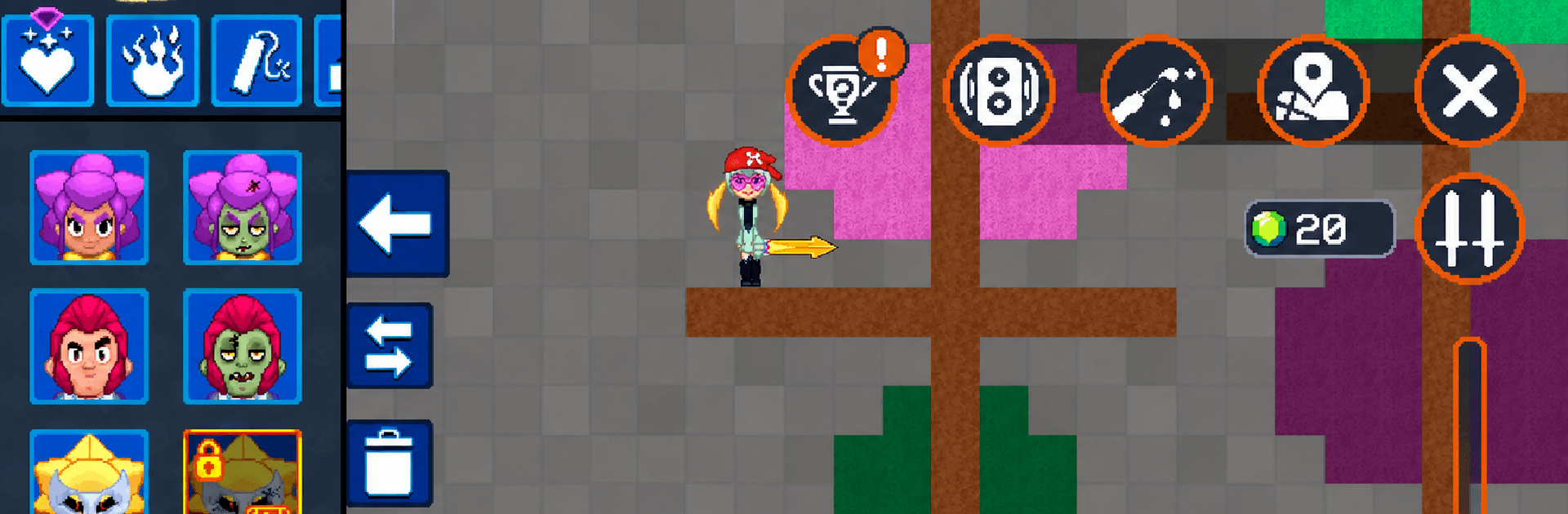
Sandbox Battle Playground is a physics-heavy playground where you set the stage and watch chaos unfold. This Simulation lets you build scenes, drop in characters and creatures, and see what the ragdolls do when everything collides. Prefer a bigger view and smoother control? It runs comfortably on BlueStacks without getting in your way.

Game Features

  • Build-Anything Toolkit: Place units, props, and obstacles wherever you like, then hit start to watch your scene spring to life.
  • Wobbly Ragdoll Physics: Characters stumble, tumble, and pinball off the environment with reactions that are equal parts goofy and surprising.
  • Head-to-Head Matchups: Pit different fighters, monsters, and oddballs against each other and see which setup actually works.
  • Cause-and-Effect Experiments: Nudge the layout, swap a few pieces, or change the order—you’ll get fresh outcomes with tiny tweaks.
  • Open-Ended Play: No missions or strict objectives; it’s your sandbox, your rules, your version of “what happens if…?”
  • Easy, Quick Controls: Drag, drop, rotate, and start the action in seconds, so you spend more time experimenting and less time fiddling.
  • Characters and Creatures Galore: Mix humans, beasts, and other oddities to cook up unlikely showdowns and hilarious chain reactions.
  • Make Your Own Challenges: Build tricky arenas, funnel enemies through hazards, or design tests to see which lineup survives the chaos.
  • Laugh-Out-Loud Collisions: Crashes, bounces, and domino effects keep every round unpredictable—and oddly satisfying.

BlueStacks gives you more room to focus on the game and less time adjusting around mobile limitations.


Game Features

Enhancements

  • Macros
  • Multi Instance
  • Multi Instance Sync
  • Script
  • Enhancements
Macros

Macros

Automate the predictable in Sandbox Battle Playground and transform your gameplay with Macros. Get access to inventive Macros in the BlueStacks Macro Community
Multi Instance

Multi Instance

Play Sandbox Battle Playground on one window. And chat with your friend on the other. Press CTRL + Shift + 8 to open the Multi-Instance Manager. And start creating fresh instances or clone an existing one.
Multi Instance Sync

Multi Instance Sync

Play Sandbox Battle Playground with the power of Multi-Instance Sync. Replicate what you are doing on the main instance on all other instances. Level up faster, play more.
Script

Script

Script your way to gaming glory in Sandbox Battle Playground with BlueStacks Script. Write and run a set of commands to automate repeated tasks. Trigger the command by assigning it to any key.
Read More

How to Download and Play Sandbox Battle Playground on PC or Mac

  • Download and install BlueStacks on your PC or Mac

  • Complete Google sign-in to access the Play Store, or do it later

  • Look for Sandbox Battle Playground in the search bar at the top right corner

  • Click to install Sandbox Battle Playground from the search results

  • Complete Google sign-in (if you skipped step 2) to install Sandbox Battle Playground

  • Click the Sandbox Battle Playground icon on the home screen to start playing

video
Watch Video

Minimum System Requirements

With BlueStacks 5, you can get started on a PC that fulfills the following requirements.

  • Operating System

    Microsoft Windows 7 or above, macOS 11 (Big Sur) or above

  • Processor

    Intel, AMD or Apple Silicon Processor

  • RAM

    at least 4GB

  • HDD

    10GB Free Disk Space

Note:

* You must be an Administrator on your PC. Up to date graphics drivers from Microsoft or the chipset vendor.

Sandbox Battle Playground - FAQs

  • How to play Sandbox Battle Playground on Windows PC & Mac?

    Play Sandbox Battle Playground on your PC or Mac by following these simple steps.

    • Click on 'Play Sandbox Battle Playground on PC’ to download BlueStacks
    • Install it and log-in to Google Play Store
    • Launch and play the game.
  • Why is BlueStacks the fastest and safest platform to play games on PC?

    BlueStacks respects your privacy and is always safe and secure to use. It does not carry any malware, spyware, or any sort of additional software that could harm your PC.

    It is engineered to optimize speed and performance for a seamless gaming experience.

  • What are Sandbox Battle Playground PC requirements?

    Minimum requirement to run Sandbox Battle Playground on your PC

    • OS: Microsoft Windows 7 or above MacOS 11 (Big Sur) or above
    • Processor: Intel, AMD or Apple Silicon Processor
    • RAM: Your PC must have at least 4GB of RAM. (Note that having 4GB or more disk space is not a substitute for RAM)
    • HDD: 10GB Free Disk Space.
    • You must be an Administrator on your PC.