Ragdoll Beast Playground

Ragdoll Beast Playground

Simulation

| Big Host Africa

Play on PC with BlueStacks or from our cloud

  • Overview
  • Game Features
  • How to Play

Page Modified On: August 10, 2026

Play Ragdoll Beast Playground on PC or Mac

Ragdoll Beast Playground brings the Simulation genre to life, and throws up exciting challenges for gamers. Developed by Big Host Africa, this Android game is best experienced on BlueStacks, the World’s #1 app player for PC and Mac users.

About the Game

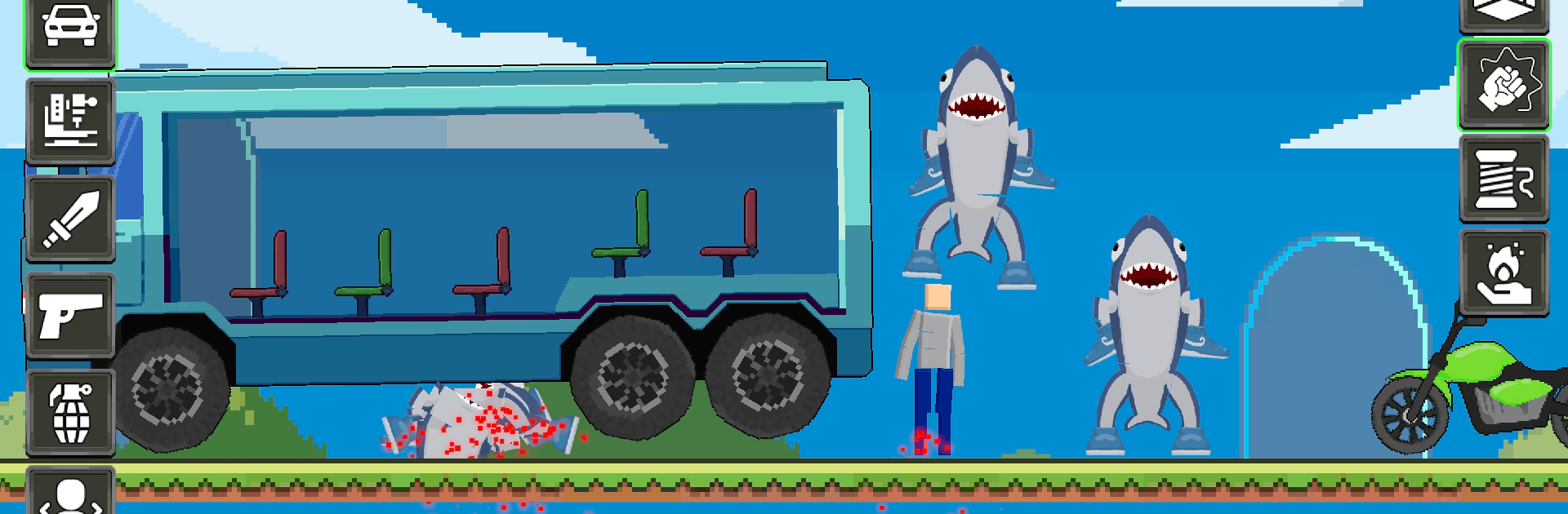
Ragdoll Beast Playground is a physics-powered Simulation sandbox built for people who like to poke, prod, and blow things up just to see what happens. Set the stage with oddball creatures, props, traps, and tools, then kick off the chaos and watch the ragdolls tumble, flip, and crash in gloriously messy ways. If you’d rather experiment on a bigger screen, it runs nicely on BlueStacks.

Game Features

  • Playful Physics: Every item, creature, and contraption follows physics, so collisions, falls, and explosions feel unpredictable and fresh each time.
  • Build Your Arena: Drop in beasts, monsters, and a mix of objects to design anything from tight test labs to sprawling battle pits.
  • Weapons and Traps: Wire up spikes, launchers, bombs, and more to create devious setups and watch the chain reactions unfold.
  • Make Your Own Fights: Stage ridiculous monster showdowns or quiet stress tests—it’s your sandbox, your rules.
  • Big Reactions, Bigger Messes: Trigger domino effects, send bodies flying, and stack chaos on top of chaos until the whole scene goes haywire.
  • Simple, Hands-On Controls: Drag, place, rotate, and start—no complicated menus getting in the way of your next experiment.
  • From Tiny Tests to Total Mayhem: Tinker with one creature and a single gadget, or crowd the arena with multiple beasts and moving parts.
  • Laugh-Out-Loud Moments: Slapstick collisions and weird physics quirks turn even failed experiments into funny highlights.
  • Endless Experiments: Swap parts, reorder traps, and mash up new combinations; with no fixed path, you’re always a few tweaks away from something unexpected.

Start playing Ragdoll Beast Playground on BlueStacks and get a smoother, more comfortable PC or Mac setup.


Game Features

Enhancements

  • Macros
  • Multi Instance
  • Multi Instance Sync
  • Script
  • Enhancements
Macros

Macros

Automate the predictable in Ragdoll Beast Playground and transform your gameplay with Macros. Get access to inventive Macros in the BlueStacks Macro Community
Multi Instance

Multi Instance

Play Ragdoll Beast Playground on one window. And chat with your friend on the other. Press CTRL + Shift + 8 to open the Multi-Instance Manager. And start creating fresh instances or clone an existing one.
Multi Instance Sync

Multi Instance Sync

Play Ragdoll Beast Playground with the power of Multi-Instance Sync. Replicate what you are doing on the main instance on all other instances. Level up faster, play more.
Script

Script

Script your way to gaming glory in Ragdoll Beast Playground with BlueStacks Script. Write and run a set of commands to automate repeated tasks. Trigger the command by assigning it to any key.
Read More

How to Download and Play Ragdoll Beast Playground on PC or Mac

  • Download and install BlueStacks on your PC or Mac

  • Complete Google sign-in to access the Play Store, or do it later

  • Look for Ragdoll Beast Playground in the search bar at the top right corner

  • Click to install Ragdoll Beast Playground from the search results

  • Complete Google sign-in (if you skipped step 2) to install Ragdoll Beast Playground

  • Click the Ragdoll Beast Playground icon on the home screen to start playing

video
Watch Video

Minimum System Requirements

With BlueStacks 5, you can get started on a PC that fulfills the following requirements.

  • Operating System

    Microsoft Windows 7 or above, macOS 11 (Big Sur) or above

  • Processor

    Intel, AMD or Apple Silicon Processor

  • RAM

    at least 4GB

  • HDD

    10GB Free Disk Space

Note:

* You must be an Administrator on your PC. Up to date graphics drivers from Microsoft or the chipset vendor.

Ragdoll Beast Playground - FAQs

  • How to play Ragdoll Beast Playground on Windows PC & Mac?

    Play Ragdoll Beast Playground on your PC or Mac by following these simple steps.

    • Click on 'Play Ragdoll Beast Playground on PC’ to download BlueStacks
    • Install it and log-in to Google Play Store
    • Launch and play the game.
  • Why is BlueStacks the fastest and safest platform to play games on PC?

    BlueStacks respects your privacy and is always safe and secure to use. It does not carry any malware, spyware, or any sort of additional software that could harm your PC.

    It is engineered to optimize speed and performance for a seamless gaming experience.

  • What are Ragdoll Beast Playground PC requirements?

    Minimum requirement to run Ragdoll Beast Playground on your PC

    • OS: Microsoft Windows 7 or above MacOS 11 (Big Sur) or above
    • Processor: Intel, AMD or Apple Silicon Processor
    • RAM: Your PC must have at least 4GB of RAM. (Note that having 4GB or more disk space is not a substitute for RAM)
    • HDD: 10GB Free Disk Space.
    • You must be an Administrator on your PC.